Step Action Illustration
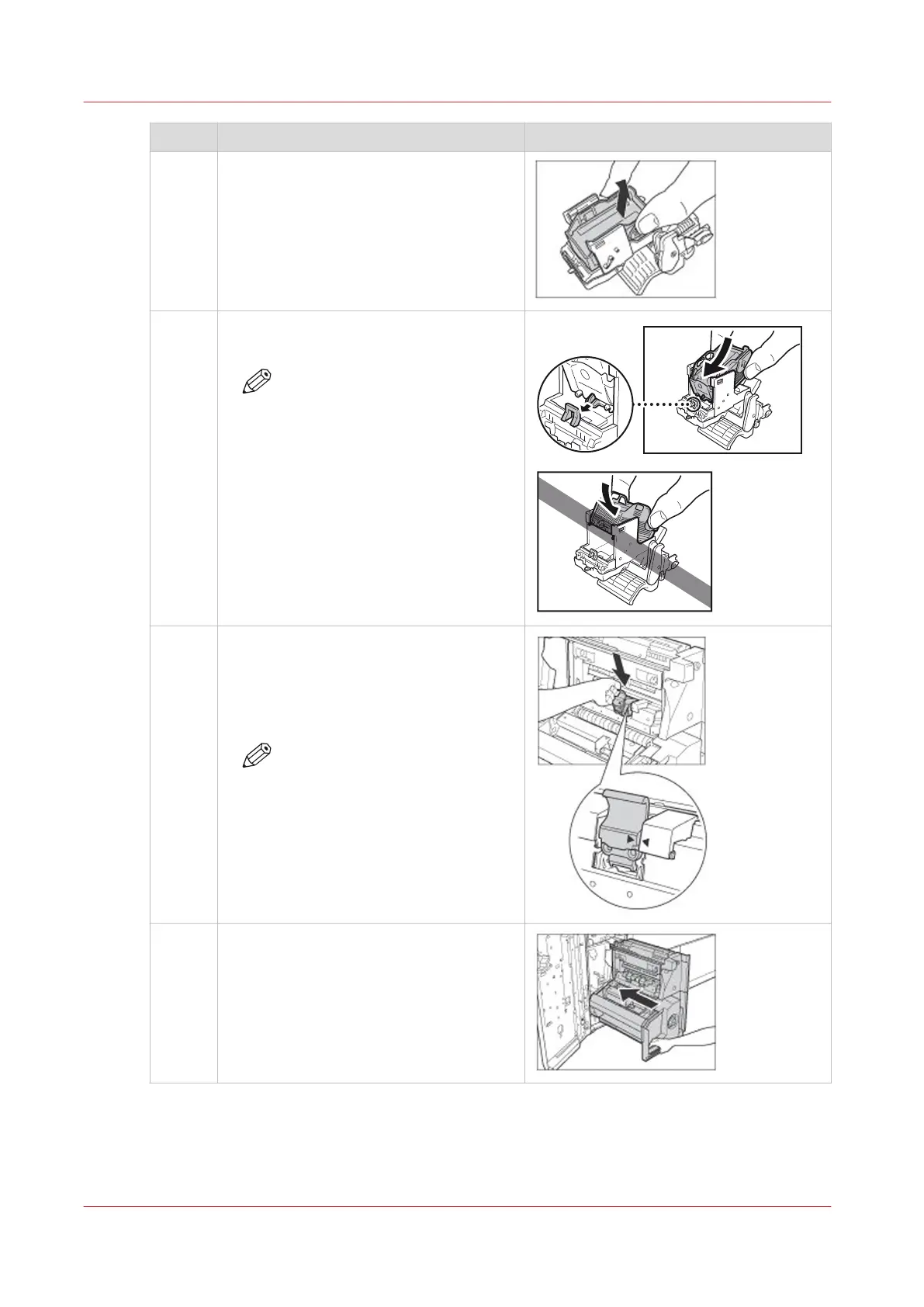
5 Squeeze at the indicated positions to re-
lease the empty staple cartridge.
Lift the empty staple cartridge and pull
the staple cartridge out.
6 Insert the new staple cartridge (Staple
P1).
NOTE
When you replace the staple
cartridges, replace both the
front and back staple cartridges.
7 Return the staple case to its original posi-
tion in the saddle stitch unit.
Make sure that the arrow on the staple
case aligns with the arrow on the saddle
stitch unit.
NOTE
Follow the steps 3 to 7 to re-
place the other staple cartridge
in the saddle stitch unit.
8 Gently push the saddle stitch unit back in-
to the printer.
4
Replace the Staple Cartridge of the Saddle Stitch Unit
430
Chapter 14 - Maintain the print system
Canon varioPRINT DP line


 To Next Page
 Loading...




