102
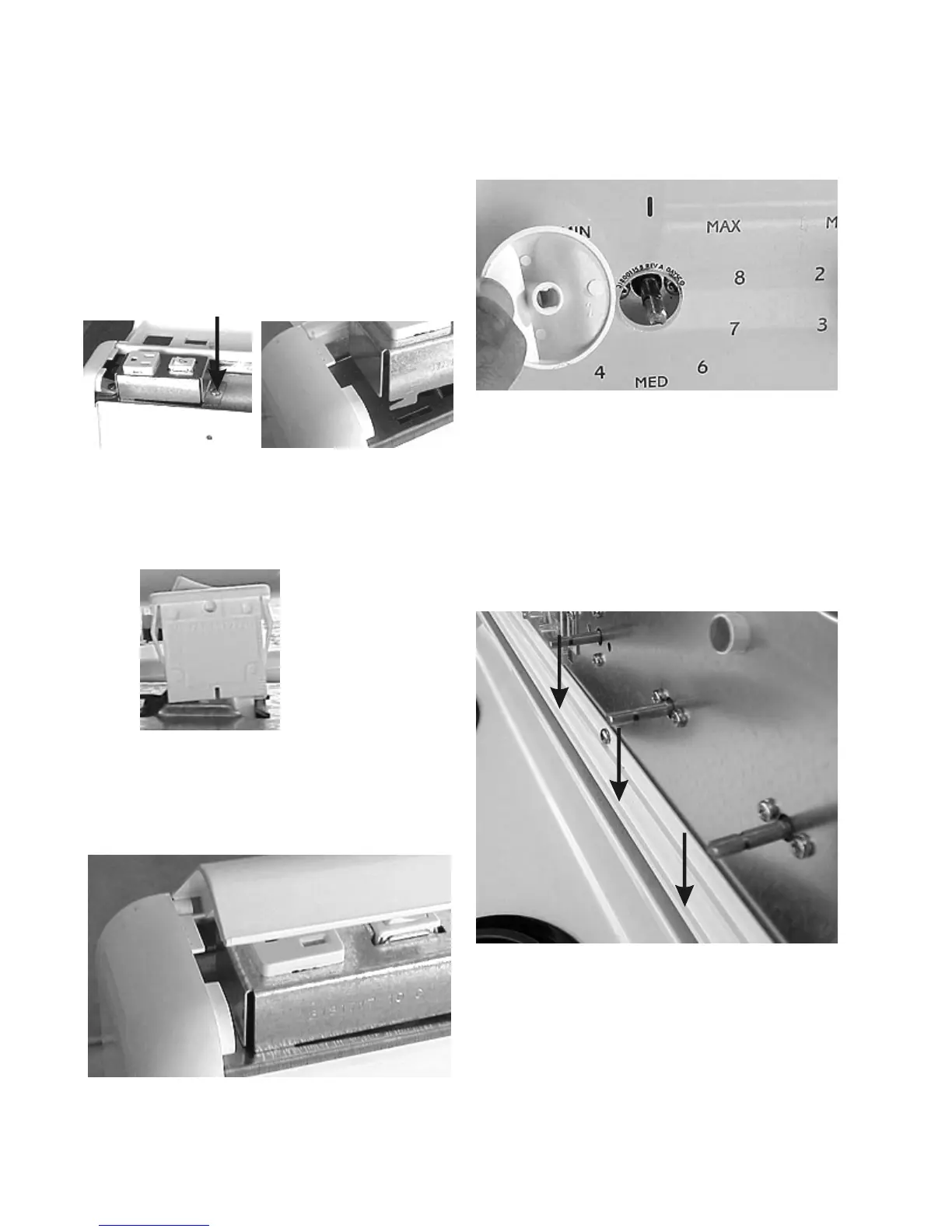
Removing the oven light or fluorescent switch:
The oven light switch and the fluorescent lamp switch
are mounted in the brackets that hold the outlets.
1. Disconnect power from the range, raise the top trim,
roll the control mounting panel forward and disconnect
the wires from the switch.
2. The switches are mounted to brackets that are held
to the top of the control mounting panel by tabs and
slots on one end and one screw on the other.
Remove the screw and slide the bracket sideways.
Screw Tabs and slots
3. The switch is held in the bracket by spring loaded
tabs. To remove the switch from the bracket
squeeze the tabs and pull switch out of the bracket.
One tab on each end
Removing the top trim:
1. Raise the front of the trim and slide the trim back off
of the pins on the end cap.
One tab on each end
Removing the knobs:
1. The top element, oven selector and oven thermostat
knobs pull off.
Removing the backguard glass:
The backguard is held in place by a channel in the bottom
trim and the lip of the top trim.
1. To remove the glass, remove the knobs, pull the top
of the glass forward and lift the glass out of the
channel.
Channel
Removing the timer: (models with thermostats)
1. Disconnect power and remove the control panel
glass.
2. The timer or control is held to the control mounting
panel by two brackets. To remove the timer or control


 To Next Page
 Loading...