203
6
The Shooting Menus
MOVIE SETTING (Movie Recording)
F ISO
Adjust the camera’s sensitivity to light.
Option
Description
H (25600)
Choose for special situations. Note that dynamic range may
be reduced and that pictures may be mottled.
125–12800
Adjust sensitivity manually. Selected value is shown in
display.
AUTO
The ISO sensitivity (ISO125 to ISO12800) for the brightness
of the subject is set automatically.
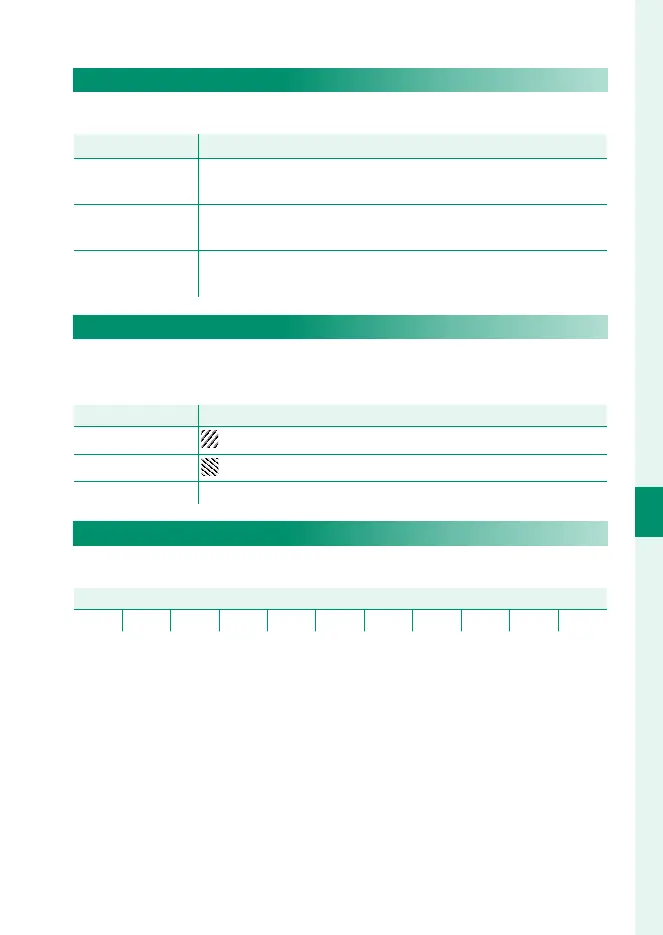
ZEBRA SETTING
Highlights that may be overexposed are shown by zebra stripes
in the movie mode display.
Option
Description
ZEBRA RIGHT
Right-slanting stripes.
ZEBRA LEFT
Left-slanting stripes.
OFF Stripes off .
ZEBRA LEVEL
Choose the brightness threshold for the zebra stripe display.
Options
50 55 60 65 70 75 80 85 90 95 100


 To Next Page
 Loading...











