4. SLANT MODE
4-24
4.16 How to Compare Concentration of School of
Fish
4.16.1 How to compare with the fish estimate mark
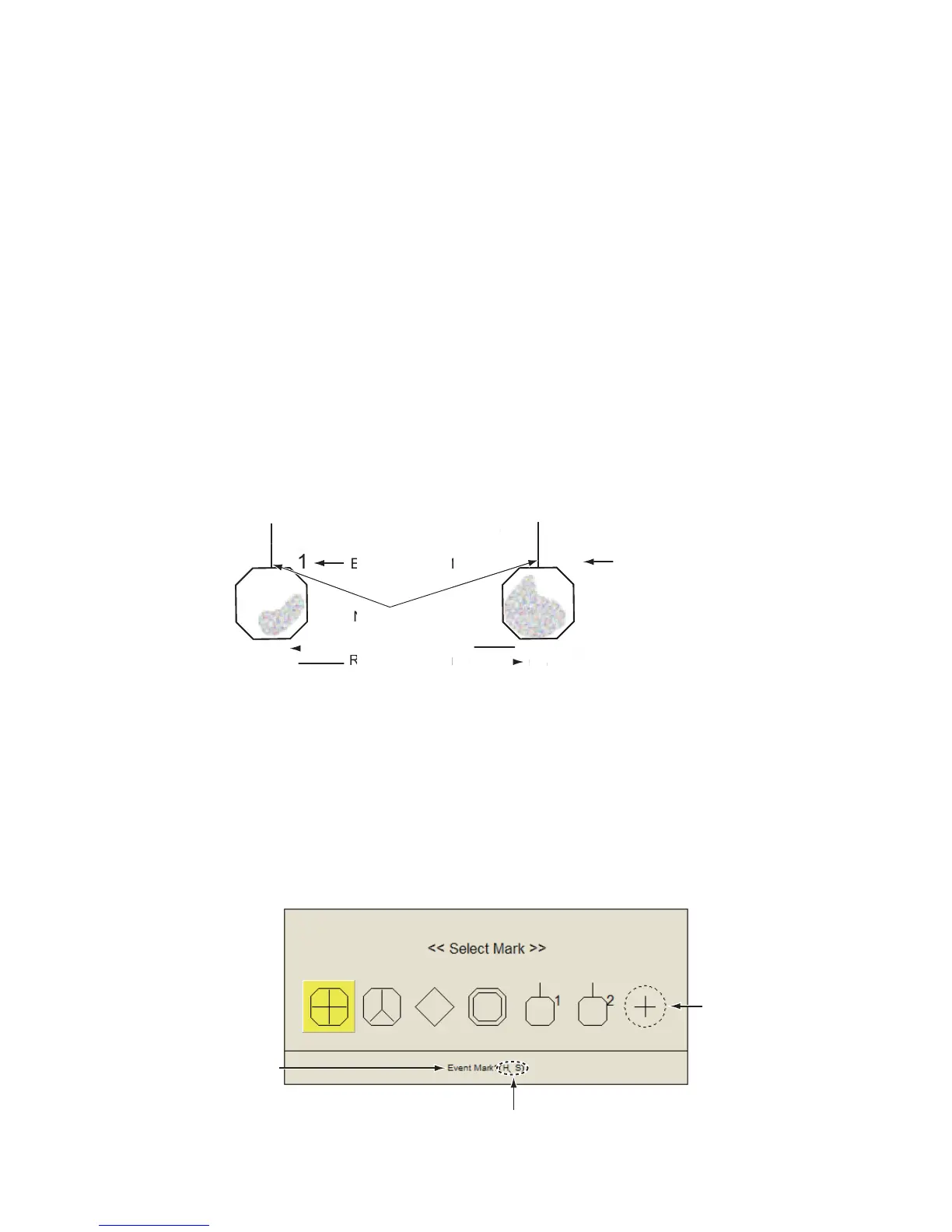
You can get an estimate of the volume of two schools of fish by using the two ESTI-
MATE keys as follows:
1. Operate the trackball to place the cursor on a school of fish, and then press the
ESTIMATE 1 key.
The estimate mark appears on the school of fish. Relative volume is shown by a
figure between 0 and 100, below the estimate mark. When the area inside the
mark is filled in reddish brown, volume figure is said to be 100. When the estimate
mark is entered, a graph is shown at the histogram on the numeric/graphic data
display. For the histogram, see page 2-30.
2. Operate the trackball to place the cursor on a school of fish, and then press the
ESTIMATE 2 key.
Compare estimate figures for each school of fish by observing estimate mark data
and the fish histogram.
3. To turn off the estimate marks press their respective keys.
Note: The fish school mark and event mark 1 can be entered with the fish estimate
mark. For details, contact your dealer.
4.16.2 How to compare with the circle cursor
You can get an estimate of the volume of two schools of fish with the diameter of the
school of fish as follows:
1. Push the wheel to show the [Select Mark] window.
1
25
Estimate mark 1
2
65
North mark
Estimate mark 2
Relative fish volume



 To Next Page
 Loading...








