4. SLANT MODE
4-6
4.5 Auto Train
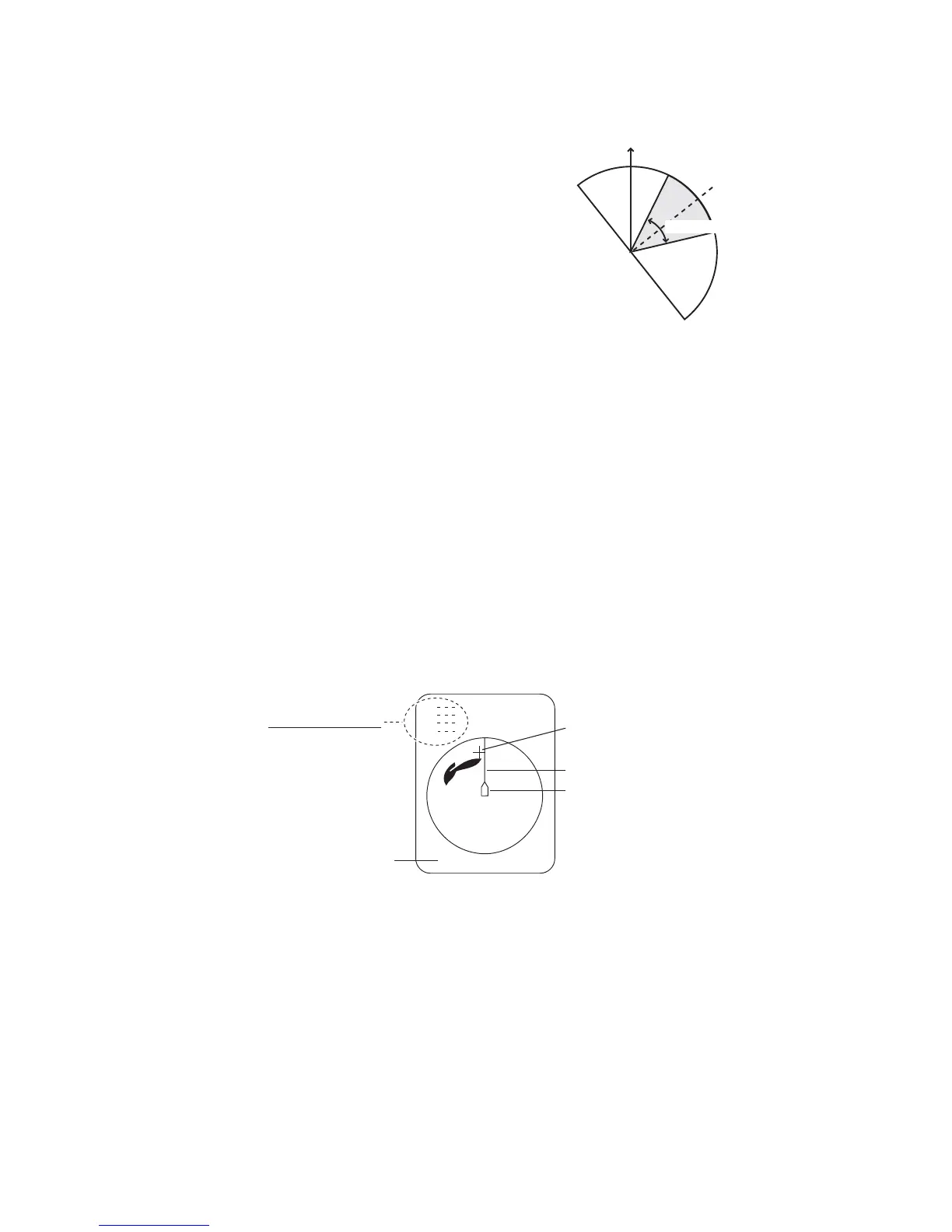
This feature provide automatic training of the Tx
and Rx beams in left and right directions to enable
search over a wide area. This feature is inopera-
tive when target lock is active.
1. Press the V1/S or V2 key to set center angle
for automatic training. Each press of those
keys displays center angle for automatic train-
ing at the center of the screen. Operate V1/S
to change training rightward; V2 to change
training leftward.
2. While pressing the AUTO TRAIN key press the V1/S key to set train angle. The
choices are ±30°, ±60°, ±90°, ±120° and OFF.
Auto train is automatically cancelled when target lock is activated, and the train angle
is set where the target lock mark is entered. When target lock is disabled, auto train
resumes from the bearing in use at the time of deactivation of target lock.
4.6 How to Measure Range and Bearing to a Target
Operate the trackball to place the cursor on the target you want to measure the range
and bearing. The range, bearing and depth to the target appear at the upper left corner
of the screen.
Note 1: Cursor position may also be shown in latitude and longitude. For further de-
tails, see page 7-12.
Note 2: The bearing display is available in four formats. See page 7-12.
Bow
Train cente


 To Next Page
 Loading...









