2. HORIZONTAL MODE
2-28
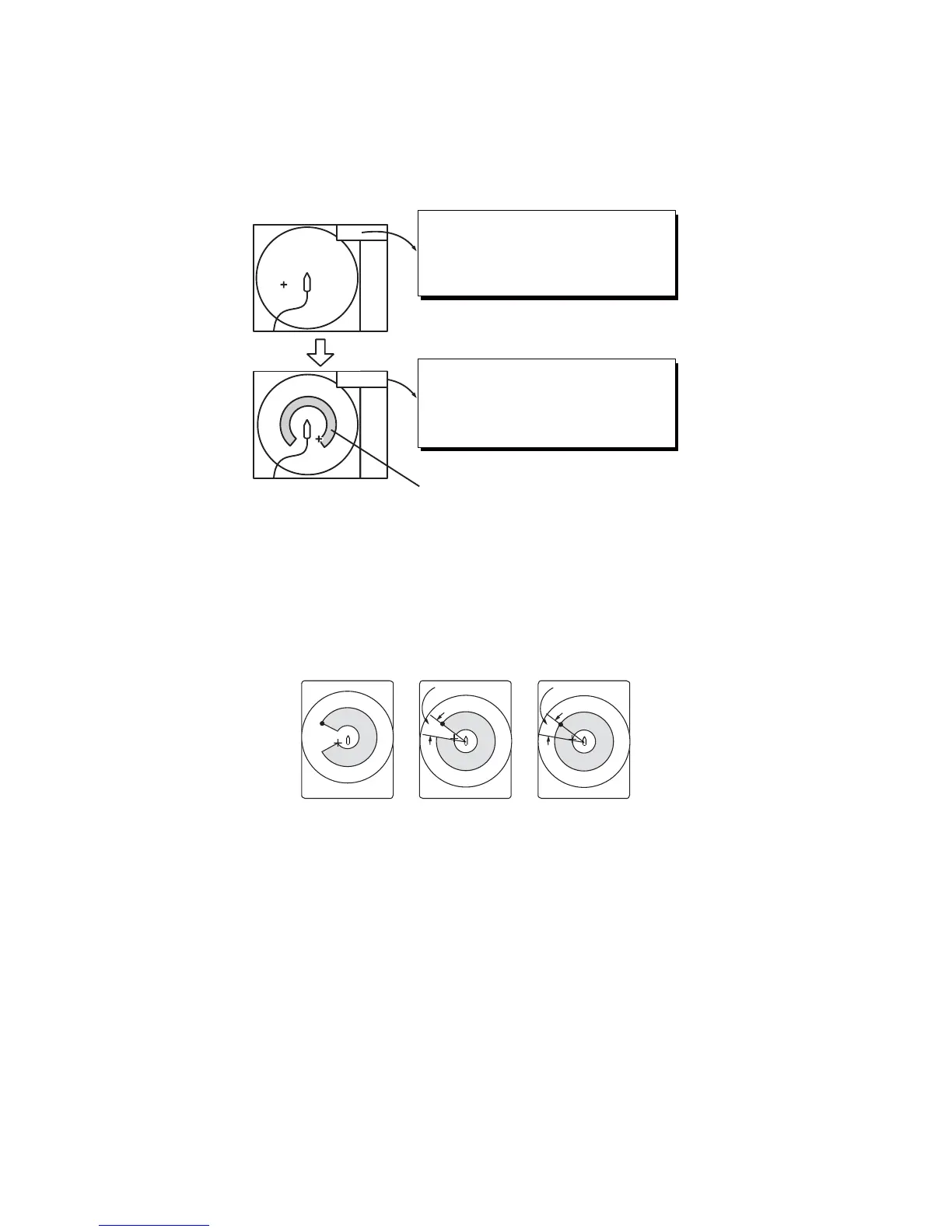
8. Operate the trackball to place the cursor on the starting point of the alarm zone.
9. Push the left-click button.
10. Rotate the trackball clockwise to select the ending point. The display paints a fan-
shaped alarm zone.
The alarm range appears on the display as shown below.
11. Push the left-click button.
12. Long-press the MENU/ESC key to close all menus.
When a fish echo enters the alarm area the buzzer sounds.
Note 1: There must be at least three degrees difference between the starting and end-
ing points to get a fan-shaped alarm zone as shown in (a) and (b) below. Otherwise,
the unit paints a 360-degree alarm zone as in (c) where there is less than 3 degrees
between the starting and ending points.
Note 2: The echo strength which triggers the alarm can be set with [Alarm Level] on
the [Alarm & Audio] menu. The setting range is 0-30. This value corresponds with the
32-echo colors.
To disable the alarm, select [OFF] at the step 5.
2.15 How to Relocate a School of Fish
The offcenter feature relocates a school of fish.
1. Operate the trackball to place the cursor on the position where you want to relo-
cate the own ship mark.
2. Press the OFF CENTER key.
<< Alarm Zone >>
Move trackball cursor to origin of
alarm zone and left click.
Press [R/B] key or right click to cancel.
<< Alarm Zone >>
Move cursor to the end of alarm
range and left click.
Press [R/B] key or right click to cancel.
Fish alarm range
More than 3°
Within 3°
(a) (b) (c)


 To Next Page
 Loading...









