2. HORIZONTAL MODE
2-14
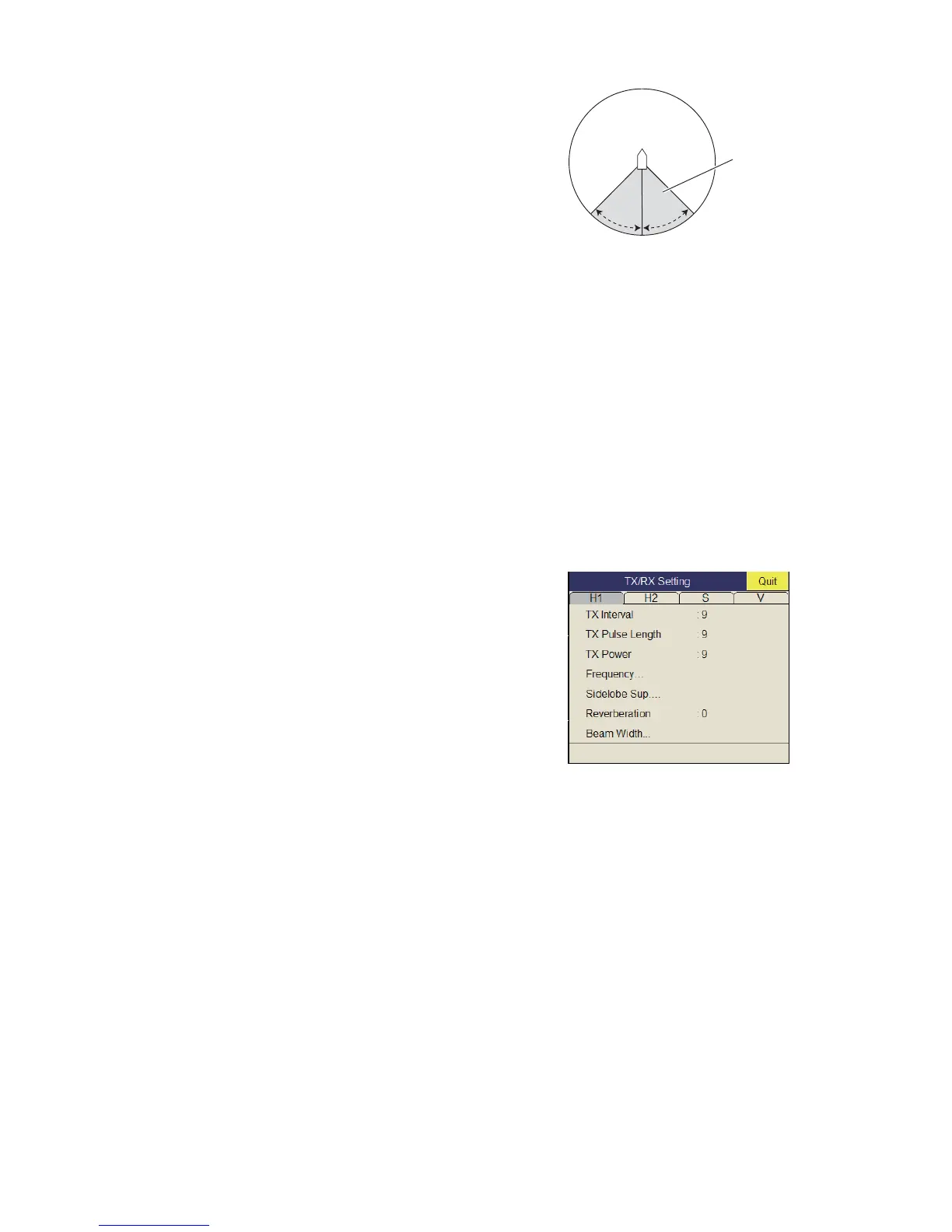
Exclusive Rng S: This feature prevents use of
the 2nd AGC, Post 2nd AGC in a certain area at
the stern, where unwanted echoes (such as
screw noise) can interfere with the 2ND AGC or
Post 2nd AGC feature. Set the area of exclusion
on the setting dialog box. In the example at right
the area of exclusion is ±45°.
*The [Post 2nd AGC] functions independently of
[2nd AGC]. If the [2nd AGC] cannot suppress the bottom echo or sea surface reflec-
tions, try to suppress them with the [Post 2nd AGC]. For particularly strong echoes
raise the AGC setting.
2.7.4 How to shorten pulse length
The pulse length determines the length of the transmission pulse emitted into the wa-
ter. While a longer pulse is advantageous for long-range sounding, it has the disad-
vantage of being poor in discrimination of targets, that is, the ability to separate several
closely located targets. When searching bottom fish, therefore, it is useful to shorten
the pulse length in order to separate fish echoes from bottom reflections.
Note: For search of surface and midwater fish in which bottom reflections are not so
strong, use the longest pulse length "9".
1. Press the MENU/ESC key to show the main menu.
2. Select [TX/RX Setting] then push the left-
click button.
3. Press the H/V/S key to select [H1] or [H2]
tab.
4. Select [TX Pulse Length] then push the left-
click button.
5. Select S or T then push the left-click but-
ton to change the setting. The setting range
is 0-9. The higher the setting, the longer the
pulse length.
6. Select [Quit] on the setting box then push the left-click button to close the box.
7. Long-press the MENU/ESC key to close all menus.
Area of
exclusion
+45°
-45°


 To Next Page
 Loading...









