1. OPERATIONAL OVERVIEW
1-2
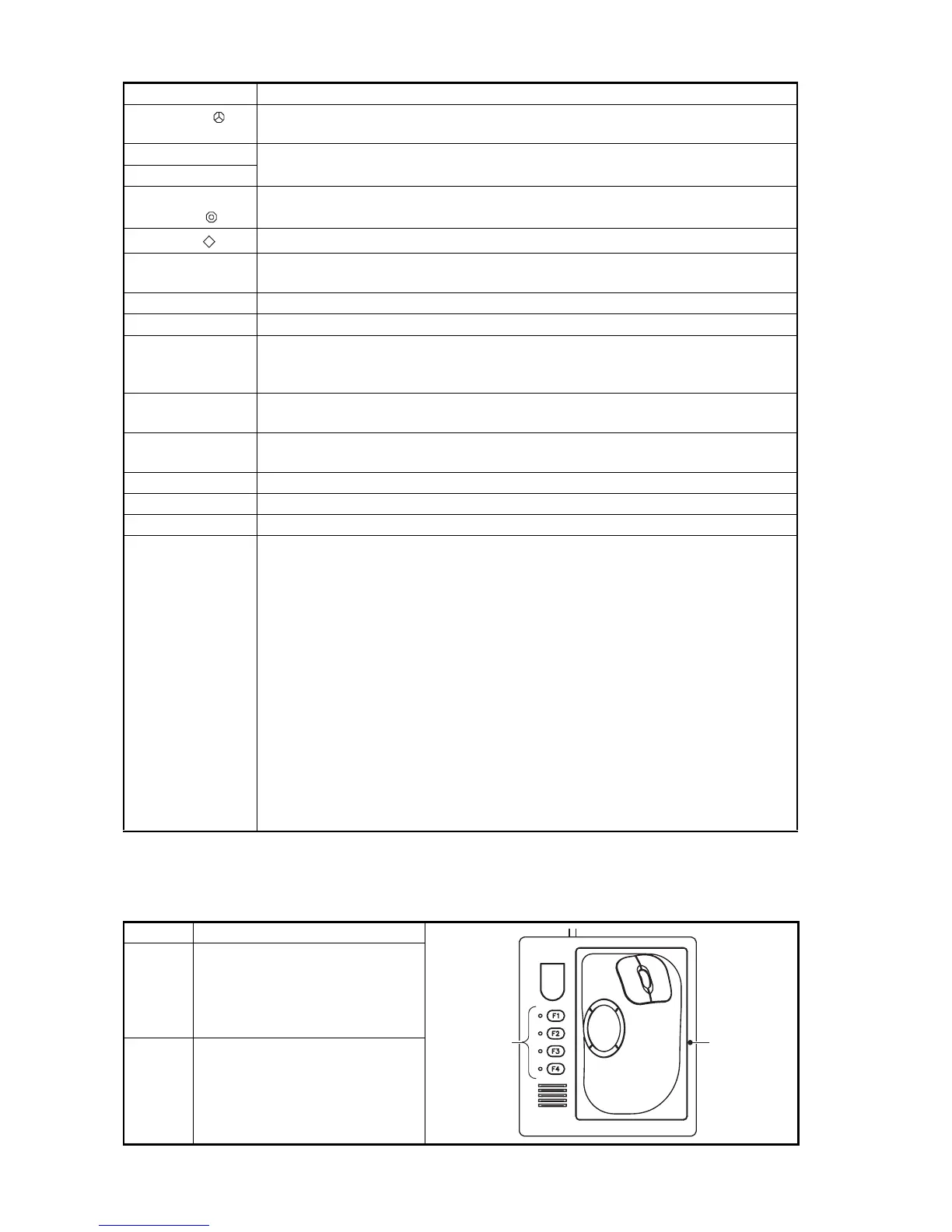
1.1.2 Sub control unit (option)
The sub control unit lets you control the sonar from a remote location.
EVENT
• Inscribes event mark 2 or own ship mark (horizontal mode).
• Inscribes event mark 2 (slant mode).
ESTIMATE 1
Turns the estimate mark on/off (horizontal mode, slant mode).
ESTIMATE 2
TARGET
LOCK
Enters target lock mark (horizontal mode, slant mode).
FISH
Enters fish mark (horizontal mode, slant mode).
MENU/ESC Short-press: Opens or closes the menu; returns to the previous menu.
Long-press: Closes all menus.
AUTO TILT Sets auto tilt angle.
DISP MODE Selects display mode.
H/V/S • Selects the mode tab on the menu.
• Selects mode (horizontal/vertical, horizontal/half-circle, horizontal/horizon-
tal 2) to adjust sensitivity, select range, set tilt, and user program number.
Function key
(F1 to F10)
Execute assigned program.
USER PROG
control
Selects user-programmed settings.
GAIN control Adjusts gain for horizontal, half-circle and vertical scans.
RANGE control Selects the display range for horizontal, half-circle and vertical scans.
Tilt lever Sets transducer tilt angle for horizontal and half-circle scan.
Trackball unit Trackball:
• Positions cursor.
• Selects items, options on menu.
Left-click button:
• Confirms the selected item.
• Selects the item to drag and drop.
Scrollwheel:
• Rotate: Sets numeric data.
• Rotate: Selects menu item.
• Rotate: Sets tilt angle, range, bearing/train angle, gain, and user program
number.
• Push: Confirms the selected item.
• Push: Shows the [Select Mark] window.
Right-click button:
• Shows pop-up menu.
• Confirms the selected item.
No. Function (on control unit)
1
Same as F1, F2, F3 and F4 key.
(The program can be changed.
See section 6.2.4.)
2
Same as trackball unit on con-
trol unit.
Key Function
21


 To Next Page
 Loading...









