Displaying a Preview before Sending a Fax
You can display the preview of the scanned document on the display of the machine to check if it is
scanned as specified.
This function cannot be used when sending a fax while using any of the following:
• Immediate Transmission
• On-hook dialing
• Manual dialing
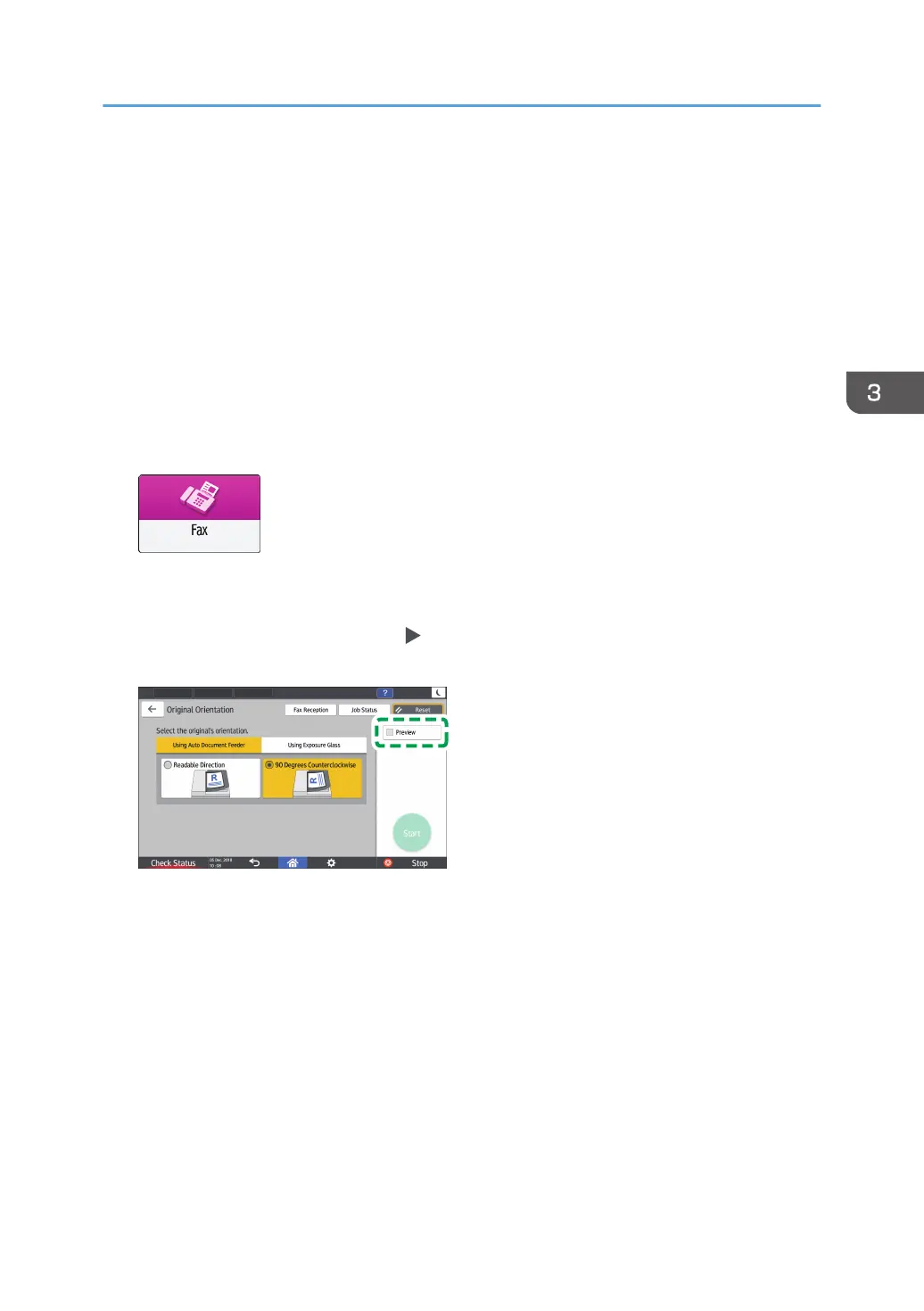
To display the preview in the correct orientation, specify the [Original Orientation] in [Settings] correctly.
1. Press [Fax] on the Home screen.
2. Place the original in the Auto Document Feeder (ADF) or on the exposure glass.
See "Setting an Original to Send by Fax on the Scanner", User Guide (Full Version).
3. On the fax screen, press [Settings]
[Original Orientation] to specify the orientation of
the original, and then press [Preview].
4. Configure the scan settings.
"Sending a Fax at the Image Quality Suitable for the Original", Fax
See "Sending a Fax at the Image Quality Suitable for the Original", User Guide (Full Version).
5. Specify the destination on the fax screen, and then press [Start].
Displaying a Preview before Sending a Fax
99


 To Next Page
 Loading...