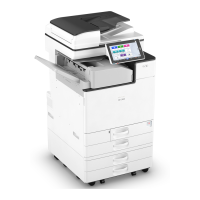
Paper Feed Unit
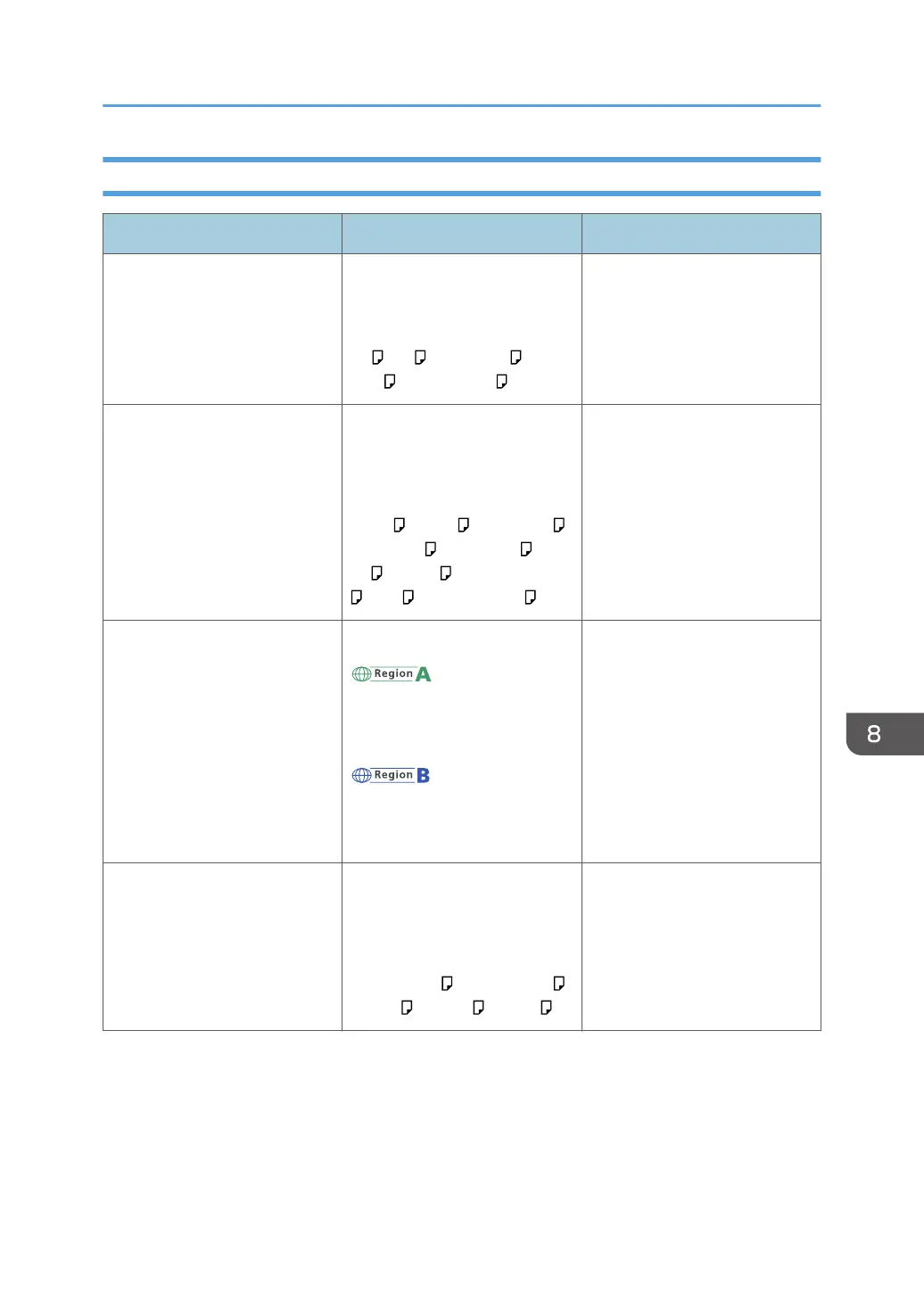
Paper type and weight Paper size Paper capacity
64–120 g/m
2
(17 lb. Bond–
44 lb. Cover)
Plain Paper 1–Thick Paper 1
Select the paper size using the
paper size dial on the
tray:
A4 , A5 , 8
1
/
2
× 14 , 8
1
/
2
× 11 , 5
1
/
2
× 8
1
/
2
500 sheets
64–120 g/m
2
(17 lb. Bond–
44 lb. Cover)
Plain Paper 1–Thick Paper 1
Set the paper size dial on the
tray to "Asterisk", and select the
paper size with the control
panel:
B5 JIS , B6 JIS , 8
1
/
2
× 13 ,
8
1
/
4
× 14 , 8
1
/
4
× 13 , 8 ×
13 , 8 × 10 , 7
1
/
4
× 10
1
/
2
, 16K , 8
1
/
2
× 13
2
/
5
500 sheets
64–120 g/m
2
(17 lb. Bond–
44 lb. Cover)
Plain Paper 1–Thick Paper 1
Custom size:
Vertical: 162.0–356.0 mm
Horizontal: 92.0–216.0 mm
Vertical: 6.38–14.01 inches
Horizontal: 3.63–8.50 inches
500 sheets
Envelopes Set the paper size dial on the
tray to "Asterisk", and select the
paper size with the control
panel:
4
1
/
8
× 9
1
/
2
, 3
7
/
8
× 7
1
/
2
,
C5 Env , C6 Env , DL Env
*1
*1
Do not stack paper over the limit mark. The maximum number of sheets you can set at once depends on the
paper's thickness and condition.
Recommended Paper Sizes and Types
191


 To Next Page
 Loading...