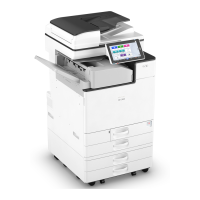
Placing an Original in the Auto Document
Feeder (ADF)
The ADF automatically scans multiple sheets of originals or two-sided originals at one time.
• Once originals start to feed in, do not push or pull them.
• Do not mix different size originals.
• For details about the sizes of originals that you can place in the ADF, see the following:
page 202 "Recommended Original Size and Weight"
• If the originals described below are placed in the ADF, it may cause misfeeds, white lines, or black
lines, or result in damage to the originals. Place these originals on the exposure glass.
• Stapled or clipped originals
• Perforated or torn originals
• Curled, folded, or creased originals
• Pasted originals
• Originals with adhesive tape, glue or paste stuck to them
• Originals with any kind of coating, such as thermal paper, art paper, aluminum foil, carbon
paper, or conductive paper
• Originals with perforated lines
• Originals with indexes, tags, or other projecting parts
• Sticky originals such as translucent paper
• Thin or highly flexible originals
• Thick originals such as postcards
• Bound originals such as books
• Transparent originals such as transparencies or translucent paper
See "Printing Documents in Order of Priority", User Guide (Full Version).
• When loading an original written by pencil on the ADF, the original may be dirty from by being
scraped.
• Correct an original that tends to curl before setting on the machine.
• Take care so that multiple originals do not stick to each other and are not fed at once.
• Do not set an original that is wet with correcting fluid or ink. The scanning glass will be stained and
the stain will be scanned with the original.
• Do not open the ADF's cover until the scanned originals are ejected into the original output tray.
Doing so may cause a malfunction.
Placing an Original in the Auto Document Feeder (ADF)
71


 To Next Page
 Loading...