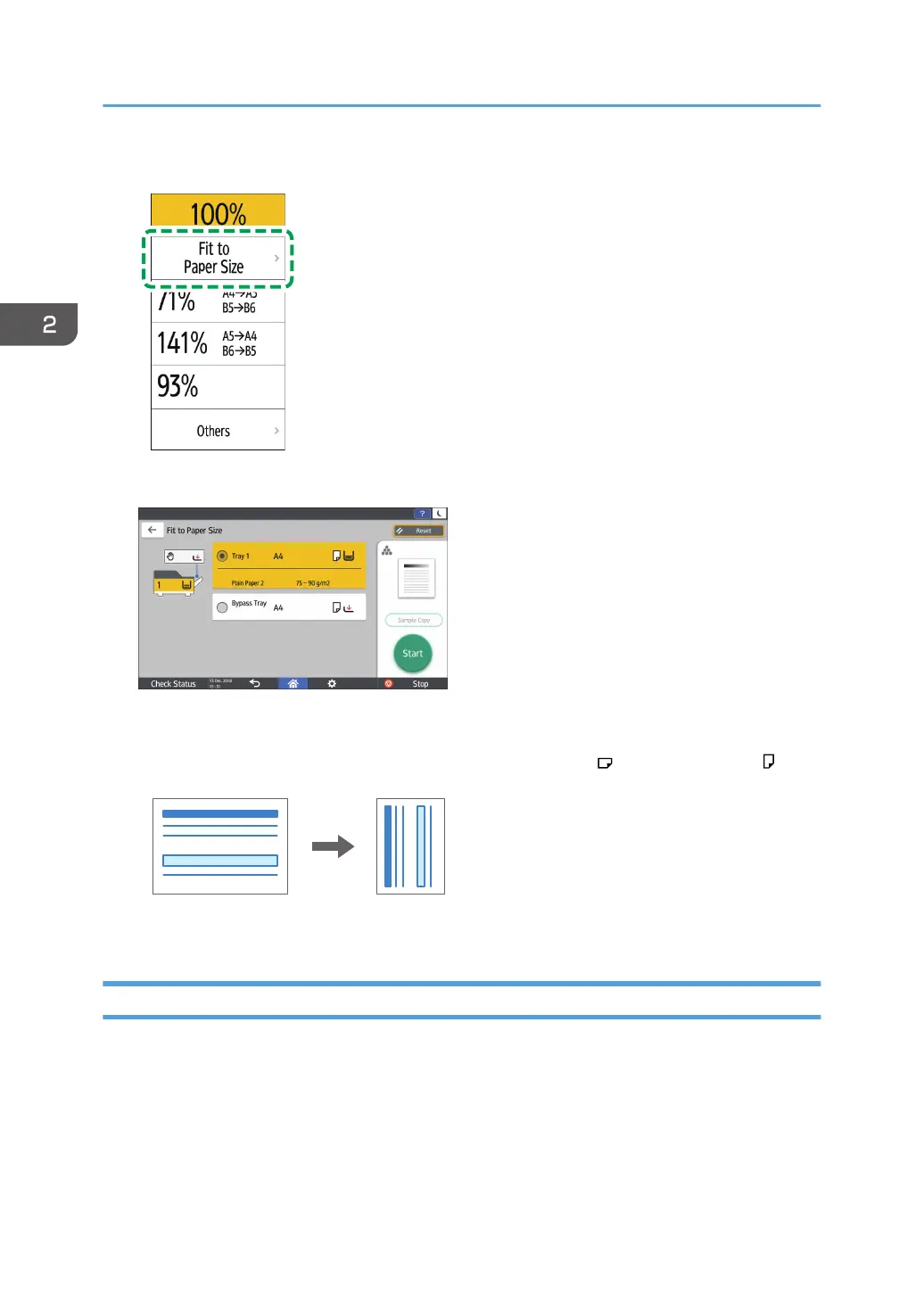
5. On the Copy screen, press [Copy Ratio] and [Fit to Paper Size].
6. Select the tray loaded with the paper to use.
When the orientations of the original and paper in the paper tray do not match, the machine
rotates the copied image automatically. To reduce an original of A4 (8
1
/
2
× 11) size to A5 (5
1
/
2
× 8
1
/
2
) size, for example, you can select either A5 (5
1
/
2
× 8
1
/
2
) or A5 (5
1
/
2
× 8
1
/
2
) .
7. Press [Start].
Reducing Slightly to Increase the Margins
The original is reduced to 93% in size and printed in the center of the paper. This setting is useful when
you want to increase margins on a copy or to copy an original in full size onto paper of the same size
without the edges being slightly cropped.
2. Copy
80


 To Next Page
 Loading...