3. Replace the toner by following the procedure shown in the video.
• You can transmit data in the fax or scanner function even after the toner runs out. However, you
cannot transmit a fax when the number of times of reception and transmission performed in the fax
function after the toner has run out and the number of times of communication not recorded in the
Records exceeds a total of 200. Replace the toner earlier.
• While the message prompting you to replace the toner is displayed, Memory Storage Report for
Memory Transmission will not be printed.
How to Replace the Toner
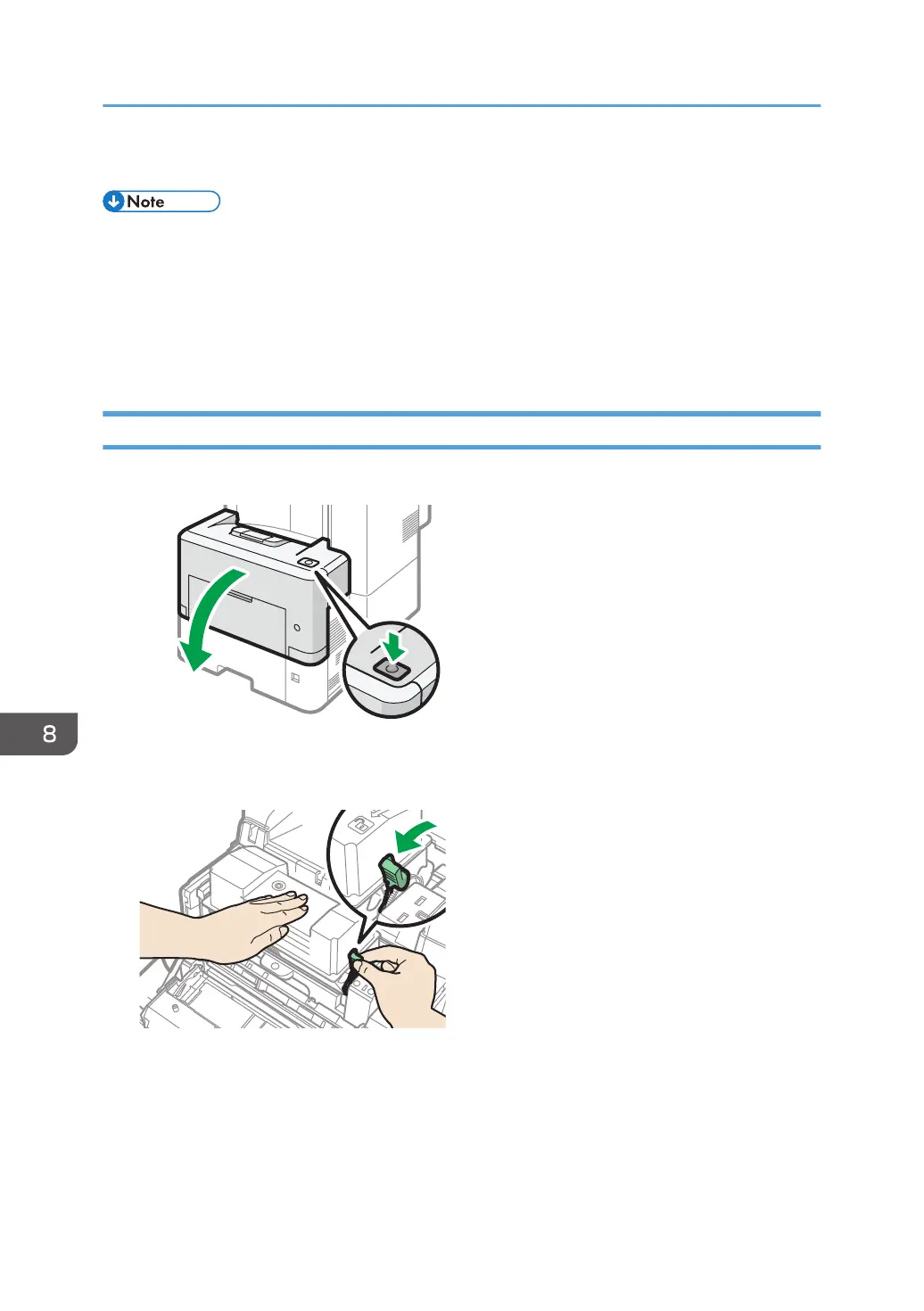
1. Open the front cover.
2. Hold the print cartridge with one hand as you release the print cartridge lever with
another hand.
8. Adding Paper and Toner
204


 To Next Page
 Loading...