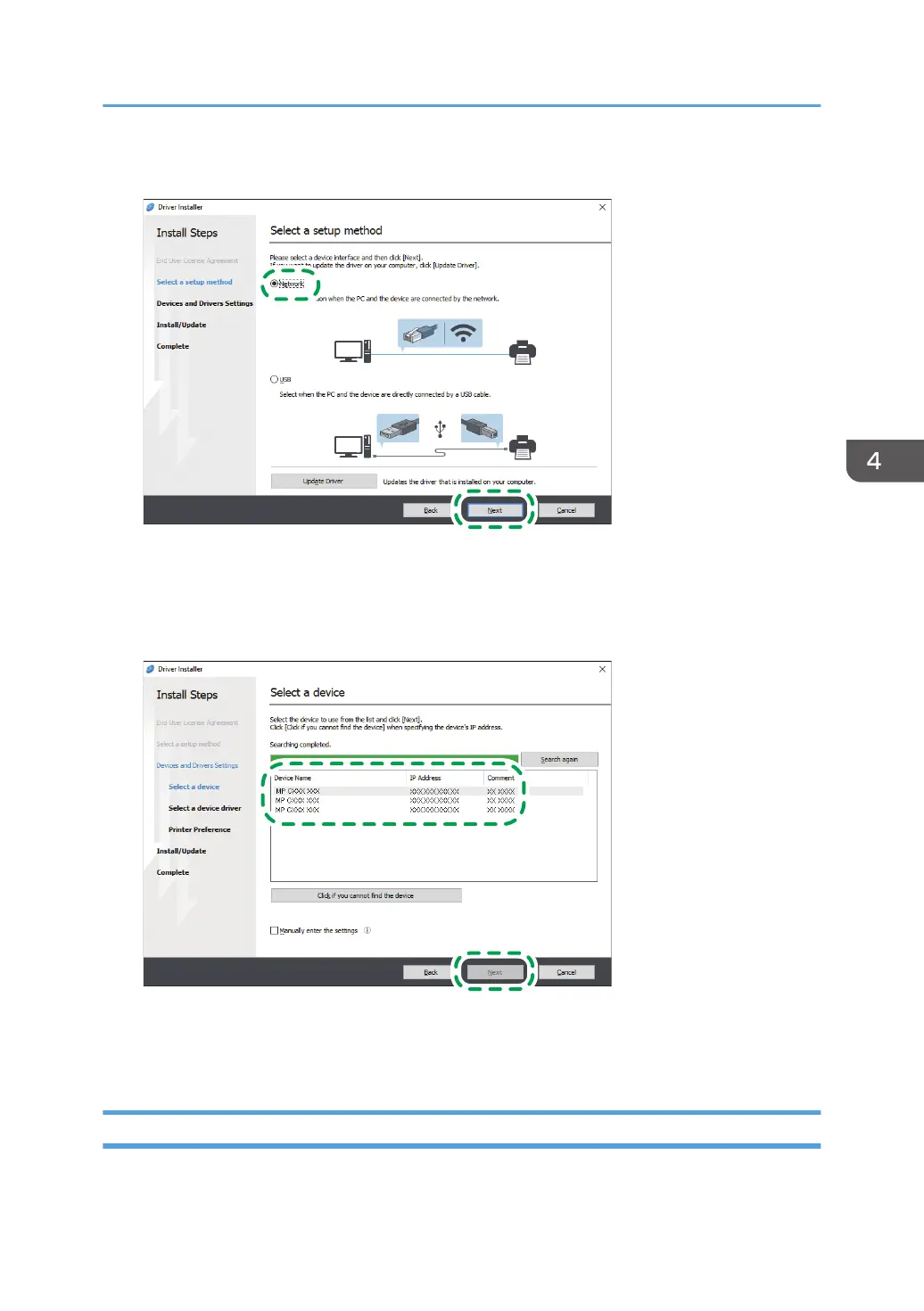
4. Select [Network], and then click [Next].
• The search detects devices connected to the network.
• If the error screen is displayed, see page 119 "If the Machine Cannot Be Found".
5. Select this machine from among the detected devices, and then click [Next].
Printer driver installation starts.
6. When the installation is complete, click [Finish].
If the Machine Cannot Be Found
The "Network Connection Error" screen is displayed.
Installing the Printer Driver for Network Connection (Windows)
119


 To Next Page
 Loading...