Basic Operations 27
ManydifferentkindsofapplicationscanbeinstalledonyourphonefromGooglePlay(provided
byGoogleInc.).Thecompanyisnotresponsibleinanywayforuser-installedapplications
(quality,reliability,legality,fitnessforapurpose,credibility,accuracy,etc.)orresulting
malfunctions(viruses,etc.).
Important:Ourpoliciesoftendonotapplytothird-partyapplications.Third-partyapplicationsmay
accessyourpersonalinformationorrequireustodiscloseyourcustomerinformationtothethird-party
applicationprovider.Tofindouthowathird-partyapplicationwillcollect,access,use,ordiscloseyour
personalinformation,checktheapplicationprovider’spolicies,whichcanusuallybefoundontheir
website.Ifyouaren’tcomfortablewiththethird-partyapplication’spolicies,don’tusetheapplication.
Find and Install an App
WhenyouinstallappsfromGooglePlayappandusethemonyourphone,theymayrequireaccess
toyourpersonalinformation(suchasyourlocation,contactdata,andmore)oraccesstocertain
functionsorsettingsofyourphone.Downloadandinstallonlyappsthatyoutrust.
1.
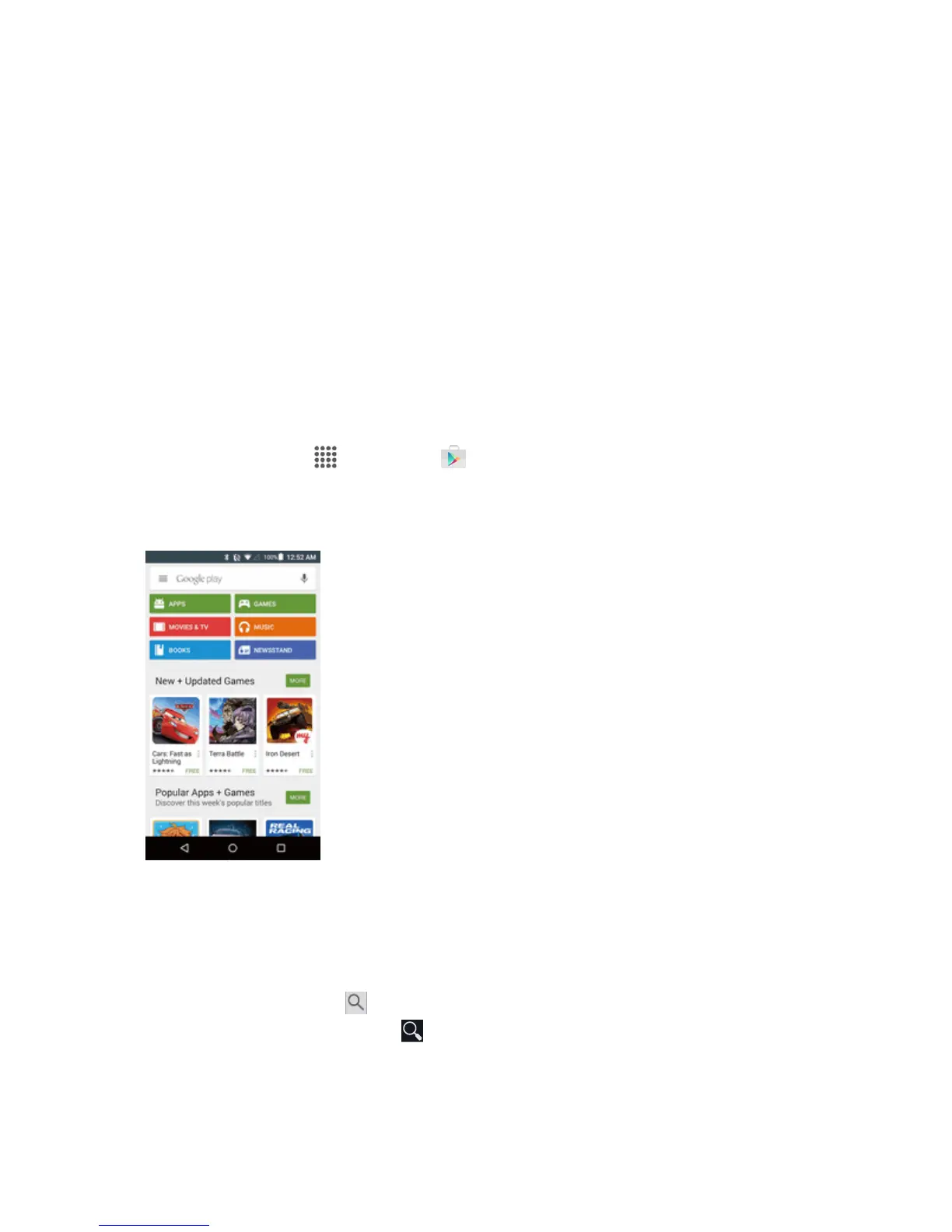
Fromhome,tap Apps >Play Store .
2. WhenyouopentheGooglePlaystoreappforthefirsttime,theTermsofServicewindowwill
appear.TapACCEPT tocontinue.
3. Browsethroughthecategories(Apps,Games,Movies & TV,Music,Books,or
Newsstand),findanitemyou'reinterestedin,andtapthename.
l Browsethroughfeaturedapps.ScrollthroughthelistoffeaturedappswhenyouopenGoogle
Play.
l
Searchforanapp.Tap ontheGooglePlayhomescreen,enterthenameortypeofapp
you’relookingfor,andthentap onthekeyboard.


 To Next Page
 Loading...








