92 AFP-3030 Programming Manual — P/N DOC-01-032:A 26/06/2015
Service Screens Bootloader Screen
5.3.1 Loop Download Menu
This screen allows the programmer to select loops for downloading applications and/or boot
programming.
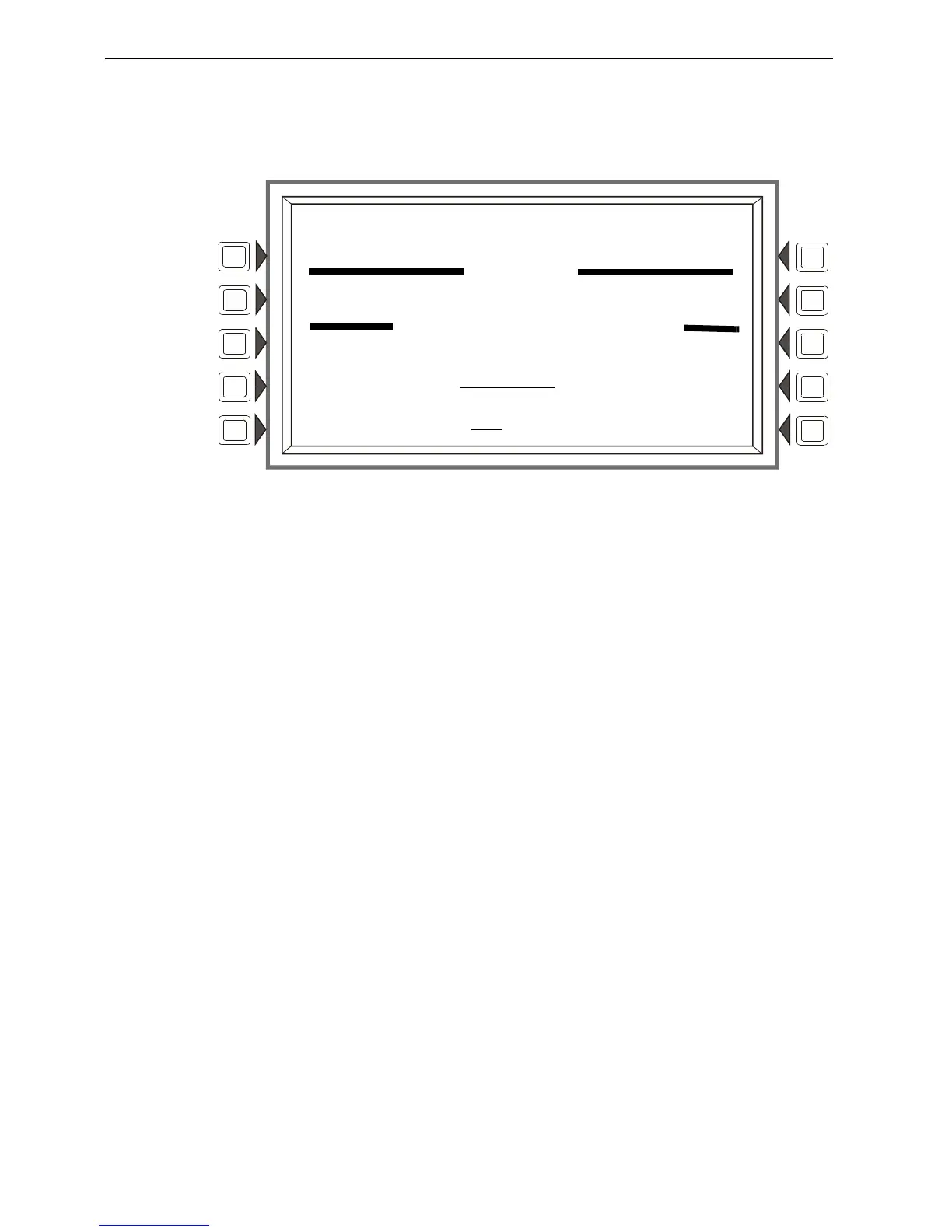
Figure 5.8 Loop Download Menu Screen
LOOP ADDRESS: Press this soft key to scroll through the Loops. Stop at the appropriate pair, or
select ALL.
DOWNLOAD TYPE: Press this soft key to scroll through the download types. Stop at the
appropriate type. Selections are: APP, BOOT, or APP/BOOT.
Select APP to download an application file to the selected loops.
Select BOOT to download a boot file to the selected loops.
Select APP/BOOT to select both for downloading.
AUTO: Press this soft key to automatically download to the selected loop(s) the most up-to-date
applications or boot programming from the panel.
START: Press this soft key to begin the download.
FAULT
LOADING..NO SERVICE
LAKEVIEW GENERAL HOSPITAL
BOOTLOADER
LOOP DOWNLOAD MENU
11:58:45A TUE JAN 25, 2011
AUTO
LOOP ADDRESS: LOOPS 1+2 START
DOWNLOAD TYPE: APP BACK


 To Next Page
 Loading...