SMARTZONE UPS USER MANUAL
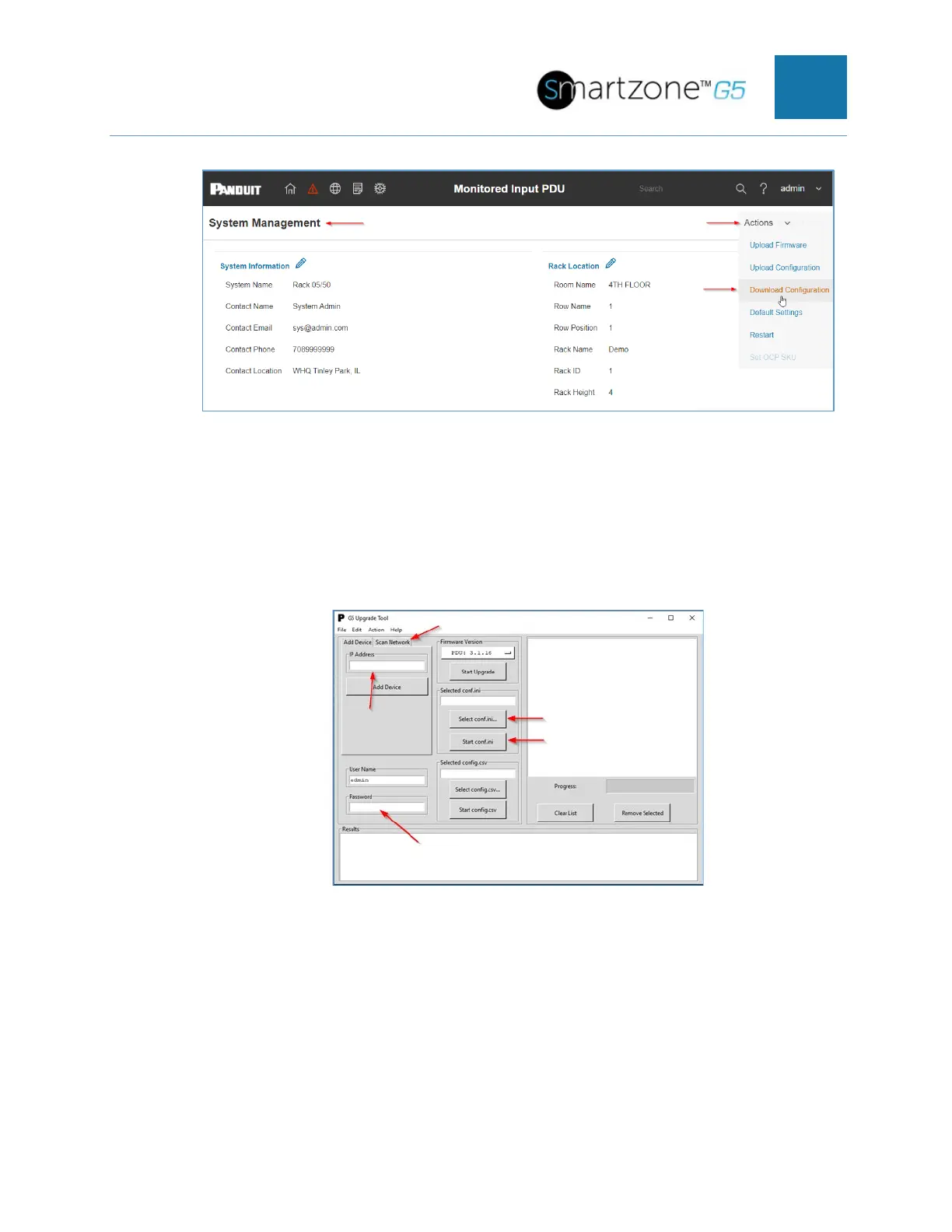
Figure 93: System Management Screen WebGUI
b. Insert IP Address or Range of the target PDU(s)
c. Insert admin credentials
d. Load the confi.ini file to the G5 Upgrade Utility and click Start Conf.ini
Figure 94: G5 Upgrade Tool Interface
3. Configuration Replication of Un-Common Parameters
a. Insert IP Address or Range of the target PDU(s)
b. Insert admin credentials
c. Edit and Save the .csv file.


 To Next Page
 Loading...

