4.5 Connecting DRIVE-CLiQ components
Overview
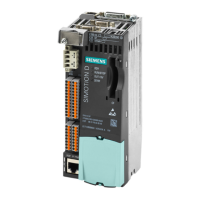
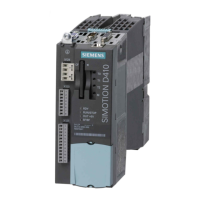
DRIVE-CLiQ connects the components in the SINAMICS S120 drive family as well as
SIMOTION D410-2. DRIVE-CLiQ is a communications system, which enables
SIMOTION D410-2 to automatically detect connected components. DRIVE-CLiQ provides a
wiring tree, the topology of which can be visualized in SIMOTION SCOUT.
Information on the components that can be connected to DRIVE-CLiQ can be found in
Section"DRIVE-CLiQ interface" of the
SIMOTION D410-2
Manual.
Rules for wiring DRIVE-CLiQ
The following rules must be followed for wiring DRIVE-CLiQ:
● Ring wiring is not permitted.
● Components must not be double-wired.
You will find detailed information about DRIVE-CLiQ wiring in the
SINAMICS S120 Control
Units and Additional System Components
Manual.
Procedure
Connect the SIMOTION D410-2 X100 socket to the corresponding sockets on the drive
components using the DRIVE-CLiQ signal cable (motor with DRIVE-CLiQ interface, TM and
SMx modules).
Note
Please note that SIMOTION D410-2 components in booksize format (controller extension,
motor modules, line modules, etc.) are not supported.
Connecting
4.5 Connecting DRIVE-CLiQ components
SIMOTION D410-2
58 Commissioning and Hardware Installation Manual, 01/2015


 To Next Page
 Loading...