Parameter assignment / addressing
5.2 Creating a project and configuring the communication
SIMOTION D4x5-2
120 Commissioning and Hardware Installation Manual, 02/2012
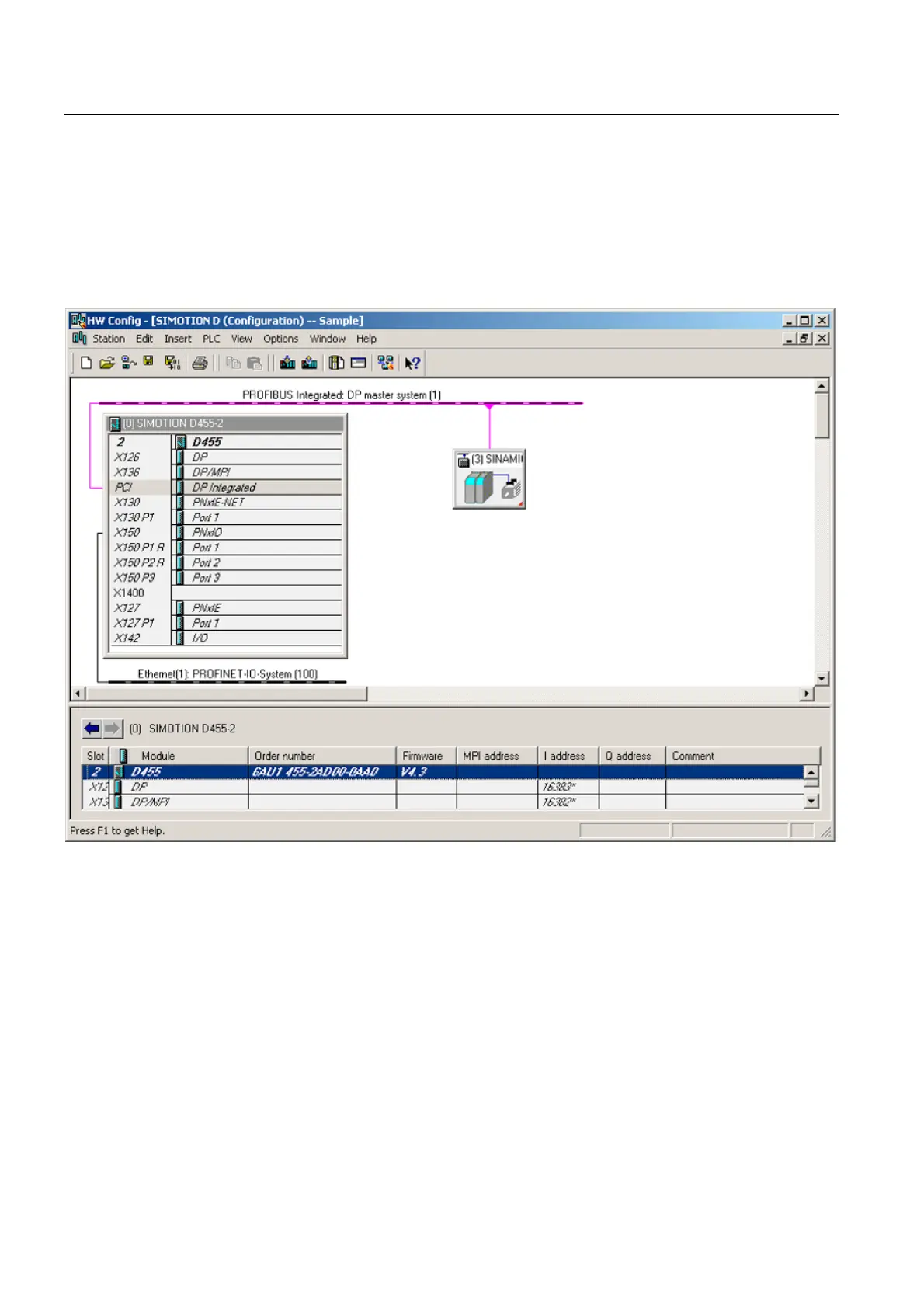
5.2.4 Representation of SIMOTION D4x5-2 in HW Config
Once you have created a project and inserted a SIMOTION D4x5-2 as module, HW Config
opens automatically (if parameterized).
In HW Config the SIMOTION D4x5-2 units are shown with the SINAMICS Integrated and the
interfaces.
Figure 5-4 Representation of a D4x5-2 in HW Config


 To Next Page
 Loading...