Parameter assignment / addressing
5.2 Creating a project and configuring the communication
SIMOTION D4x5-2
116 Commissioning and Hardware Installation Manual, 02/2012
5.2.2 Configuring the PROFIBUS PG/PC interface
Requirements
The following requirements must be satisfied in order to configure the PG/PC interface:
● You have completed the "Insert SIMOTION Device" dialog box with "OK".
● A PG/PC has not yet been configured in the project.
If these requirements have been satisfied, you can configure the interface for the PG/PC
connection in the "Interface Selection - D4x5" dialog box.
Proceed as follows to configure the PROFIBUS DP interface:
Procedure
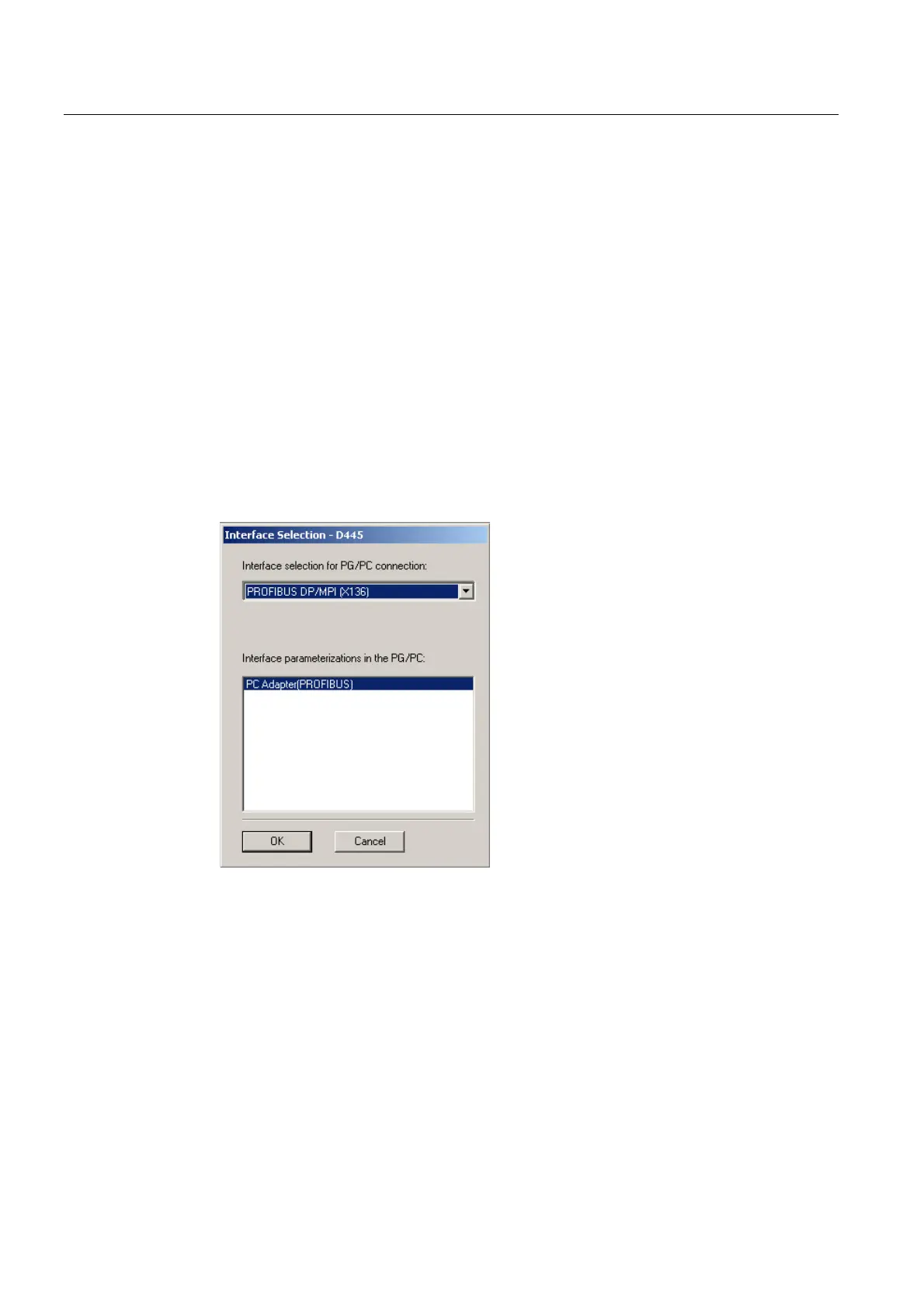
1. In the "Interface Selection - D4x5" dialog box, select the entry
"PROFIBUS DP/MPI (X136)".
Figure 5-2 Selecting a PROFIBUS interface
2. Select the interface parameter assignment that you would like to use to go online, and
confirm with "OK".
The dialog box is closed, the SIMOTION D4x5-2 is created in the project navigator and HW
Config is started automatically (if parameterized).


 To Next Page
 Loading...