30
3
BASIC OPERATION
3
D
Programmable tuning step
The operating frequency can be changed in steps of
(0.01 (AM/FM/WFM only), 0.1, 1, 5, 9, 10, 12.5, 20 25
or 100 kHz selectable) for quick tuning.
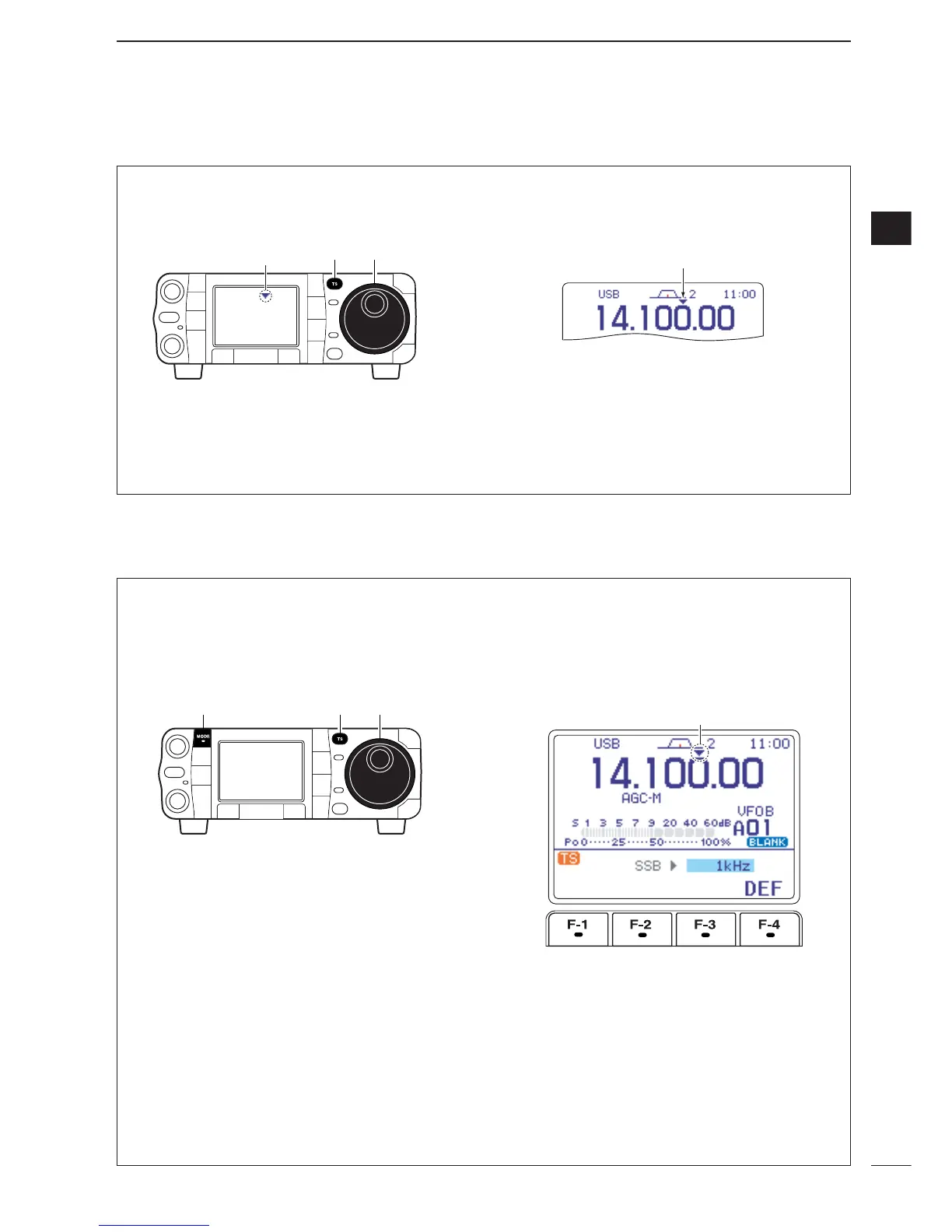
q Push [TS] momentarily to turn the programmable
tuning function ON.
•“Z” appears when the programmable tuning function is
ON.
w Rotate [DIAL] to change the frequency in pro-
grammed kHz steps.
e Push [TS] again to turn the programmable tuning
function OFF.
•“Z” disappears.
r Rotate [DIAL] for normal tuning, if desired.
D
Selecting “kHz” step
Programmable tuning steps are available to suit your
operating requirements.
These tuning steps are:
• Independently selectable for each mode
•Selectable from 0.01 (AM/FM/WFM only), 0.1, 1, 5,
9, 10, 12.5, 20, 25 and 100 kHz
q Push [TS] momentarily to turn the programmable
tuning step ON.
•“Z” appears when the programmable tuning function is
ON.
w Push [TS] for 1 sec. to enter the tuning step set-
ting display.
•The tuning step setting for the selected mode appears.
e Select the desired operating mode with [MODE].
(see p. 34)
r Rotate [DIAL] to select the desired tuning step
from 0.01 (FM/WFM/AM only), 0.1, 1, 5, 9, 10,
12.5, 20, 25 or 100 kHz.
•Push [F-4
DEF
] for 1 sec. to return to the default set-
ting, if desired.
t Repeat steps e and r to select the “kHz” tuning
steps for other modes, if desired.
y Push [TS] (or [
Z
(
MENU
/
GRP
)]) to exit the setting
display.


 To Next Page
 Loading...