44
4
RECEIVE AND TRANSMIT
4
D CW pitch control
The received CW audio pitch and monitored CW
audio pitch can be adjusted to suit your preferences
(300 to 900 Hz) without changing the operating fre-
quency.
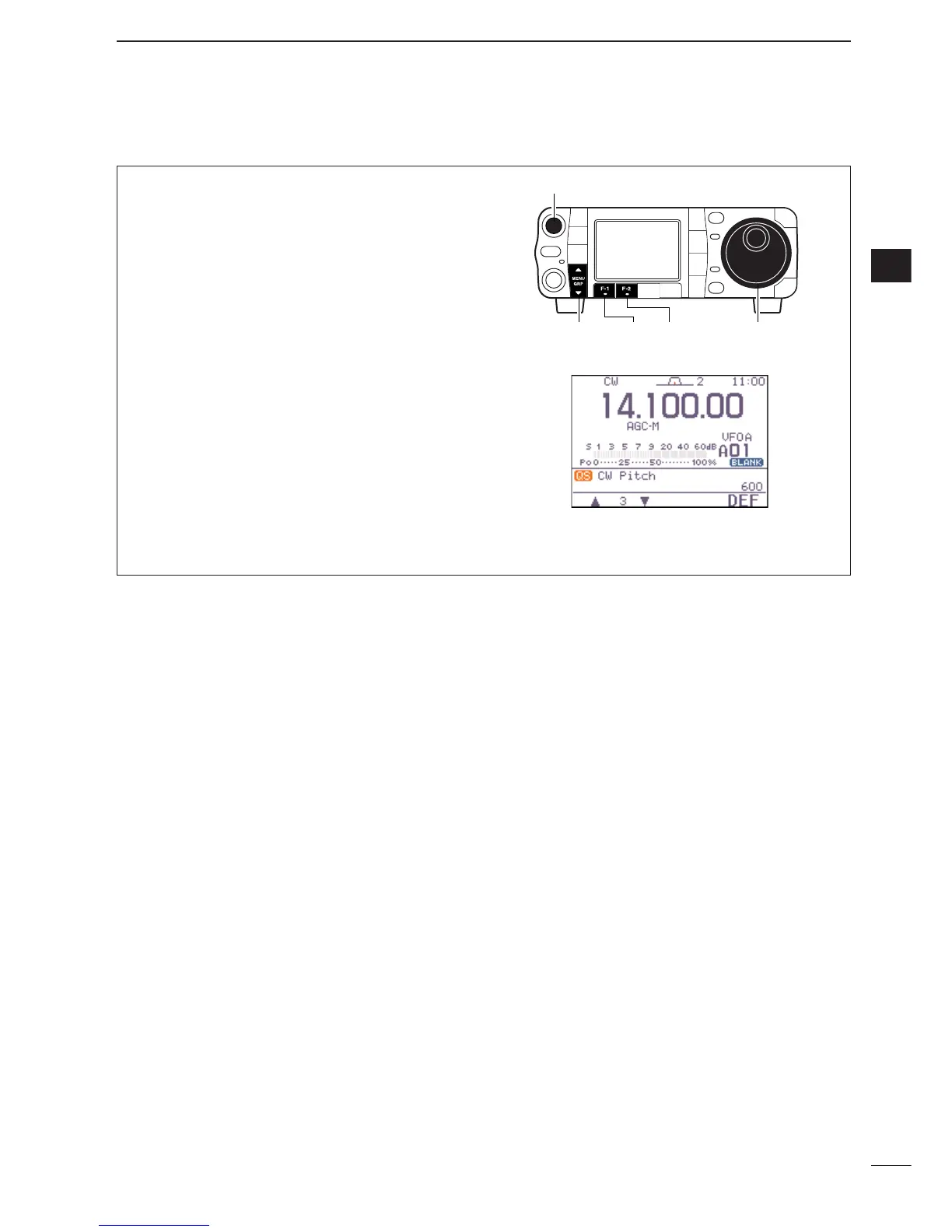
q When CW (CW-R) mode is selected, enter the
quick set mode.
•Push [AF(
SET
)] momentarily to enter the set mode
menu.
•Push [F-1
QS
] to enter the quick set mode.
w Push [F-1
≤
] or [F-2
≥
] several times to select “
CW
Pitch
,” then rotate [DIAL] to set the desired
pitch.
•CW pitch is adjusted in 5 Hz steps (300 to 900 Hz).
e Push [
Z
(
MENU
/
GRP
)] to exit the quick set mode.
•Push [
Z
(
MENU
/
GRP
)] again to return the normal oper-
ating mode.
•This shows the default setting for the CW pitch control
(600 Hz).


 To Next Page
 Loading...