49
4
RECEIVE AND TRANSMIT
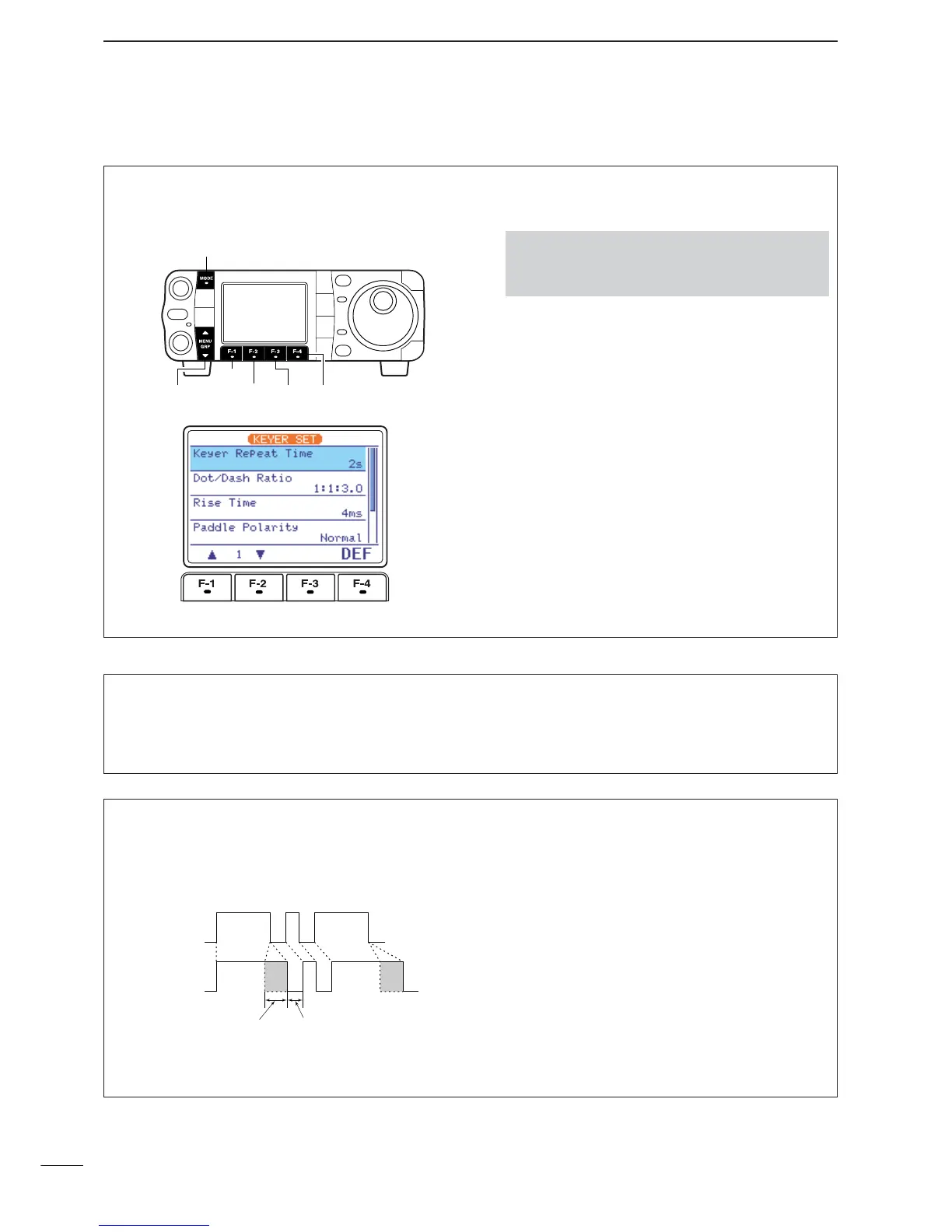
This set mode is used to set the memory keyer repeat
time, dash weight, paddle specifications, keyer type,
etc.
• Setting the electronic keyer
q Select CW mode with [MODE].
w Select
S
-
1
.
e Push [F-2
KEY
] then [
Z
(
MENU
/
GRP
)] to select the
keyer root menu.
r Push [F-4
SET
] to enter the keyer set menu.
t Push [F-1
≤
] or [F-2
≥
] to select the desired set
item.
•Push [F-4
DEF
] for 1 sec. to select the default condi-
tion or value.
y Push [
Z
(
MENU
/
GRP
)] twice to exit the keyer set
menu and return to normal CW mode indication.
•Push and hold [MENU/GRP] for 1 sec. once or twice
to select the menu group
S
.
•Push [MENU/GRP] momentarily one or more times to
select the menu
S
-
1
.
D Keyer set mode
1
Keyer Repeat Time
When sending CW using the repeat timer, this item
sets the time between transmission.
•1 to 60 sec. in 1 sec. steps can be selected.
•Push [F-4
DEF
] for 1 sec. to select a default setting.
(default: 2 sec.)
2
Dot/Dash Ratio
This item sets the dot/dash ratio.
• 1 : 1 : 2.8 to 1 : 1 : 4.5 can be set.
• Check the ratio with side tone in CW mode.
•Push [F-4
DEF
] for 1 sec. to select a default ratio of
1:1:3.0.
Keying weight example: Morse code “K”
DASH
Weight setting:
1:1:3 (default)
Weight setting:
Adjusted
DASH
DOT (Fixed*)
Adjustable range SPACE (Fixed*)
*SPACE and DOT length can be adjusted with
“Key Speed” only in the quick set mode.


 To Next Page
 Loading...