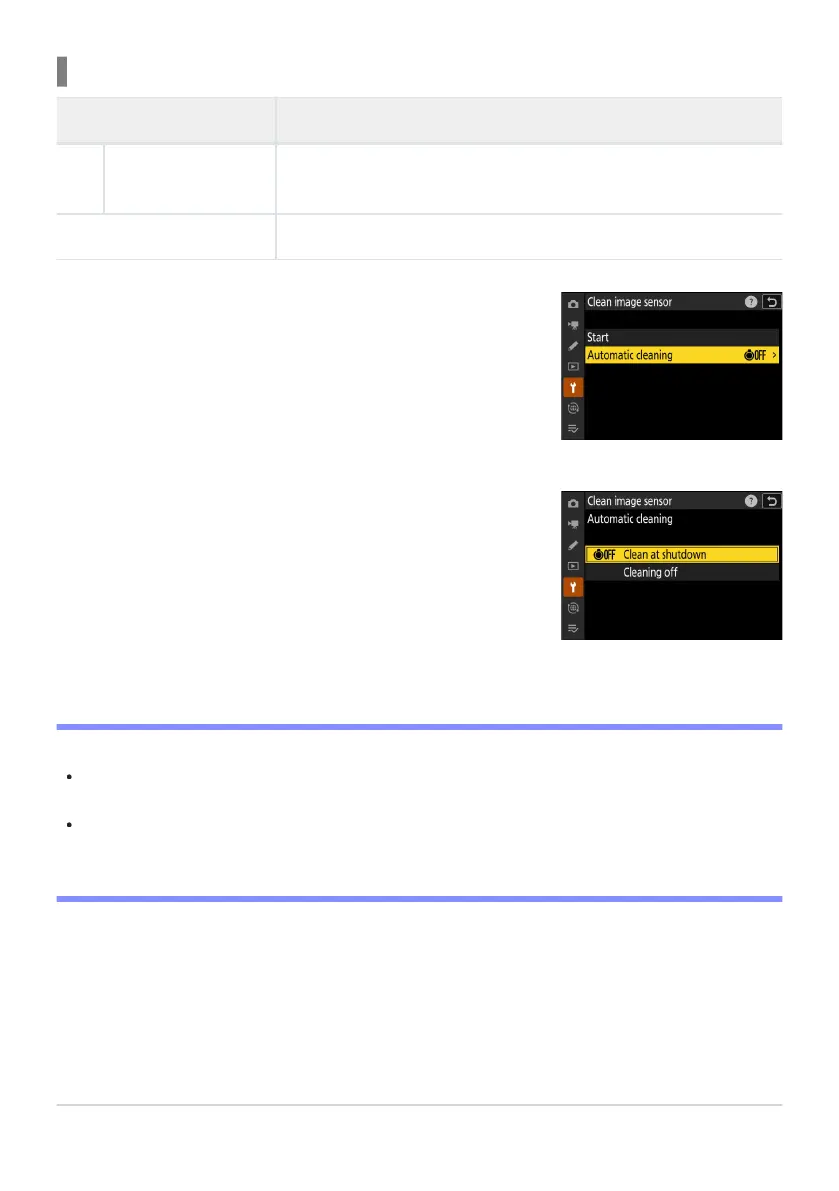
Select [Automatic cleaning] for [Clean image sensor].
Pressing
2 when [Automatic cleaning] is highlighted displays
[Automatic cleaning] options.
Highlight an option.
Press
J to select the highlighted option.
Cleaning the Image Sensor at Shutdown
Option Description
6
[Clean at shutdown]
The image sensor is aut
omatically cleaned during shutdown each
time the camera is turned off.
[Cleaning off] Automatic image sensor cleaning off.
D Cautions: Image Sensor Cleaning
Using camera controls int
errupts any image sensor cleaning begun in response to the operation of
the power switch.
If image sensor cleaning is performed several times in succession, image sensor cleaning may be
temporarily disabled to protect the camera’s internal circuitry. Cleaning can be performed again
after a short wait.
896
Caring for the Camera
1
2


 To Next Page
 Loading...











