Configuration with the web interface
5-40
Line up and commissioning for dual antenna setup
The FV-110 antenna systems must be lined up and commissioned one by one. The lineup
procedure is done for each antenna as it would have been done for a single antenna
system. In order to be able to do the lineup for each antenna you must force the dual
system to use one or the other antenna at a time. Do as follows:
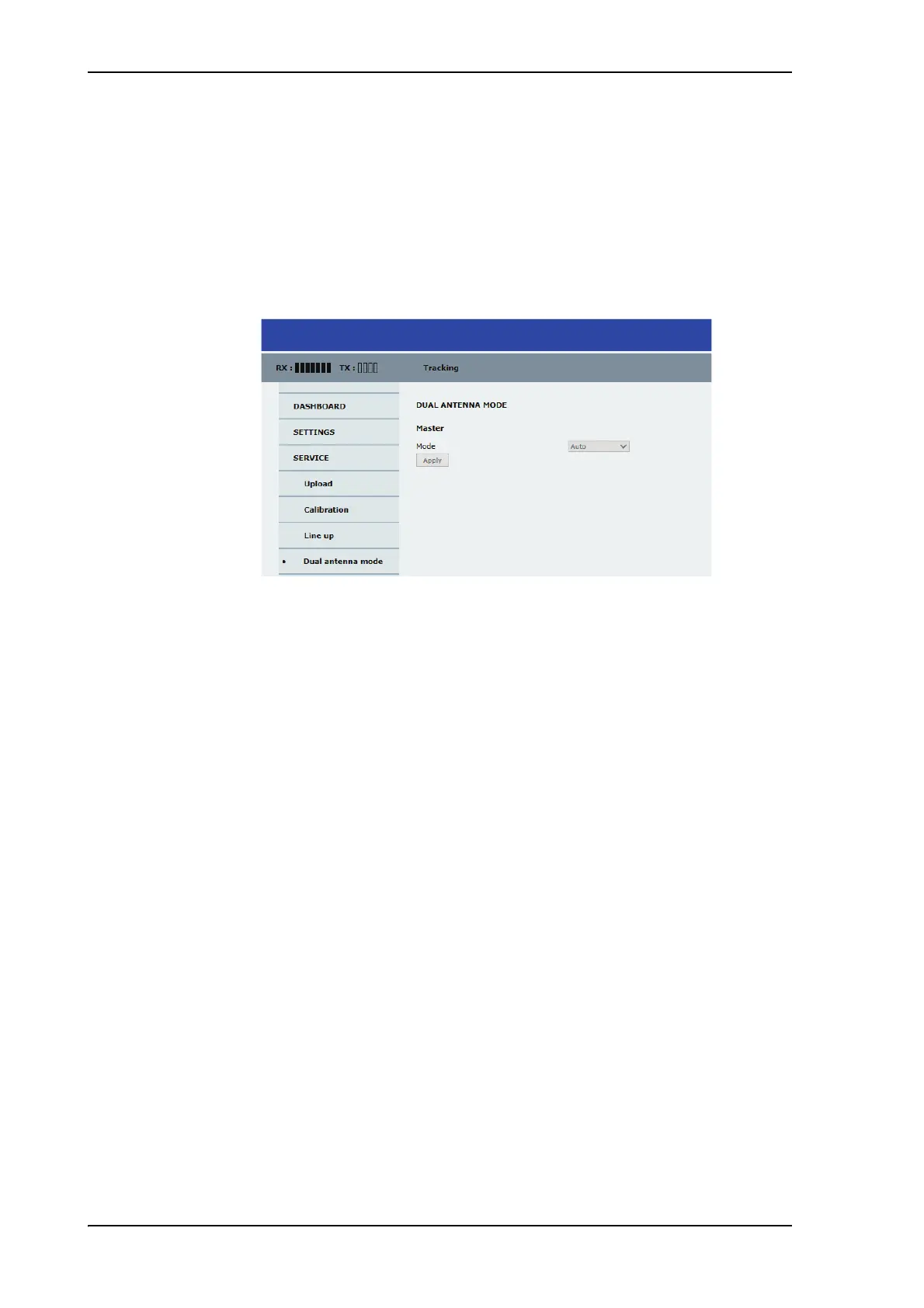
1. Enter the web interface of the Master ACU, go to the page SERVICE > Dual antenna
mode.
Figure 5-33: Dual-antenna mode, line up
2. Set the mode to either Master active or Slave active to force the system to use that
antenna until it is changed again or the Master system is rebooted. After reboot the
dual antenna mode will be set to Auto (default).
5.3.8 Upload of new software
For uploading new software to the FV-110 see Software update on page 7-4.
5.3.9 Administration
In this section of the web interface you can configure the following administrative
settings:
• To access the administration settings (user name, password)
• To set up user permissions
• To import and export a system configuration
• To reset to factory default
To access the administration settings (user name, password)
The Administration settings require an Administration user name and password. To log
on as administrator, do as follows:
1. Select ADMINISTRATION from the left navigation pane.
2. Enter the Administration user name and password.
The default user name is admin and the default password is 1234.


 To Next Page
 Loading...