SNMP support
5-53
5.5 SNMP support
The FV-110 supports SNMP v2 requests to retrieve configuration and present settings.
SNMP is always enabled on all Ethernet interfaces. The SNMP community string is
public. The FV-110 offers via SNMP most of the data that are available from the
DASHBOARD web pages. Detailed documentation about supported OIDs can be found
in the FV-110 MIB file.
The MIB entries are grouped as shown below:
• System configuration
• Navigation coordinates
• Antenna pointing
• Dashboard and profile
• Tracking receiver
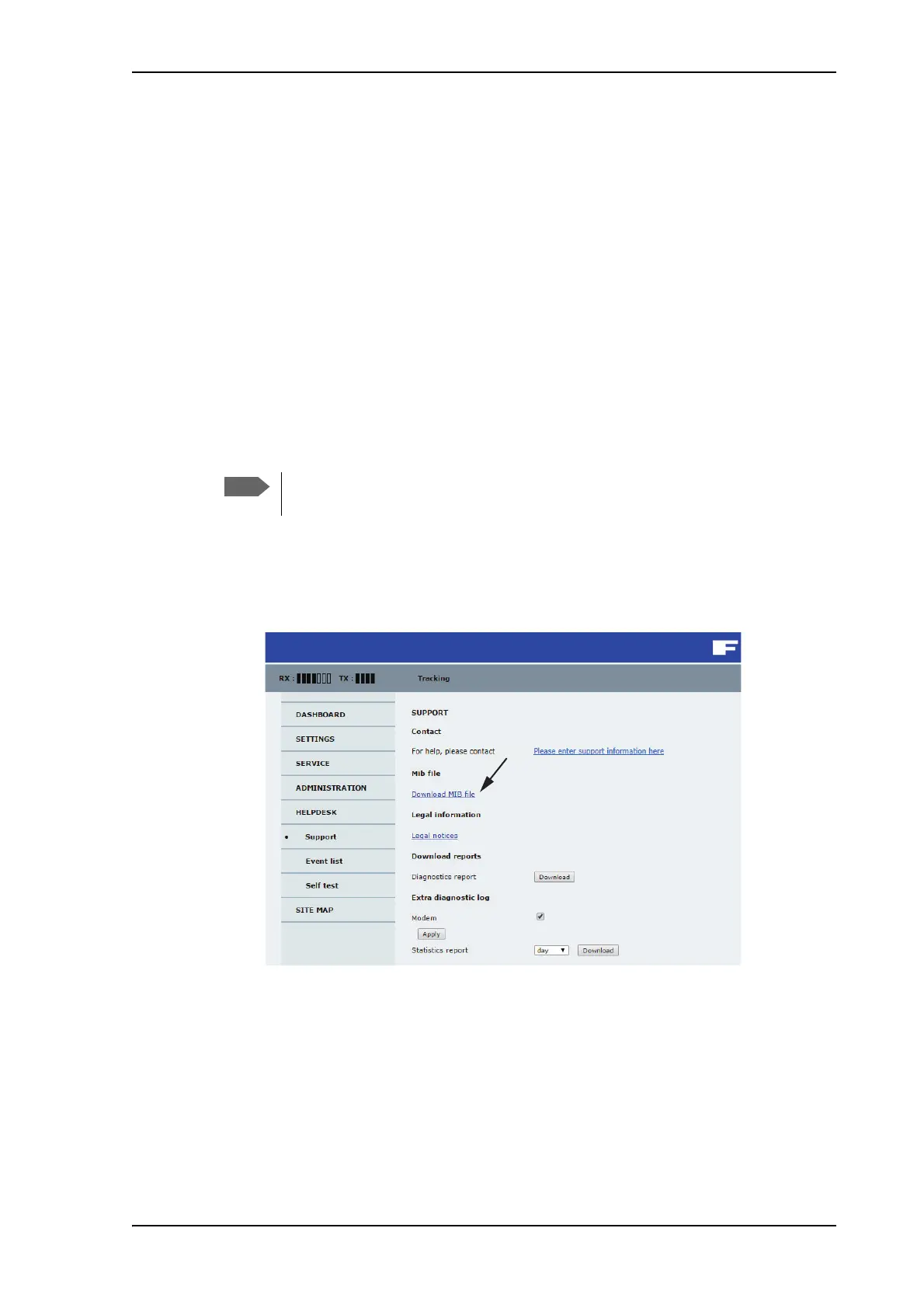
You can download the ACU MIB file directly from the ACU:
1. Go to the HELPDESK page.
2. Click the link Download MIB file.
Figure 5-43: Download of MIB file
3. Save the file on your computer.
You can also download the ACU MIB from Cobham eSupport web site.
You can set up SNMP traps, see Reports, syslog and SNMP traps on page 5-32.
None of the SNMP values need to be polled more often than once a minute.
Polling SNMP values more frequently will impact the performance of the ACU.


 To Next Page
 Loading...