Software update
7-4
7.2 Software update
7.2.1 Hardware and software requirements
The following items are required before the software can be updated:
• One computer with a standard Ethernet port available.
• A standard Internet browser.
• 1024×768 pixels or higher display resolution. The program is best viewed using small
fonts.
• One straight LAN cable.
• The file containing the new software.
7.2.2 Software update (ADU and ACU)
Software update using the web interface of the ACU
1. Power up the FV-110 system, i.e. switch on the ACU. Wait until the message
“Initializing” has disappeared from the ACU display.
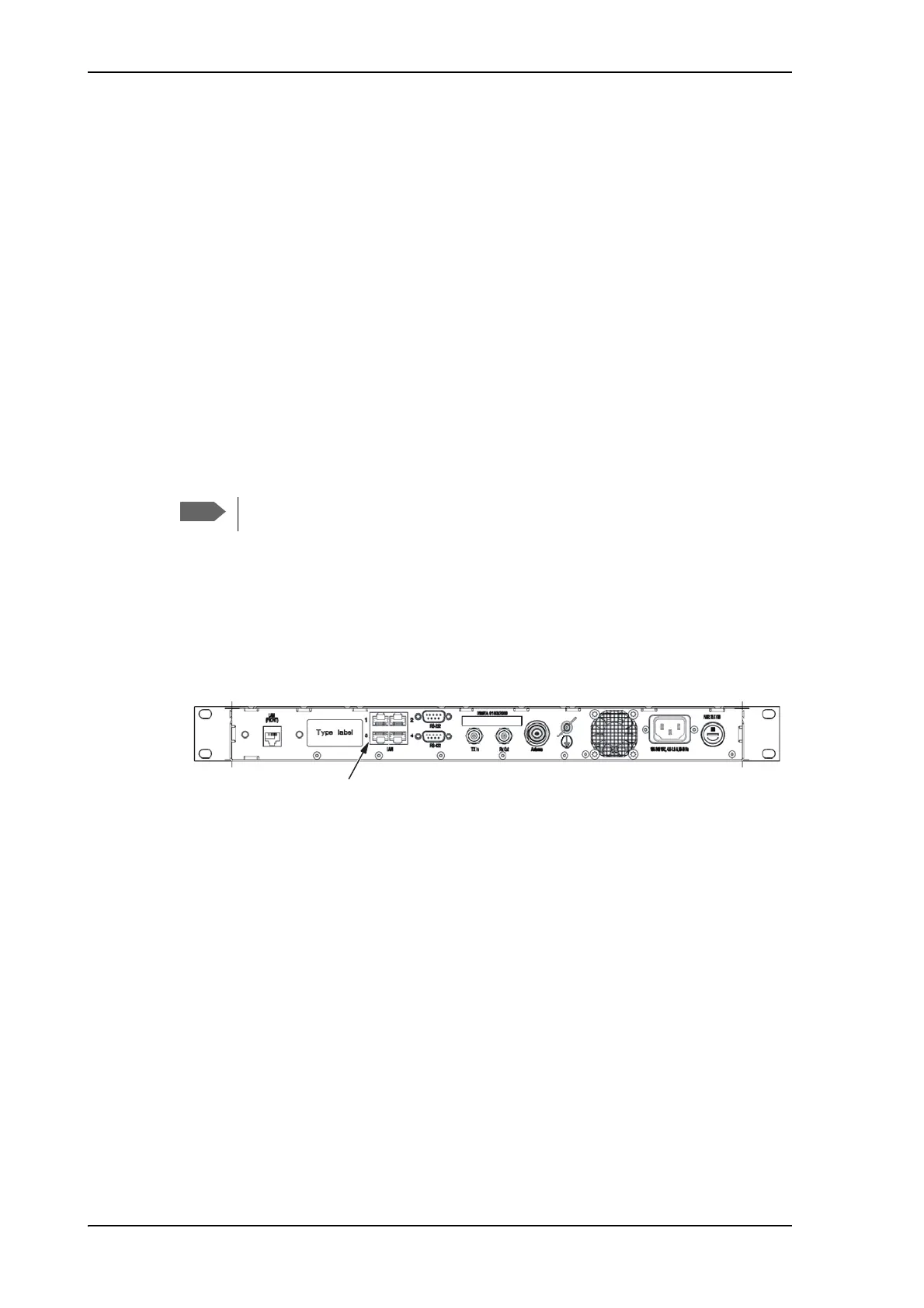
2. Connect a PC to LAN interface 3 (Service port, standard Ethernet) or the front LAN
connector of the ACU.
Figure 7-3: LAN connector used for software update (web interface)
3. Open your Internet browser and enter the IP address of the ACU. The IP address is
http://192.168.0.1 (default). For further details on network setup see To configure the
LAN network on page 5-29.
4. If needed, type in the user name admin and the password 1234.
5. The web interface opens directly with the DASHBOARD page.
6. Click SERVICE from the left navigation pane. The Upload page is displayed.
Only qualified service personnel should make a software update.


 To Next Page
 Loading...