COMTECH 570L and ROSS box
C-17
C.4 COMTECH 570L and ROSS box
C.4.1 Protocols and interfaces
The following sections describe how to connect an ACU, a COMTECH570L VSAT
modem, a ROSS box and an Ethernet switch.
From software version 1.30 or higher the FV-110 supports COMTECH ROSS ROAM
protocol 1+ which includes the satellite longitude in the responses from the ACU to the
ROSS box. 1.30 also supports setting inclined orbit by entering user defined data.
Connections
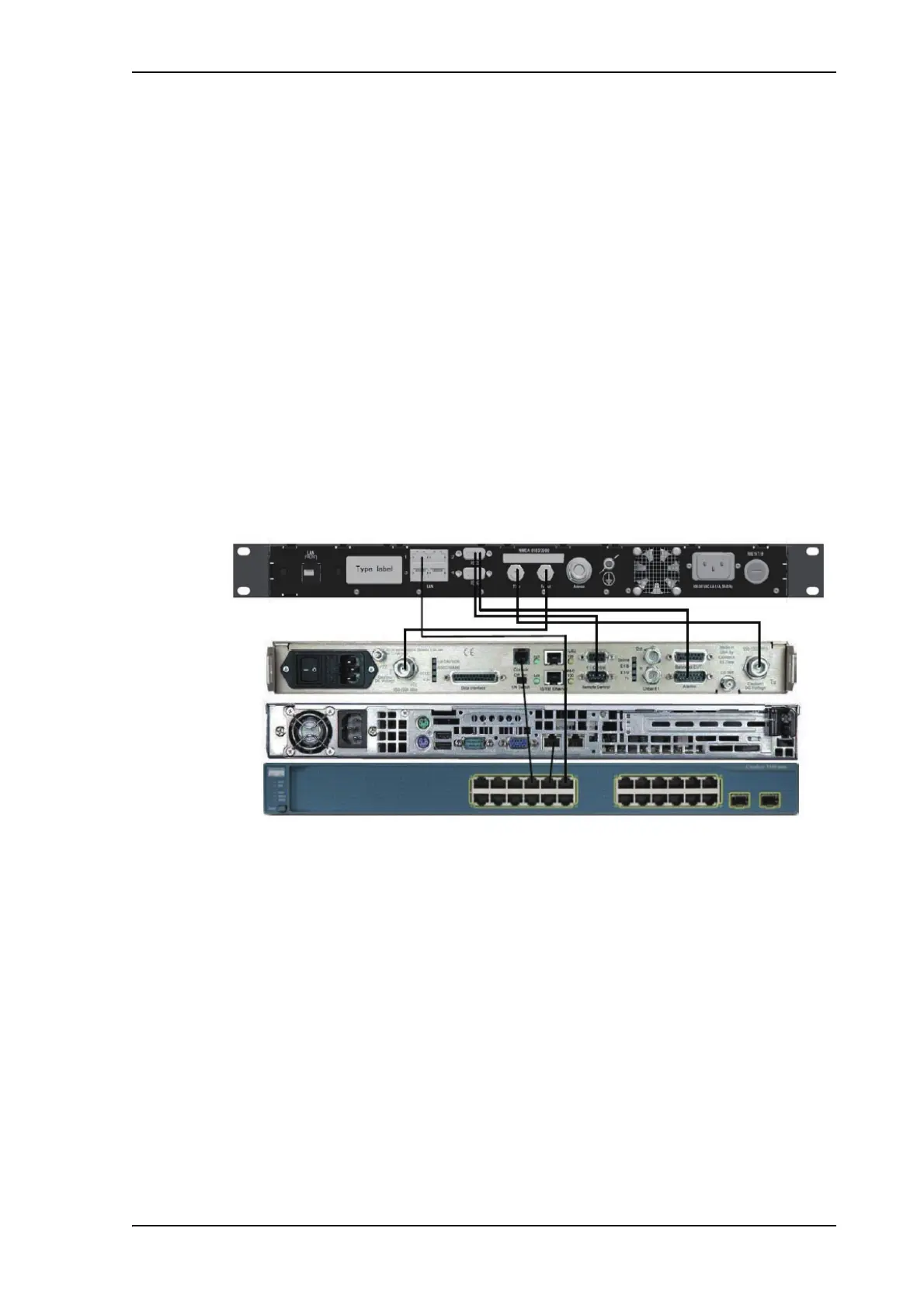
Connect the ACU and COMTECH 570L, ROSS box and Ethernet switch with the
following cables:
• Ethernet cables for TCP/IP data communication (x3)
• RS-232 console cable
• 75 Ohm RF cables F-F connectors for rx and tx frequencies.
Figure C-11: Connecting COMTECH 570L and ROSS box to the ACU (example)
See also cable specifications at Modem Cable COMTECH Serial & RSSI TT7016A on
page B-2.


 To Next Page
 Loading...