Web-based Configuration Guide 1 Network Settings
85
2. Configuring an Admin IP Address
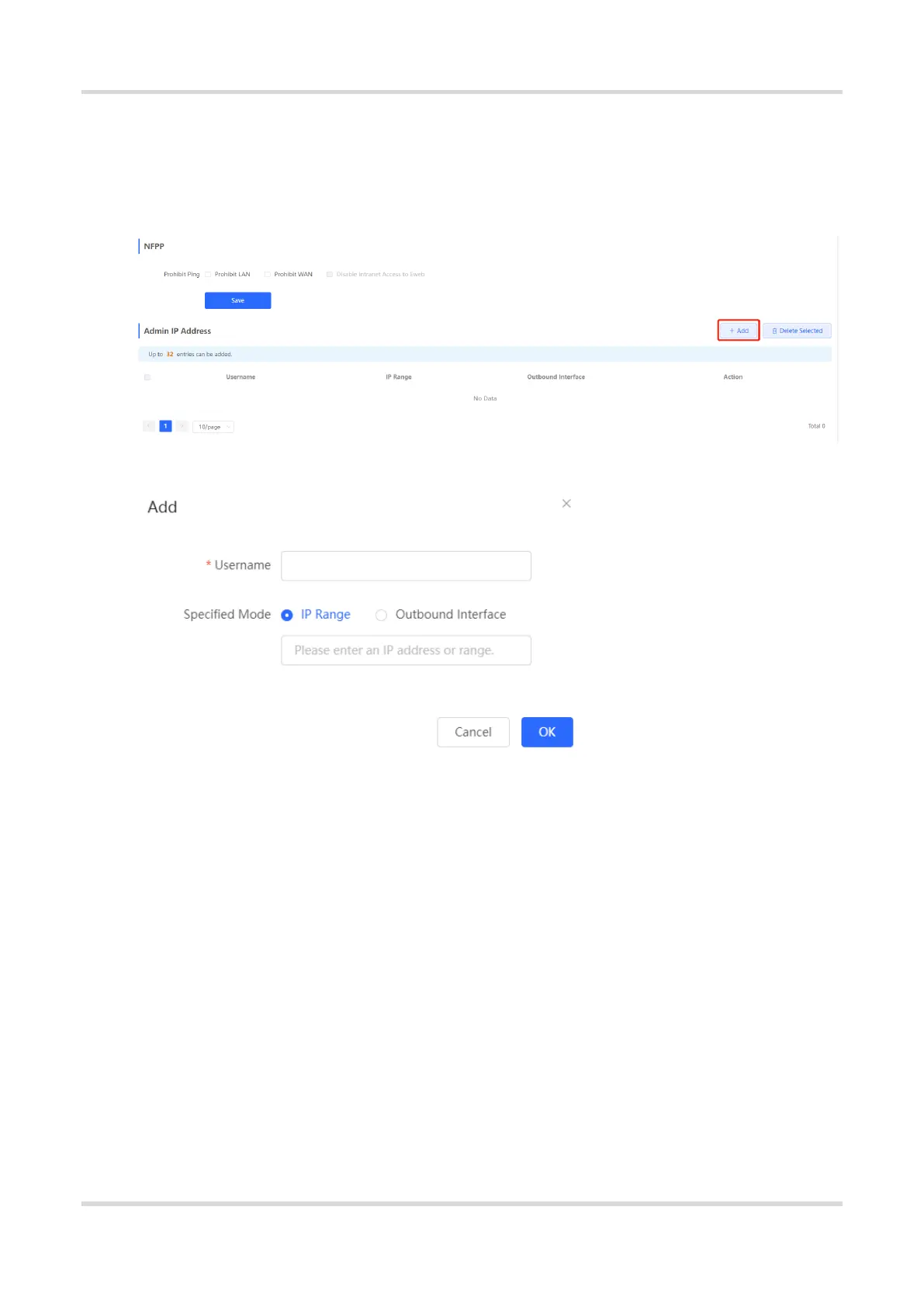
Choose Local Device > Security > Local Protection > Local Safety.
Click Add. Then, you can configure admin IP address information.
Configuring an Admin IP Address (Based on an IP Address)
(1) Configure a name for the admin IP address.
The name is a string of 1–32 characters.
(2) Set Specific Mode to IP Range.
(3) Configure an IP address.
You can specify a single P address or an IP address range.
Configuring an Admin IP Address (Based on a Port)


 To Next Page
 Loading...