Camera and Video 102
ForpicturesthatareonyourmicroSDcardorphonememory,youcandobasiceditingsuchas
rotatingandcropping.Youcanalsoeasilyassignapictureasyourcontactpictureorwallpaperand
sharepictureswithyourfriends.
Open or Close Gallery
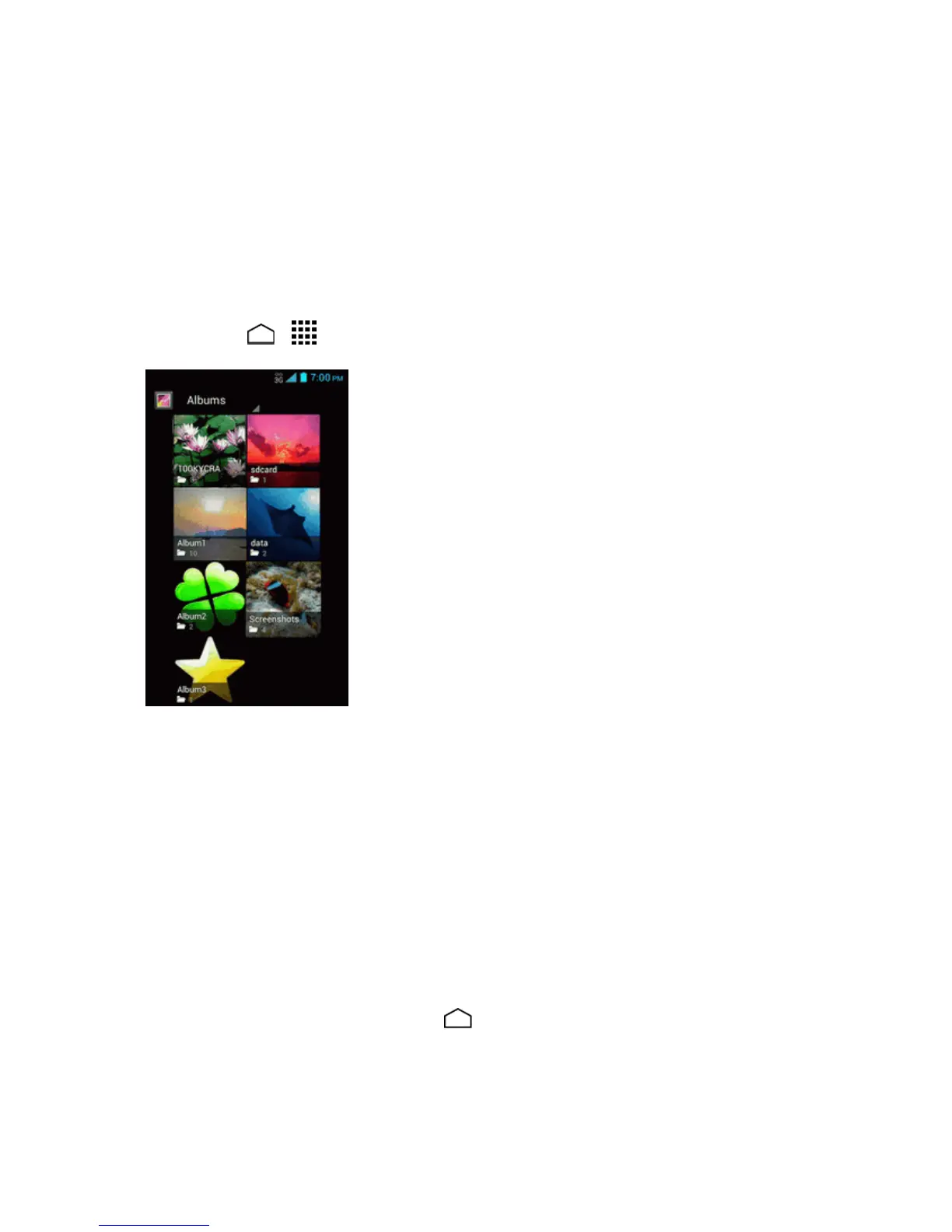
TheGalleryappopensintheAlbumsviewwhereyourpicturesandvideosareorganizedbyalbums
foreasyviewing.
Open the Gallery App
n
TouchHome > >Gallery.
Photosorvideosyoutookwiththeinternalcameraarestoredin100KYCRAalbum.Thenumber
before"KYCRA"mayvary.
Foldersinyourstoragecardorphonememorythatcontainpicturesandvideoswillalsobetreated
asalbums.Theactualfoldernameswillbeusedasthealbumnames.Ifyouhavedownloadedany
picturesandvideos,thesewillbeplacedintheDownloadalbum.
WhenviewingpicturesinGallery,scrollleftorrightthescreentoviewmorealbums.Simplytouch
analbumtoviewthepicturesorvideosinthatalbum.
Note: Dependingonthenumberofpicturesstored,itmaytakesometimeforGallerytoloadall
youralbumsonthescreen.
Close the Gallery App
n
WhileintheGalleryscreen,touchHome .


 To Next Page
 Loading...







