Phone Calls 36
Note: Tosetupyourtraditionalvoicemailbox,seeSetUpVoicemail.
1.
TouchHome > >Voicemail.
2. TouchPersonalize nowandfollowthesystempromptsto:
l Createapassword(partofstandardvoicemail).
l Recordyournameannouncement.
l Recordyourgreeting.
3. Whenpromptedtoenterinformation,touchDialpadtobringuptheonscreendialpadtoenter
yournumericresponses.
Important:Voicemail Password–BoostMobilestronglyrecommendsthatyoucreatea
passwordwhensettingupyourvoicemailtoprotectagainstunauthorizedaccess.Withouta
password,anyonewhohasaccesstoyourphoneisabletoaccessyourvoicemailmessages.
4. Onceyouhavecompletedthesetupprocess,returntothevoicemailpage(seestep1).
5. TouchtheWelcome to Voicemailmessageonthescreentoplayabriefexplanationofthe
voicemailservices.
Review Visual Voicemail
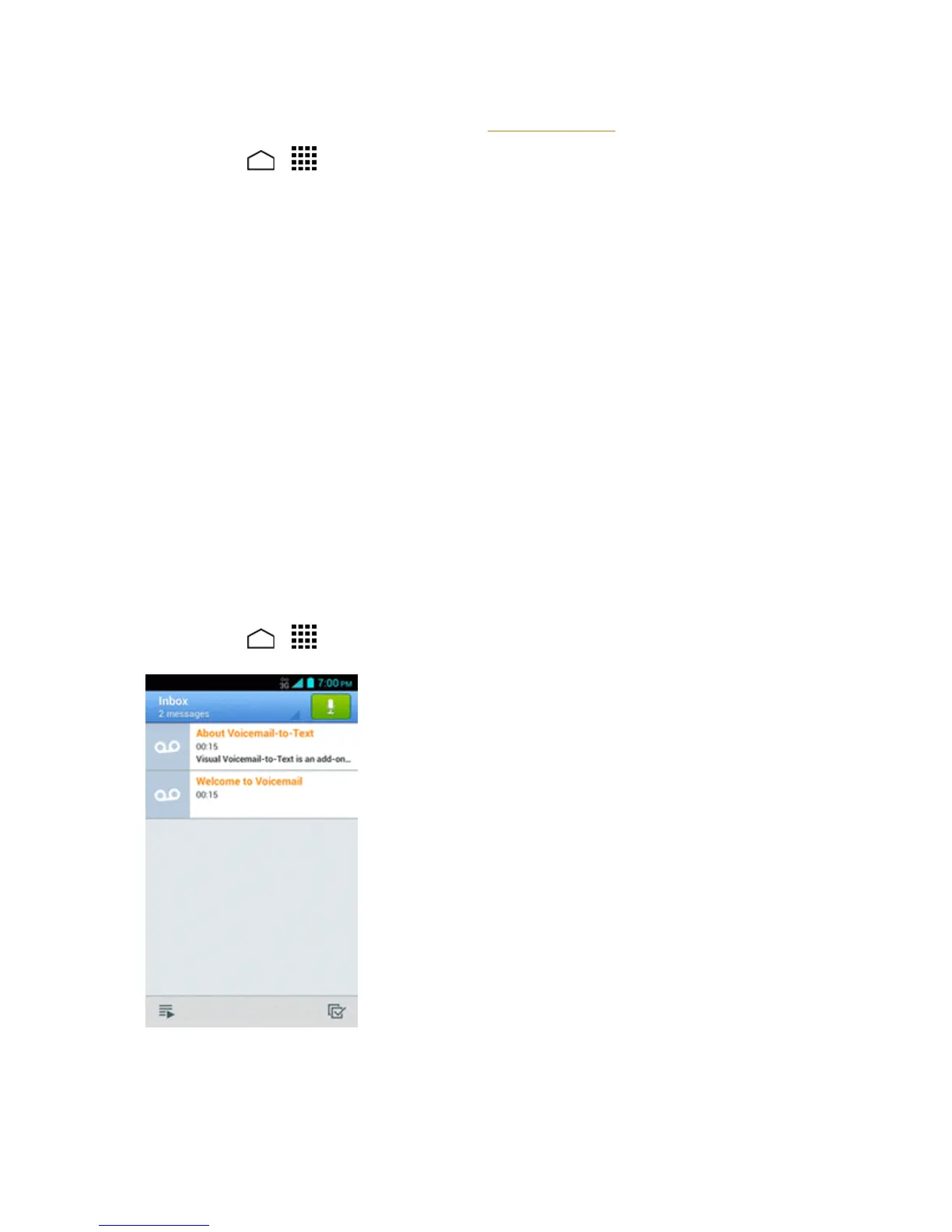
VisualVoicemailletsyoueasilyaccessandselectwhichmessagesyouwanttoreview.
1.
TouchHome > >Voicemail.Youwillseethevoicemailinbox.
Note: TouchInboxatthetopleftonthescreentomovetootherfolders,suchasTrashor
Archive.


 To Next Page
 Loading...







