Operation Preparation of slides
30
4522 207 12671/ * 2021-06-17
Pathology Scanner SG20 / SG60 / SG300
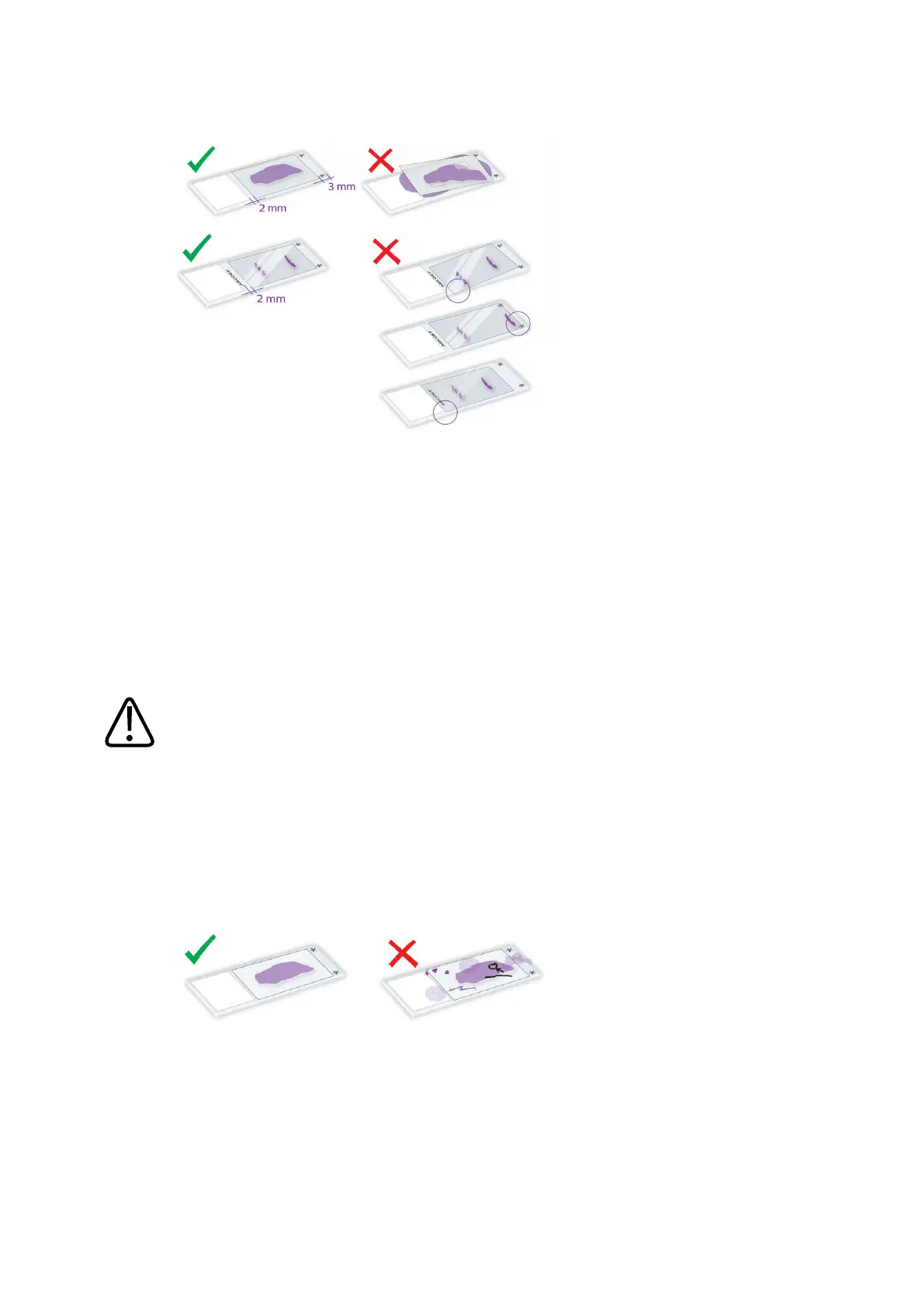
Fig. 15: Placing the cover slip
Final quality check
• Slides must be clean.
• Slides must be dry.
• Slides must not be sticky.
• Slides must be free of annotations in the scan area.
• Slides must be free of fingerprints.
CAUTION
Wet and/or sticky slides can damage the optics.
NOTICE
Make sure that the tissue area of the slide is clean as markers, scratches or dirt on or under
the cover slip can disturb the scanning process.
Fig. 16: Final quality check
Adding barcodes
The scanner supports barcodes printed directly on the slide and barcodes printed on slide labels
and sticked onto a slide.


 To Next Page
 Loading...



