Chapter 1 Operation Procedures
11.
Setting the Ink Section
1) Set the ink fountain.
A CAUTION
Stop the press before setting. Failure to follow this instruction
may
result in an
injury.
£WARNING
Close
the
cover
opened
after
setting.
Failure to follow this instruction
may
result
in a serious injury.
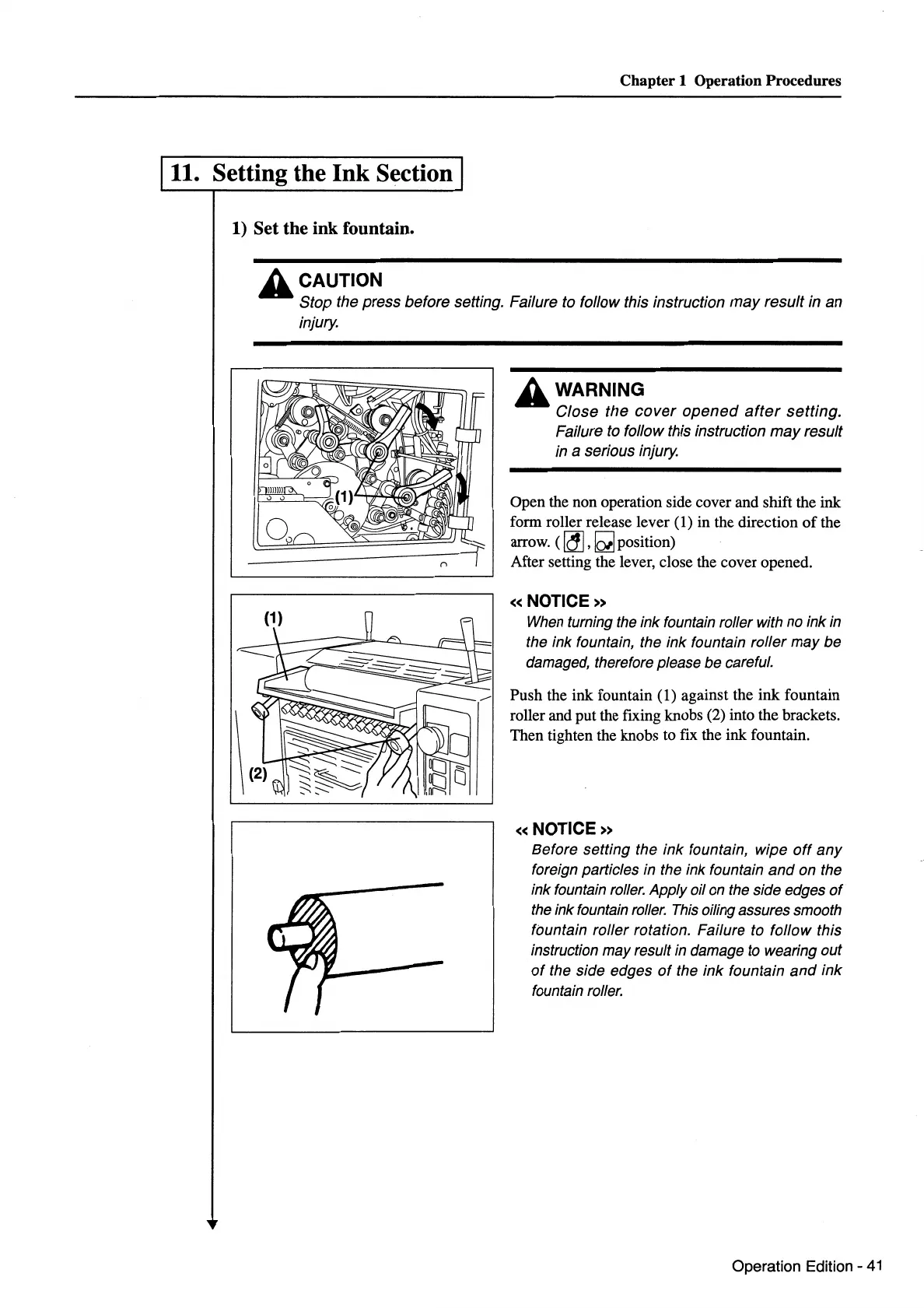
Open the non operation side cover and shift the ink
form roller release lever (1) in the direction
of
the
arrow. (
~
,
~position)
After setting the lever, close the cover opened.
«NOTICE»
When
turning
the
ink fountain roller with
no
ink
in
the ink fountain, the ink fountain roller may be
damaged, therefore please be careful.
Push the ink fountain (1) against the ink fountain
roller and put the fixing knobs (2) into the brackets.
Then tighten the knobs to fix the ink fountain.
«NOTICE»
Before setting the ink fountain, wipe
off
any
foreign particles in the ink fountain
and
on the
ink fountain
roller.
Apply oil
on
the side edges
of
the
ink fountain
roller.
This
oiling assures smooth
fountain roller rotation. Failure to follow this
instruction may result
in
damage
to
wearing out
of
the side edges
of
the ink fountain
and
ink
fountain
roller.
Operation Edition -
41


 To Next Page
 Loading...






