Chapter
1 RYOBI PCS-F
I 6. Copying
the
Ink
Fountain
Key Opening Volume
Data
I
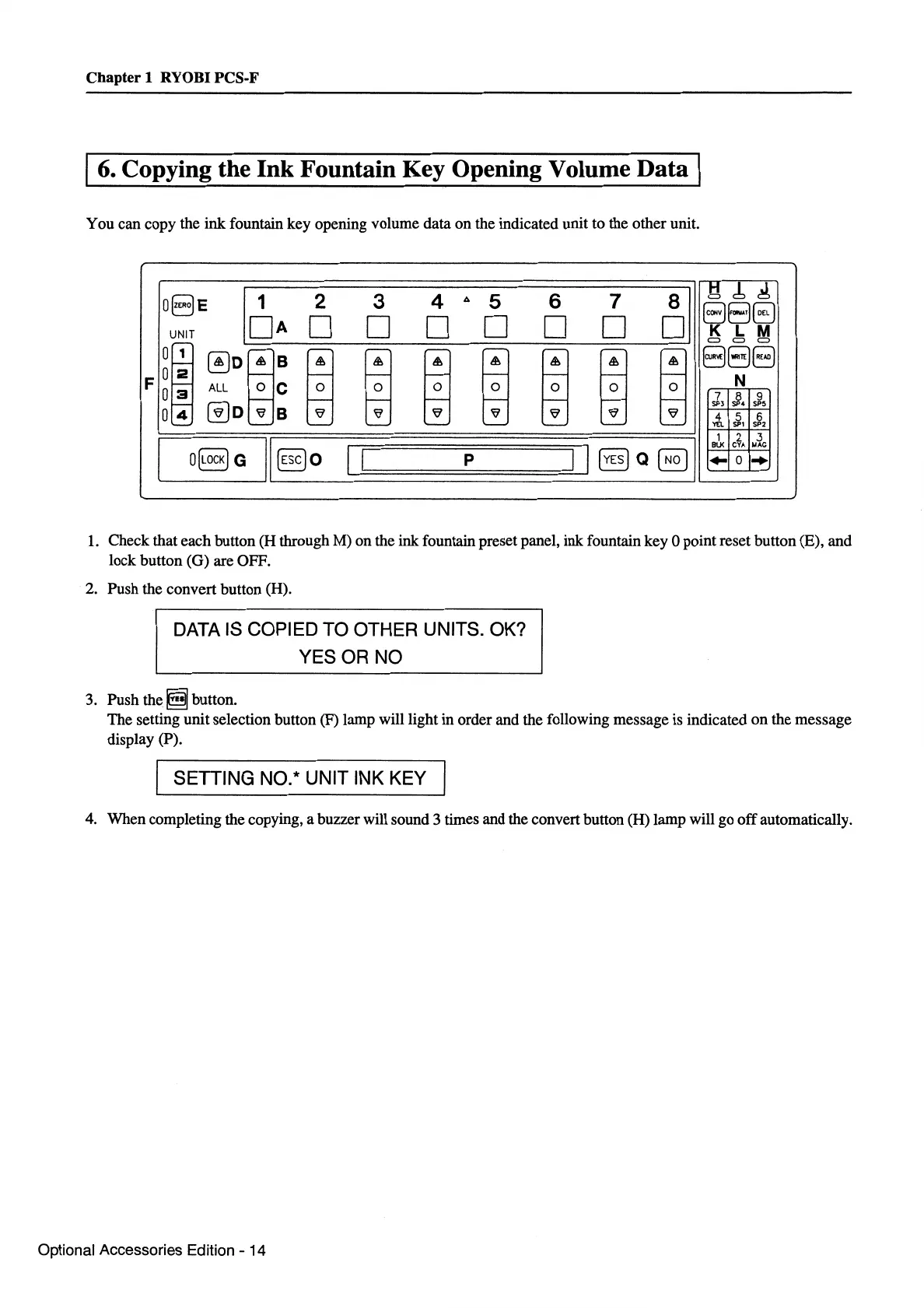
You can copy the ink fountain key opening volume data on the indicated unit to the other unit.
IQ
8-ERo-E-;:::11======2=====3======4===
4
=:
0
s======6=====7======
0
a::::;"]l
~~~
UNITOA
D 0 D D 0 . K L M
F
!I
~:L_rn_;_rn--rn--rn--rn-=--rn-:--rn-:--rn-:_J
~?~
1 2
.3
~~-O[L_ocK_)G~'L'[E=sc~)o
__
~l=l=======p=======I~I~[Y=Es~)-Q~[=No~J~~~-~-~-~~c
1.
Check that each button (H through M) on the ink fountain preset panel, ink fountain key 0 point reset button (E), and
lock button (G) are OFF.
2.
Push the convert button (H).
DATA IS COPIED TO OTHER UNITS. OK?
YES OR NO
3. Push
the~
button.
The setting unit selection button (F) lamp will light in order and the following message is indicated
on
the message
display (P).
I SETTING NO.* UNIT INK KEY I
4.
When completing the copying, a buzzer will sound 3 times and the convert button (H) lamp will go
off
automatically.
Optional Accessories Edition - 14


 To Next Page
 Loading...






