Conguring IEEE 802.1X Authentication
0W20-04L
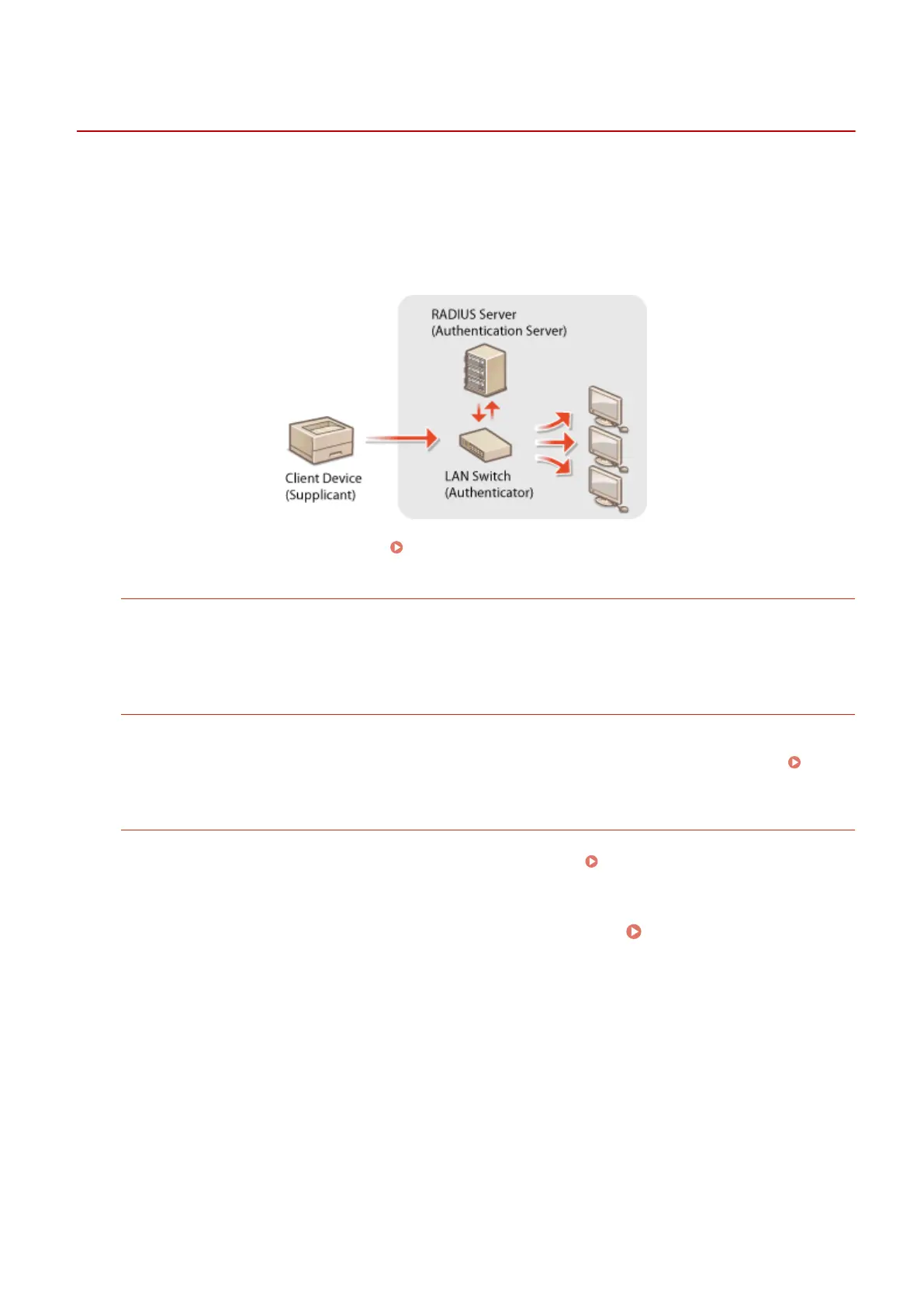
The machine can connect to an 802.1X network as a client device. A typical 802.1X network consists of a RADIUS server
(authentication server), LAN switch (authenticator), and client devices with authentication software (supplicants). If a
device tries to connect to the 802.1X network, the device must go through user authentication in order to prove that
the connection is made by an authorized user. Authentication information is sent to and checked by a RADIUS server,
which permits or rejects communication to the network depending on the authentication result. If authentication fails,
a LAN switch (or an access point) blocks access from the outside of the network.
Select the authentication method from the options below. If necessary, install or register a key pair or CA certicate
before conguring IEEE 802.1X authentication ( Using CA-issued Key Pairs and Digital Certicates(P. 262) ).
TLS
The machine and the authentication server authenticate each other by mutually verifying their certicates. A
key pair issued by a certication authority (CA) is required for the client authentication (when authenticating the
machine). For the server authentication, a CA certicate installed via the Remote UI can be used in addition to a
CA certicate preinstalled in the machine. The TLS method cannot be used with TTLS or PEAP at the same time.
TTLS
This authentication method uses a user name and password for the client authentication and a CA certicate for
the server authentication. MSCHAPv2 or PAP can be selected as the internal protocol. TTLS can be used with
PEAP at the same time. Enable SSL for the Remote UI before conguring this authentication method (
Enabling SSL Encrypted Communication for the Remote UI(P. 235) ).
PEAP
The required settings are almost the same as those of TTLS. MS-CHAPv2 is used as the internal protocol. Enable
SSL for the Remote UI before conguring this authentication method ( Enabling SSL Encrypted
Communication for the Remote UI(P. 235) ).
1
Start the Remote UI and log on in System Manager Mode. Starting Remote
UI(P. 270)
2
Click [Settings/Registration].
Security
248


 To Next Page
 Loading...







