Specifying Paper Size and Type in the Paper Drawer
0W20-010
● To specify a custom paper size, you need to register that size before hand. Registering a Custom Paper
Size(P. 57)
1
Display the <Paper Settings> screen.
LBP252dw
Press use / to select <Paper Settings> press .
LBP251dw
Press ( ).
2
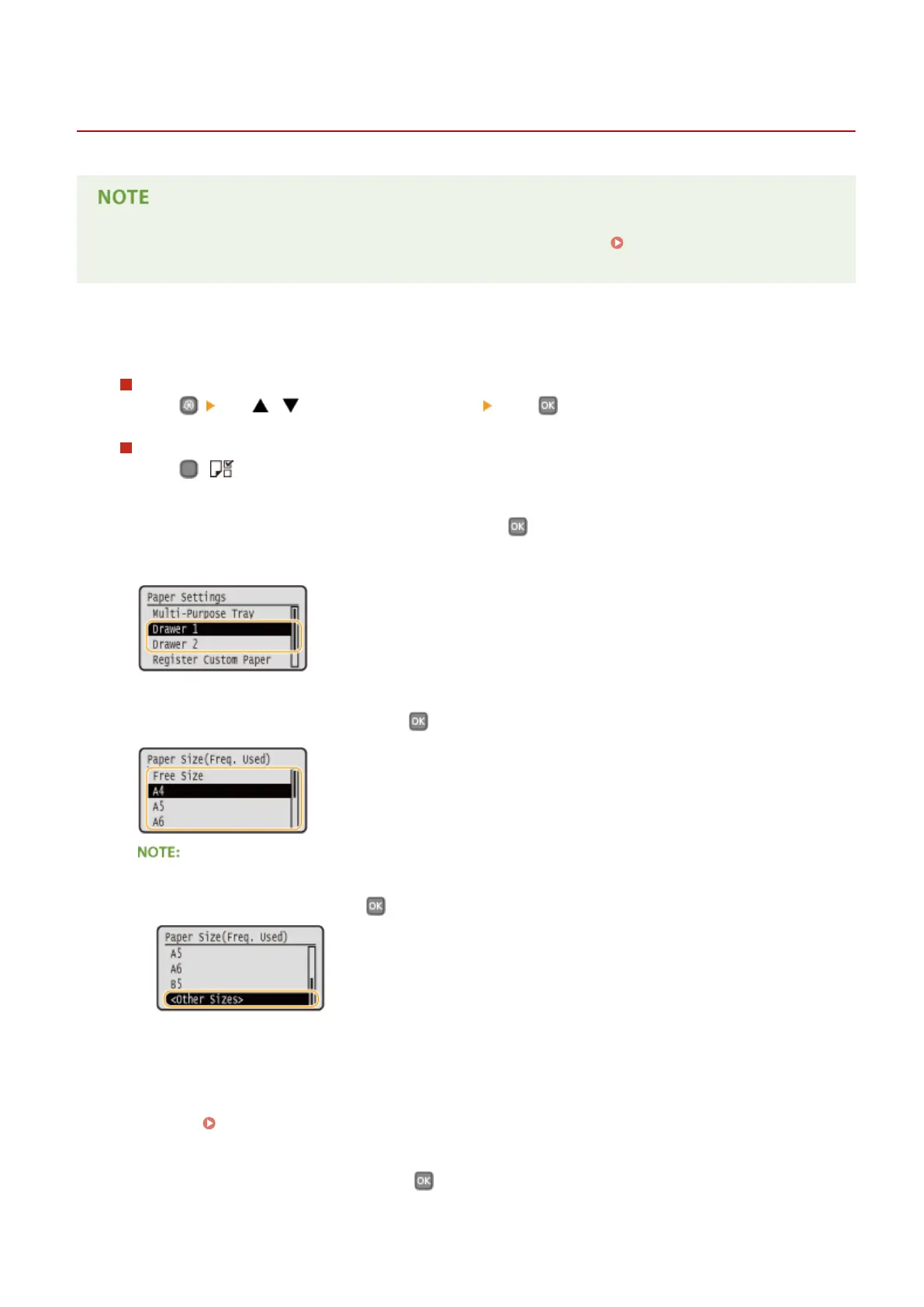
Select <Drawer 1> or <Drawer 2>, and press .
● <Drawer 2> is displayed only when the optional paper feeder is installed.
3
Select the paper size, and press .
If the loaded paper size is not displayed
● Select <Other Sizes>, and press
.
About <Free Size>
● If you frequently change sizes of paper to load, you can specify <Free Size>, which saves you the trouble of
changing the paper size setting each time you print. You can make a setting so that an error message will
be displayed when the paper size set in the printer driver is rather different from the size of the loaded
paper. Barcode Adjustment Mode(P. 316)
4
Select the paper type, and press .
Basic Operations
51


 To Next Page
 Loading...







