44 ACS550-02/U2 User’s Manual
Installation
Disconnecting the EMC filter on IT (ungrounded) and corner grounded TN systems
(frame size R7 only)
WARNING! If a drive with its EMC filter connected is installed on an IT system [an
ungrounded power system or a high resistance-grounded (over 30 ohm) power
system], the system will be connected to earth potential through the EMC filter
capacitors. This may cause danger or damage the drive.
If a drive with its EMC filter connected is installed on a corner grounded TN system,
the drive will be damaged.
Only frame size R7 drives have an EMC filter.
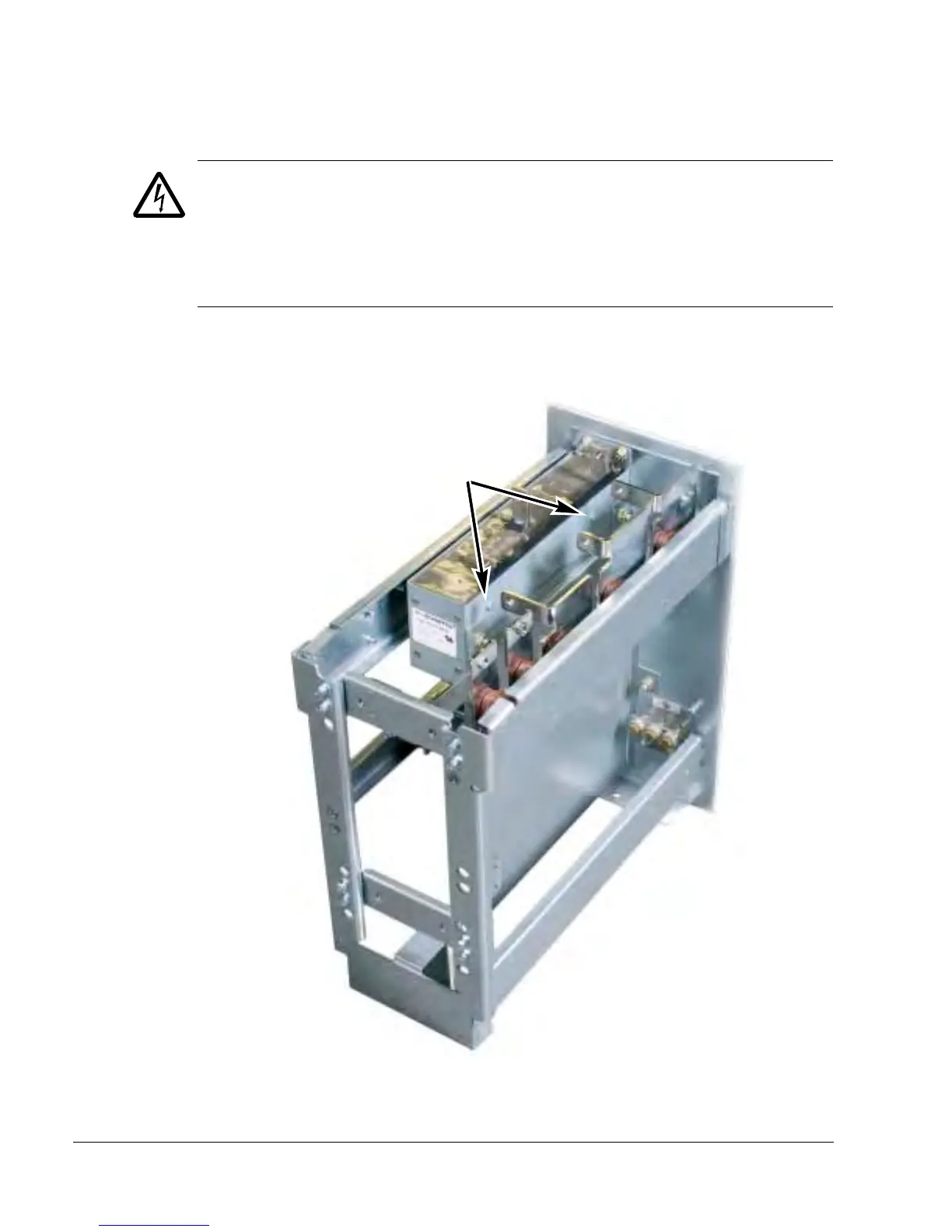
1. Disconnect the EMC filter by removing the two screws shown in the figure below.


 To Next Page
 Loading...