17 - 7 USING PC-FAX
Setting up a Member in the Address Book
In the Brother Address Book dialog box you can add, edit and
delete stored information of Members and Groups.
1
In the Address Book dialog box, click the icon to add a
Member.
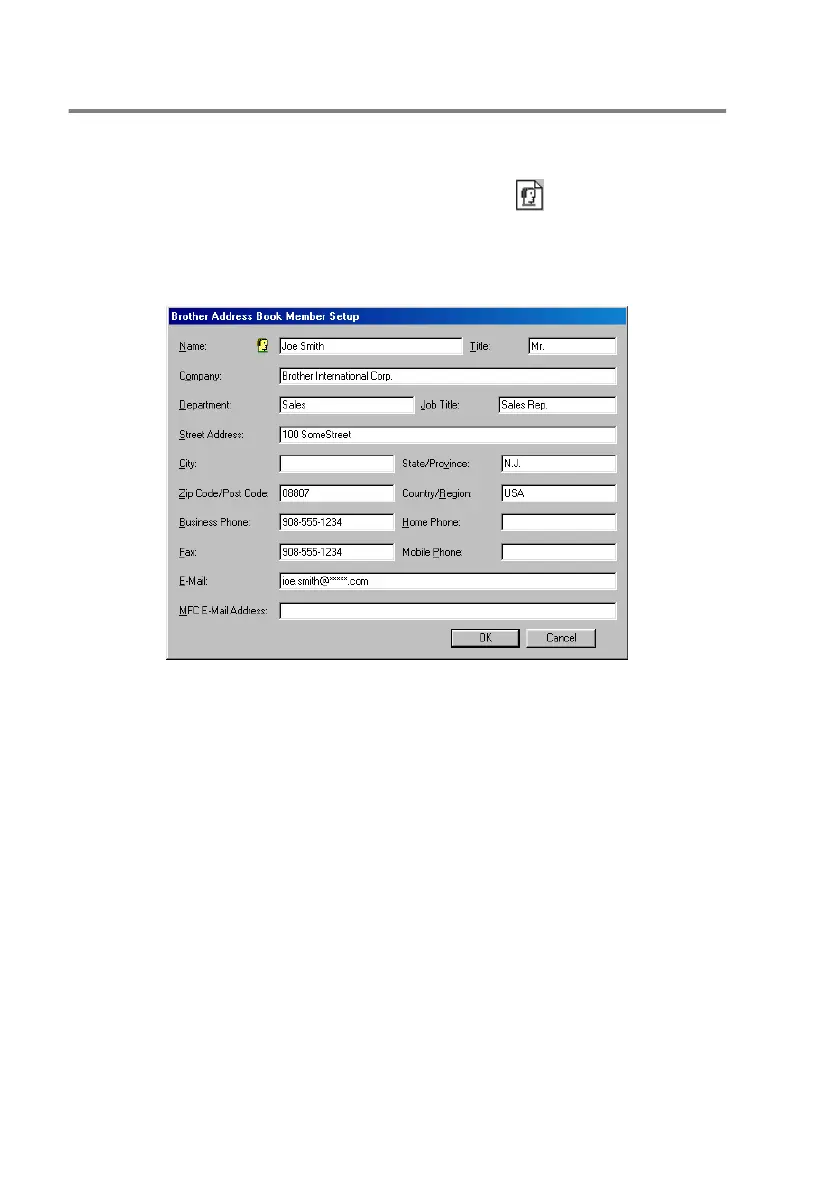
The Brother Address Book Member Setup dialog box will
appear:
2
In the Member Setup dialog box, type the Member's information.
Name and Fax are required fields. Click OK to save the
information.


 To Next Page
 Loading...