19 - 5 USING YOUR MACHINE WITH A MACINTOSH
®
Using the Brother Printer Driver with
Your Apple
®
Macintosh
®
(OS X 10.1)
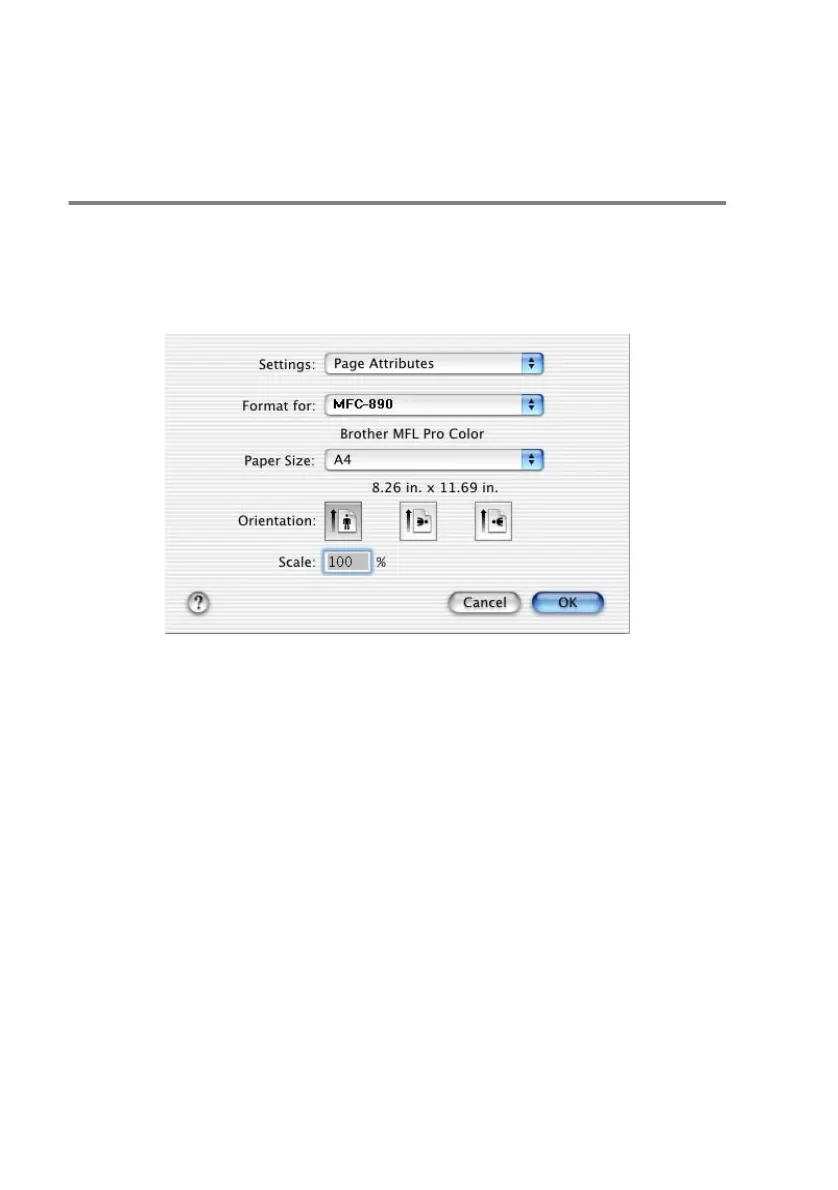
Choosing page setup options
From application software such as TextEdit, click the File menu and
select Page Setup. Make sure MFC-890 is selected in the
Format for pop-up menu. You can change the settings for
Paper Size, Orientation and Scaling, then click OK.



 To Next Page
 Loading...