Section 10.0
MAN 06–0017H
ZIEHM QUANTUM User’s Manual Page 147 of 220
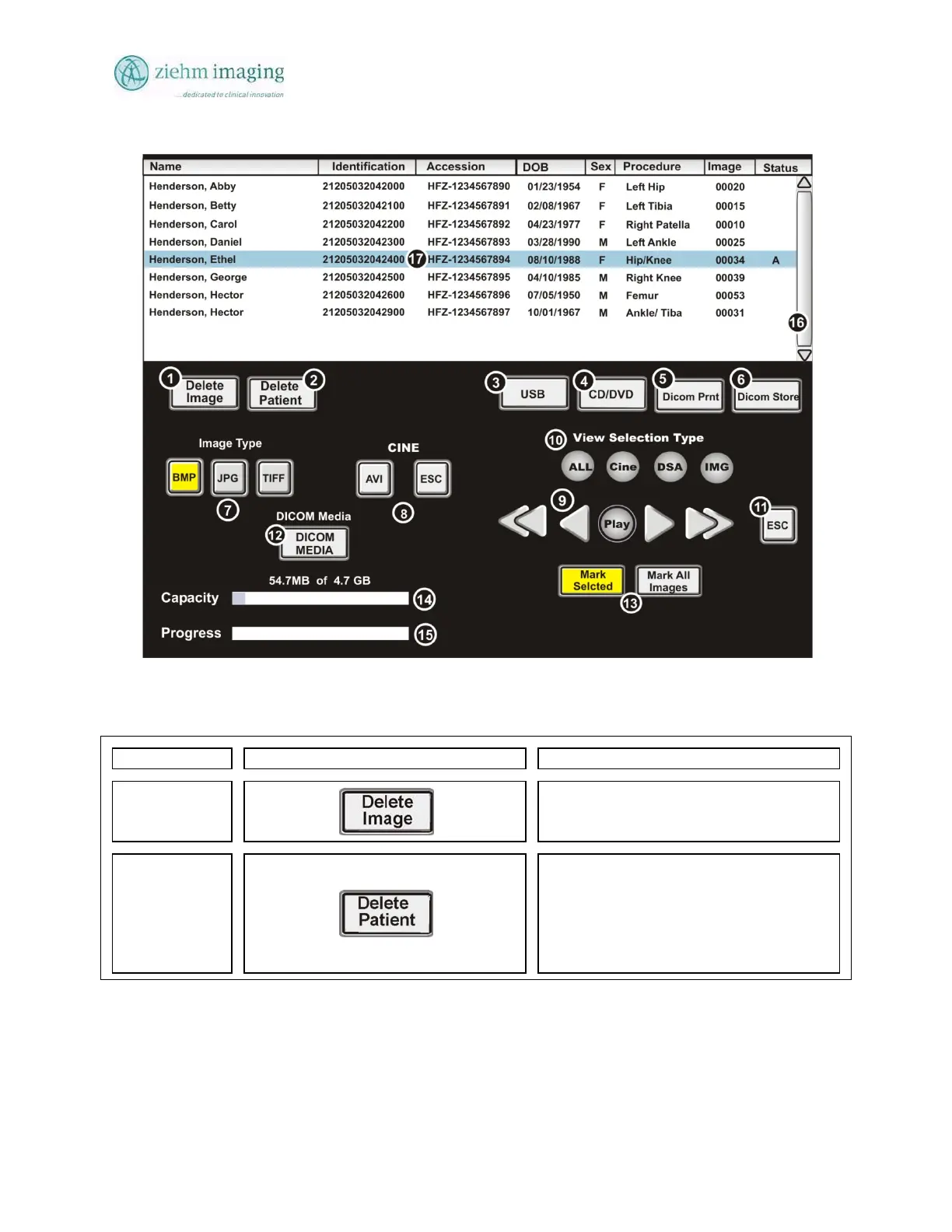
Fig 10.7: Archive Screen (Image Export)
10.10.3 IMAGE ARCHIVE SCREEN BUTTON DESCRIPTION:
Control No. Symbol(s) Description
Button 1
Delete Image
Allows user to delete a single image from
the active patient file in the Archive Screen
Button 2
Delete Patient
Allows user to delete a patient from the
database.
Not: Deleting the patient is a permanent
operations the patient records cannot be
recovered.


 To Next Page
 Loading...