Section 6.0
MAN 06–0017H ZIEHM QUANTUM User’s Manual Page 60 of 220
Live
Image
Display
Patient File
Selections,
Login
HIPPA
Technique Display
Ma
Select
Fluorosco
ic
Anatomical
Programs
Image
Parameters
Collimator
Reference
Images
Reset Button
Patient Demo
ra
hics
Cine DSA
modes
Store
Functions
Manual KV
Im
Scroll Pa
e
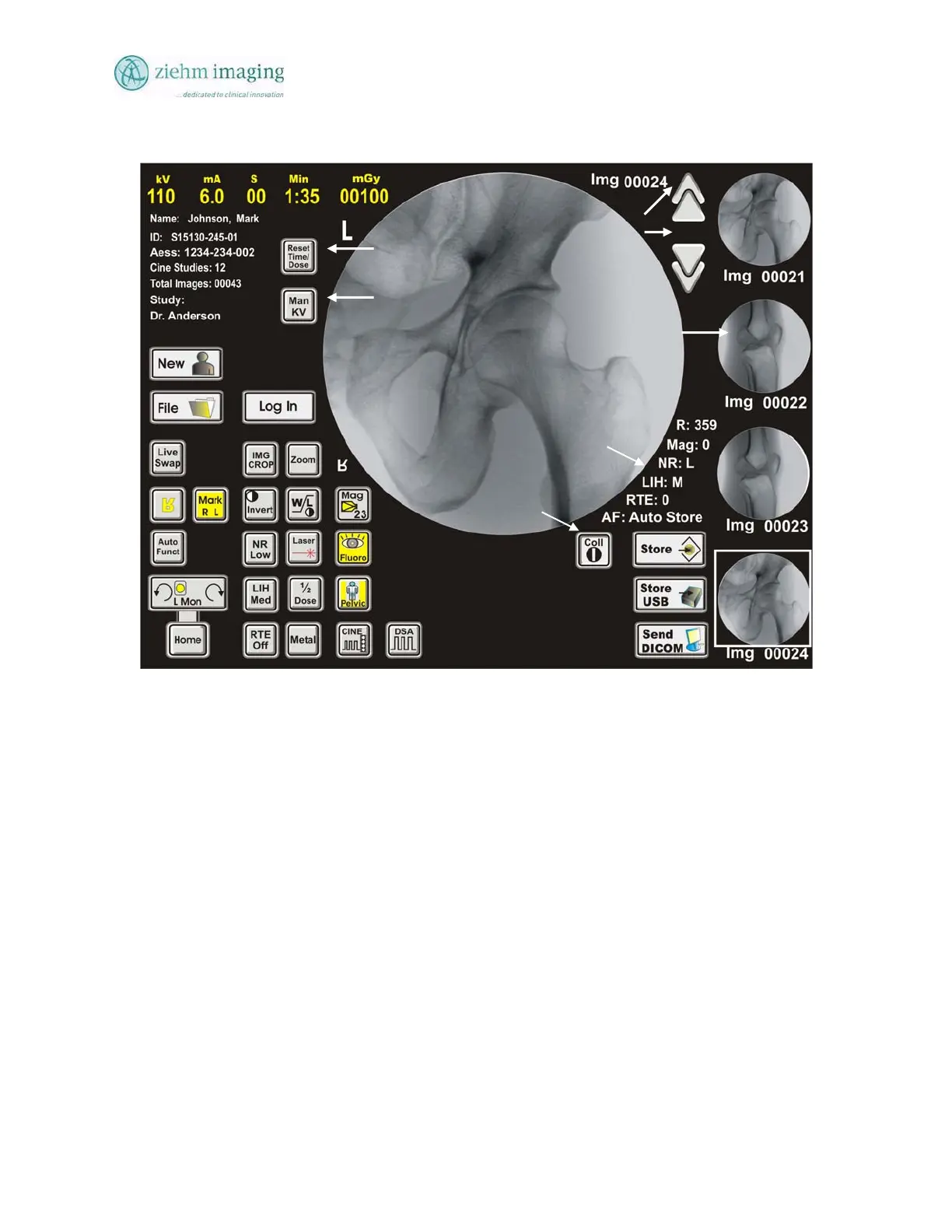
Figure 6.1: Main Touch Panel Screen
6.3 DESKVIEW MAIN SCREEN BUTTONS
The Main screen is displayed in the Fig 6-2 below. Operator can make different settings for organ
program, Fluoroscopic mode, Image Magnification size, etc. The following Table gives a
description of the different functions and modes available to the operator.


 To Next Page
 Loading...