7-16
Routine Maintenance
7
Replacing the Toner Cartridge
•
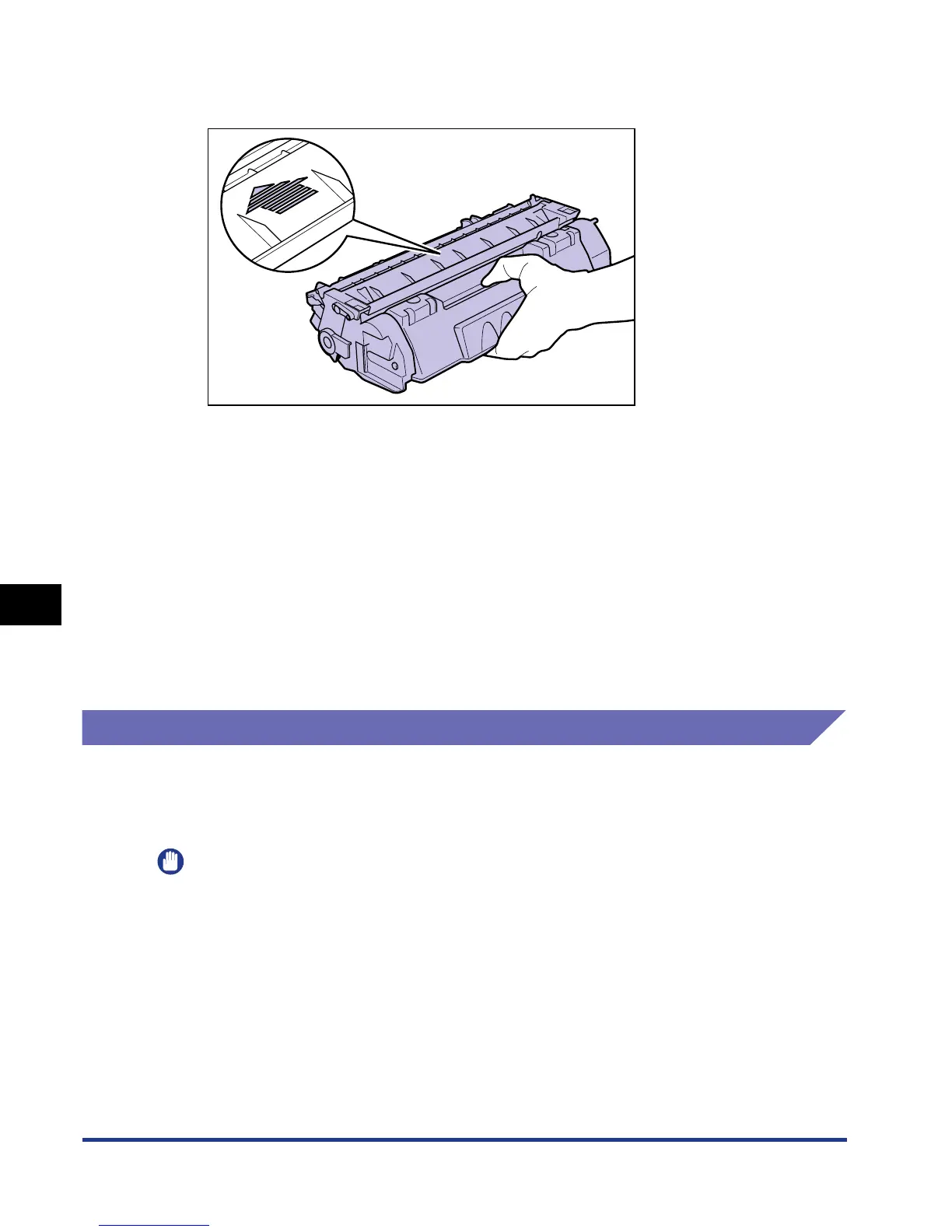
When handling a toner cartridge, hold it properly as shown in the figure and handle it with
the arrowed side facing up. Do not place it vertically or upside-down.
•
Do not attempt to disassemble or modify the toner cartridge.
•
Condensation may form in and on a toner cartridge if it is brought into an environment
that exposes it to sudden changes in temperature and/or humidity. If you move the toner
cartridge to a location that is warmer or has higher humidity, leave the cartridge in the
new location for 2 hours or longer without opening the protective bag to allow it to adjust
to the new temperature.
•
Be sure to use a new toner cartridge before the expiration date indicated on the package.
•
Keep the toner cartridge away from products that generate magnetic waves, such as a
display or computer.
•
A toner cartridge is a magnetic product. Keep the toner cartridge away from products that
may be damaged by magnetic waves, such as a floppy disk or disk drive. This may lead
to damage to data.
Storing Toner Cartridges
Be careful of the following points when storing a new toner cartridge or handling a
toner cartridge that has been taken out of the printer for maintenance or moving the
printer.
IMPORTANT
•
Do not take a new toner cartridge out of the protective bag until it is ready to be used.
•
When you take the toner cartridge out of the printer for servicing the printer or other
purposes, place the toner cartridge into the original protective bag, or wrap it with a thick
cloth immediately.
•
Do not place it vertically or upside-down. Store the toner cartridge in the same
orientation as when installed in the printer.
•
Do not store the toner cartridge in a place exposed to direct sunlight.


 To Next Page
 Loading...







