1-5
Before You Start
1
User Manual CD-ROM Menu
Using the User Manual CD-ROM Menu
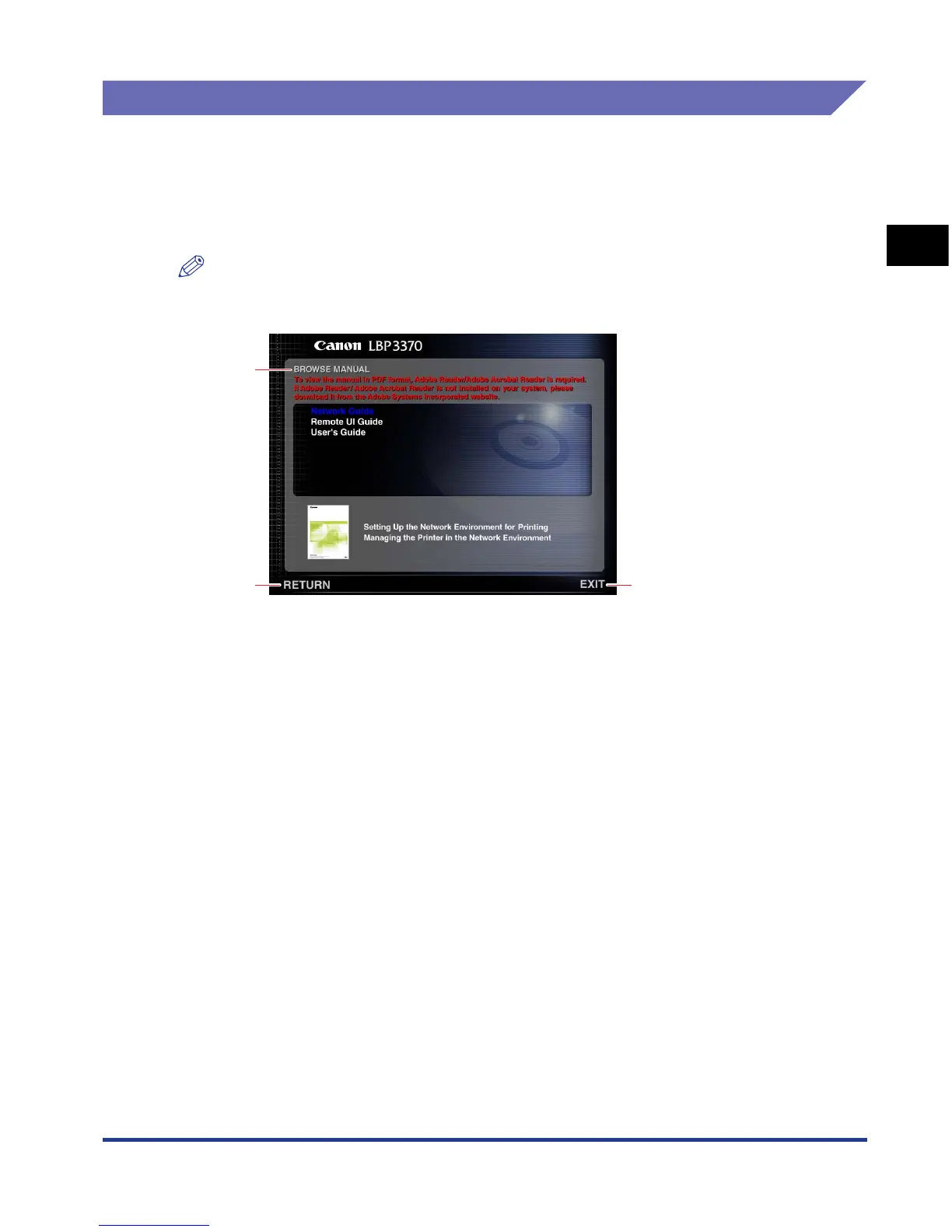
This section describes how to use the CD-ROM Menu. When you insert the User
Manual CD-ROM provided into the CD-ROM drive, the Language Selection screen
is displayed. Clicking a language on this screen displays the following menu.
(The sample screenshot shown here is for Windows users.)
NOTE
For Macintosh users, double-click the [START] icon to start the CD-ROM Menu. The
Language Selection screen is displayed.
aa
aa
BROWSE MANUAL
You can read any of the listed guides by clicking on
the desired guide. After clicking on the desired
guide, Acrobat Reader starts, and the PDF manual
is displayed.
bb
bb
RETURN
Return to the Language Selection screen.
cc
cc
EXIT
Exit the CD-ROM menu.
a
b c


 To Next Page
 Loading...







