Sending Email from the Web
July 29, 2002 T-Mobile Sidekick Owner’s Manual 176
Send a New Message
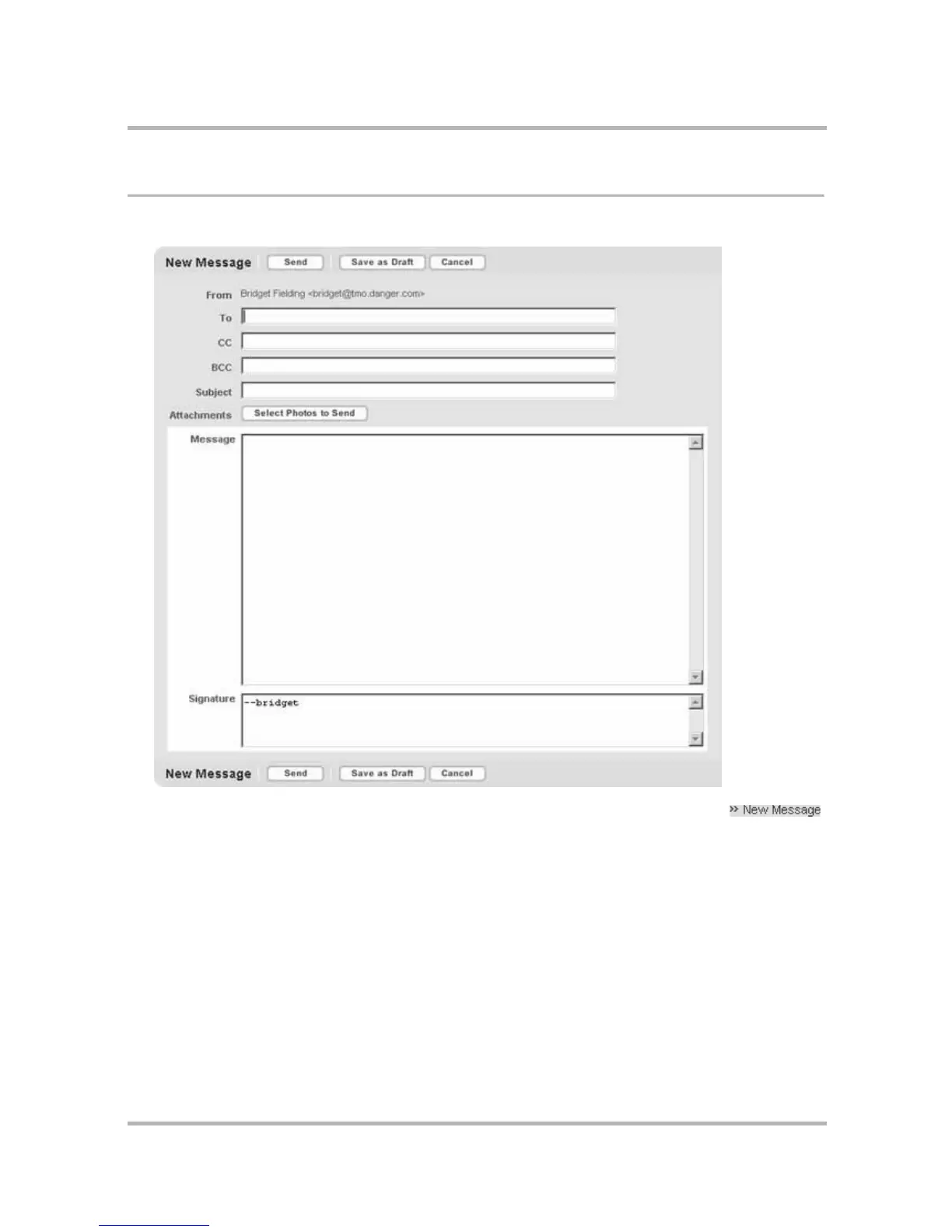
1 Click the New Message link in the sidebar. The New Message page opens:
Note: If you are on the Jump page, you can open the New Message page directly by clicking
in the Email section of the page.
2 Compose your message.
• From field – If you have set up POP3 accounts, then you can choose which address you want to use to
send the email from the drop-down list in this field.
• To field – Type in the email address of the person to whom you are sending the email.
• CC and BCC fields – Optional fields; as with the To field, the Email application will communicate with the
Address Book and offer you completion suggestions.
• Subject field – Type your subject line; it can be up to 255 characters long.


 To Next Page
 Loading...











