12-1
12. AIS, DSC MESSAGE
12.1 What is AIS?
AIS (Automatic Identification System) is a system that continuously transmits the iden-
tification and position of your ship to AIS-equipped ships within VHF range. All such
ships also receive data from other AIS-equipped ships and display their positions and
other relevant information. The AIS broadcasts this information over a VHF transceiv-
er. The information is as shown below.
12.2 How to Show or Hide the AIS Symbols
1. On the radar display or plotter display, open the [Layers] menu.
2. Turn [AIS Targets] on or off.
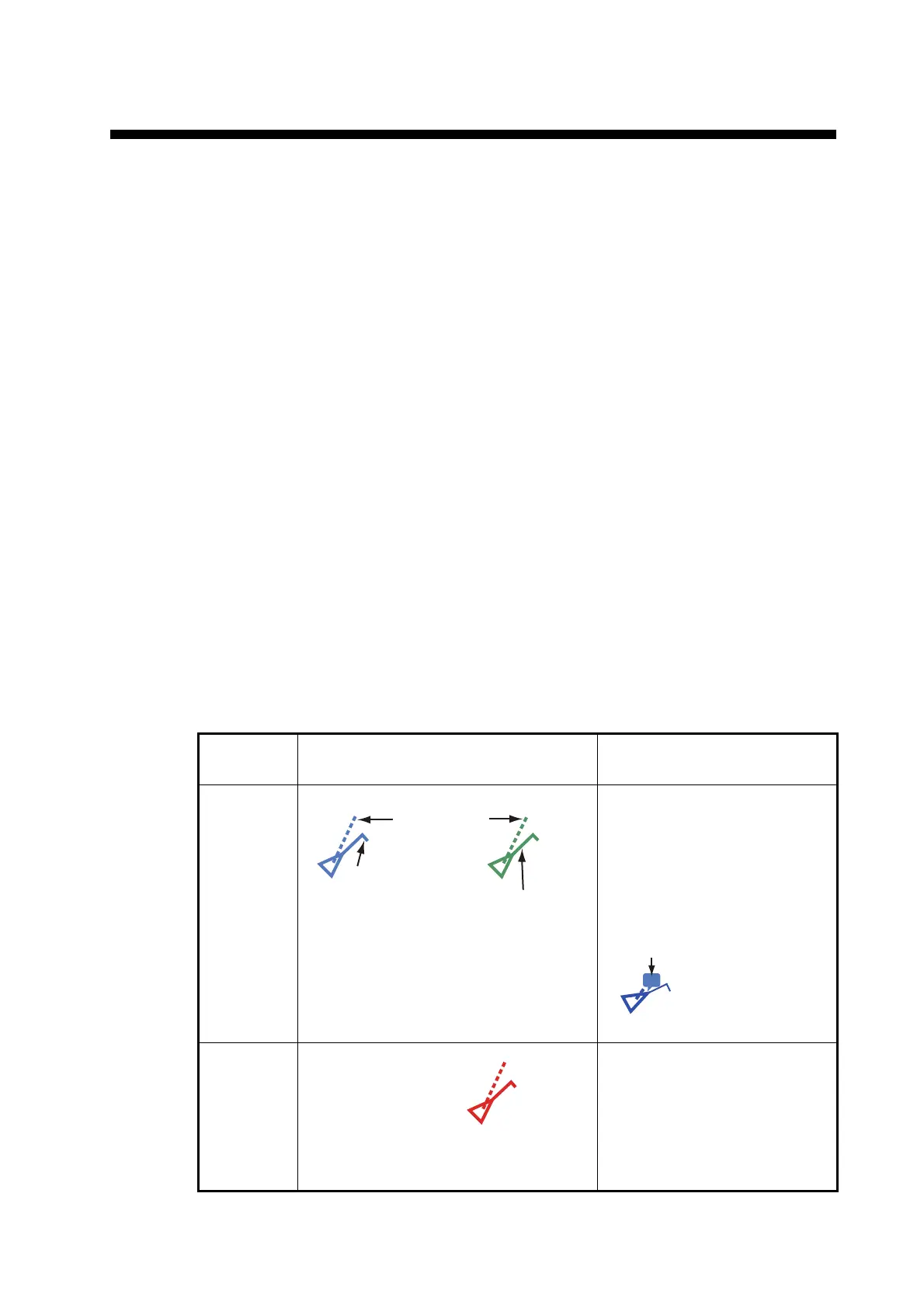
12.3 AIS Target Symbols
• Position • Call sign
• Name of ship • Speed over ground
• Course over ground • Name of position-fixing equipment
• Position of position-fixing equipment • Rate of turn
• Heading
Target
type
Symbol Description
Activated
AIS target
COG is indicated on the symbol
with a dotted line.
Note: An AIS symbol that has a
"TX marker" (callout) above it
indicates that vessel has trans-
mitted an AIS safety message.
Dangerous
AIS target
The target whose CPA and
TCPA are smaller than the
[CPA Alarm Value] and [TCPA
Alarm Value], which are set in
the [Settings] - [Targets] menu,
is indicated as a dangerous tar-
get.
Color: Blue for the Class A AIS
: Green for the Class B AIS
SOG and
COG vector
ROT (Rate of Turn)
Heading line



 To Next Page
 Loading...









