2. PLOTTER
2-16
2.10.5 Anchor watch alarm
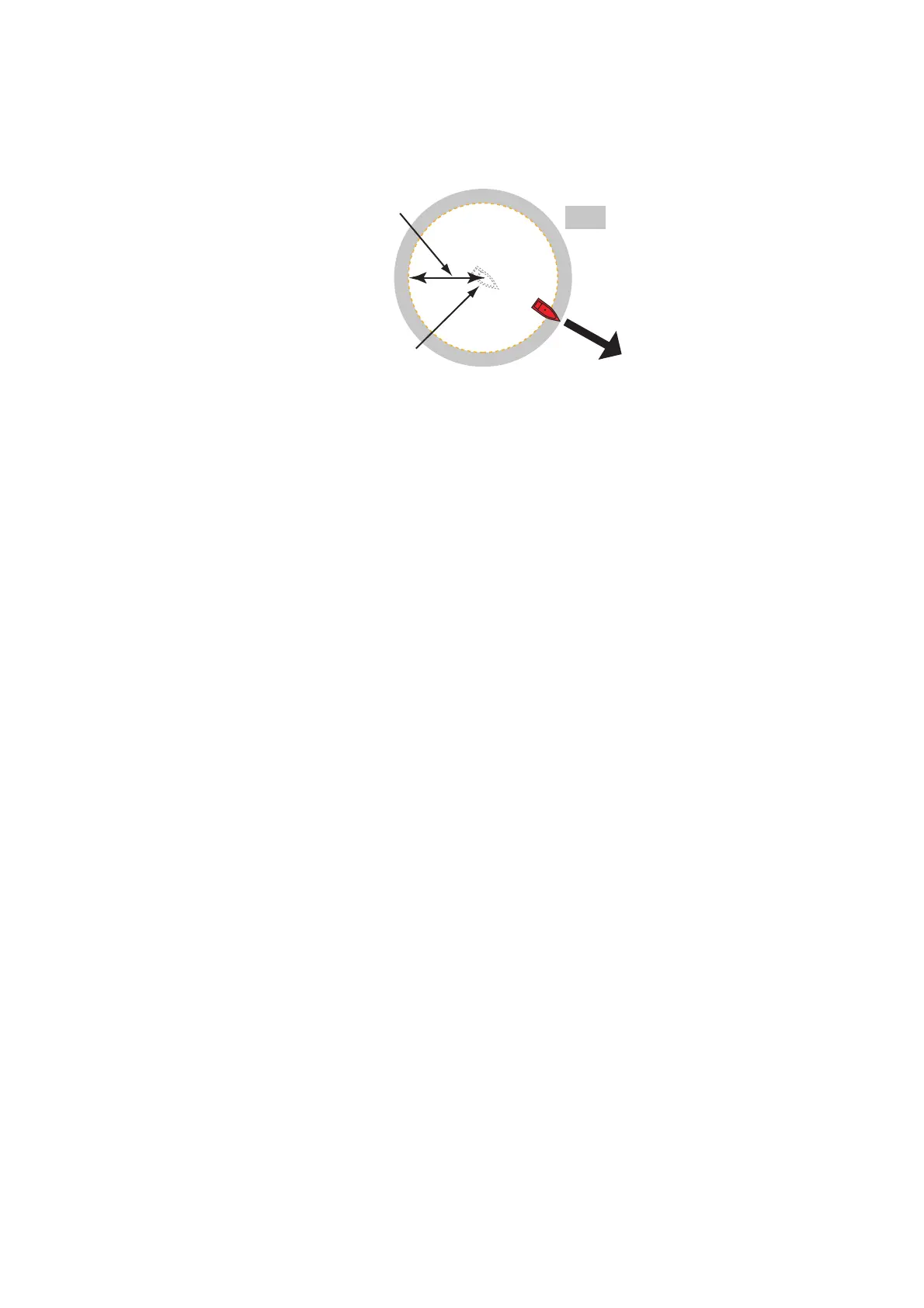
The anchor watch alarm tells you that your ship has moved a distance greater than
the set value when the ship must not be moving.
1. Turn on [Anchor Watch Alarm] in the [Alarm] menu.
2. Tap [Anchor Watch Alarm Value] to display the software keyboard.
3. Set the value, then tap .
4. Tap the close button to finish.
2.10.6 Low fuel alarm
The low fuel alarm informs to a low fuel situation.
1. Turn on [Low Fuel Alarm] in the [Alarm] menu.
2. Tap [Low Fuel Alarm Value] to display the software keyboard.
3. Set the value, then tap .
4. Tap the close button to finish.
The low fuel alarm can be deactivated by selecting [OFF] at step 1 in the above pro-
cedure.
2.10.7 Other Alarm menu items
The followings are the alarm menu items not previously mentioned.
[Hardware Alarm]: The [OFF] setting disables hardware-related alarms.
[Notification Sound]: Activate or deactivate the notification sound (for "Waypoint
Crossing" (see section 5.9), "End of Route" (section 4.12) or fish finder alarms
(section 7.11)).
[Alarm Sound when NAVpilot is engaged]: Activate or deactivate the notification
sound when the autopilot is engaged to or disengaged from this system.
[Alarm Sound]: Disable or enable the buzzer.
[Sound Alarm Until Acknowledged]: Turn this item on to sound the aural alarm until
an alarm is acknowledged (see paragraph 2.10.8).
[Save Log File]: Save alert list to micro SD card.
[Reset Default Settings]: Select this menu item to restore default settings for the
[Alarm] menu.
Your ship's position where you
start the anchor watch alarm.
Alarm
setting
: Alarm area



 To Next Page
 Loading...









