CHAPTER 6 ADJUSTMENTS AND UPDATING OF SETTINGS,
REQUIRED AFTER PARTS REPLACEMENT
Confidential
6-4
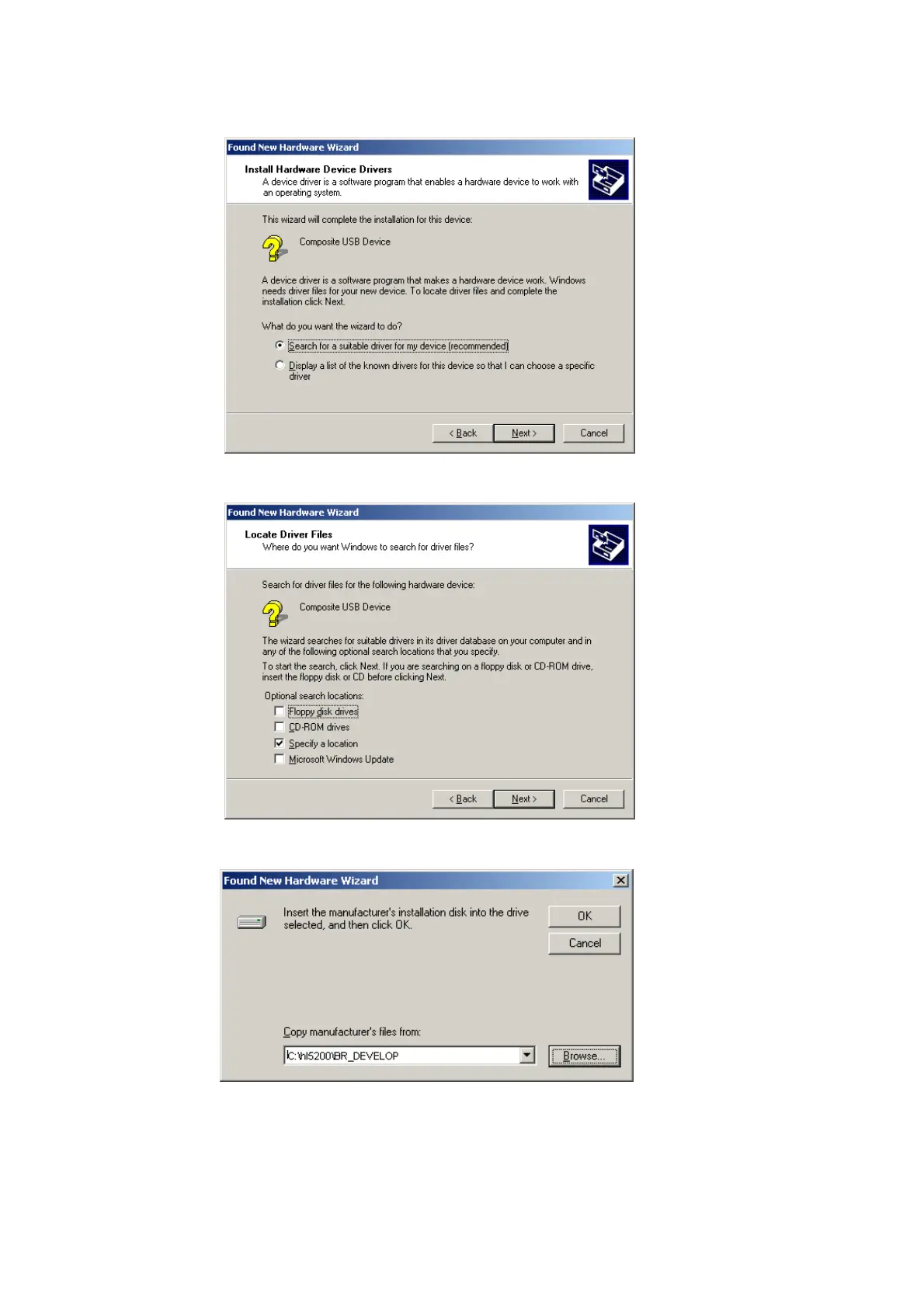
4. Select “Search for a suitable driver for my device (recommended)” and click Next.
5. Select “Specify a location” and click Next.
6. Select the “BR_DEVELOP” folder in the C drive, then click OK.



 To Next Page
 Loading...