DS1067-062C 68 LBT20063
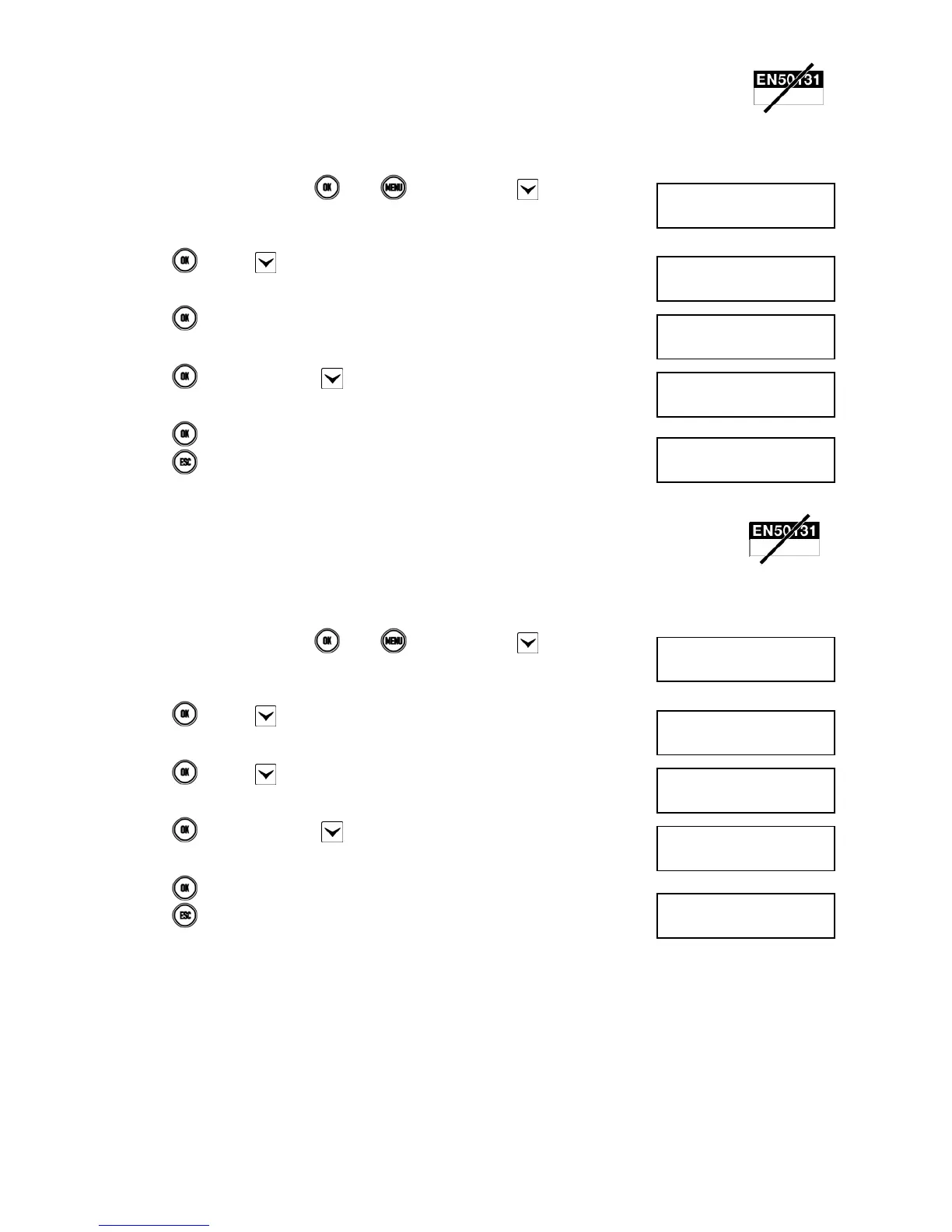
5.6.7 How to enable remote access
Remote access must be enabled to allow remote control of the system, e.g. for the installer to carry out maintenance
operations.
Proceed as follows to enable remote access to the system:
1) Enter <Master code>, press
, then and finally press repeatedly until
ENABLE appears.
2) Press and then several times until ADVANCED appears.
3) Press
.
4) Press
. If, necessary, press to make ENABLE appear.
5) Press
to enable remote access.
6) Press repeatedly to exit from the menu.
5.6.8 How to enable remote disarming
Enabling remote disarming means being able to disarm the system either totally or partially, from a distance, e.g. to allow
access to the rooms even if you are not physically present.
Proceed as follows to enable remote system disarming:
1) Enter <Master code>, press
, then and finally press repeatedly until
ENABLE appears.
2) Press
and then several times until ADVANCED appears.
3) Press and then until REMOTE DISARM appears.
4) Press
. If, necessary, press to make ENABLE appear.
5) Press to enable remote disarming.
6) Press repeatedly to exit from the menu.
5.6.9 How to disable the Installer
Installer enabling is revoked whenever a User or Master code is entered or when an electronic or proximity key is used.
UT01:MASTER
ENABLE
ENABLE
ADVANCED
ADVANCED
REMOTE ACCESS
REMOTE ACCESS
ENABLE
1067/052A
12/01/2014 10:10
UT01:MASTER
ENABLE
ENABLE
ADVANCED
ADVANCED
REMOTE DISARM
REMOTE DISARM
ENABLE
1067/052A
12/01/2014 10:10


 To Next Page
 Loading...