DS1067-062C 75 LBT20063
6 USERS AND KEYS
This chapter explains how to add new users and acquire new keys.
Adding a user essentially means configuring a user memory of the control panel, i.e. defining whether it is associated to
the entire system or only to some zones and to program a descriptive name.
Acquiring a new key is needed to make the control panel recognise a key code and to assign the key to the entire system
or only to some zones and to program a descriptive name.
In both cases, the new user and new key must be enabled after they have been created (see paragraph 5.6 Enabling and
disabling).
6.1 USERS
6.1.1 How to assign a user
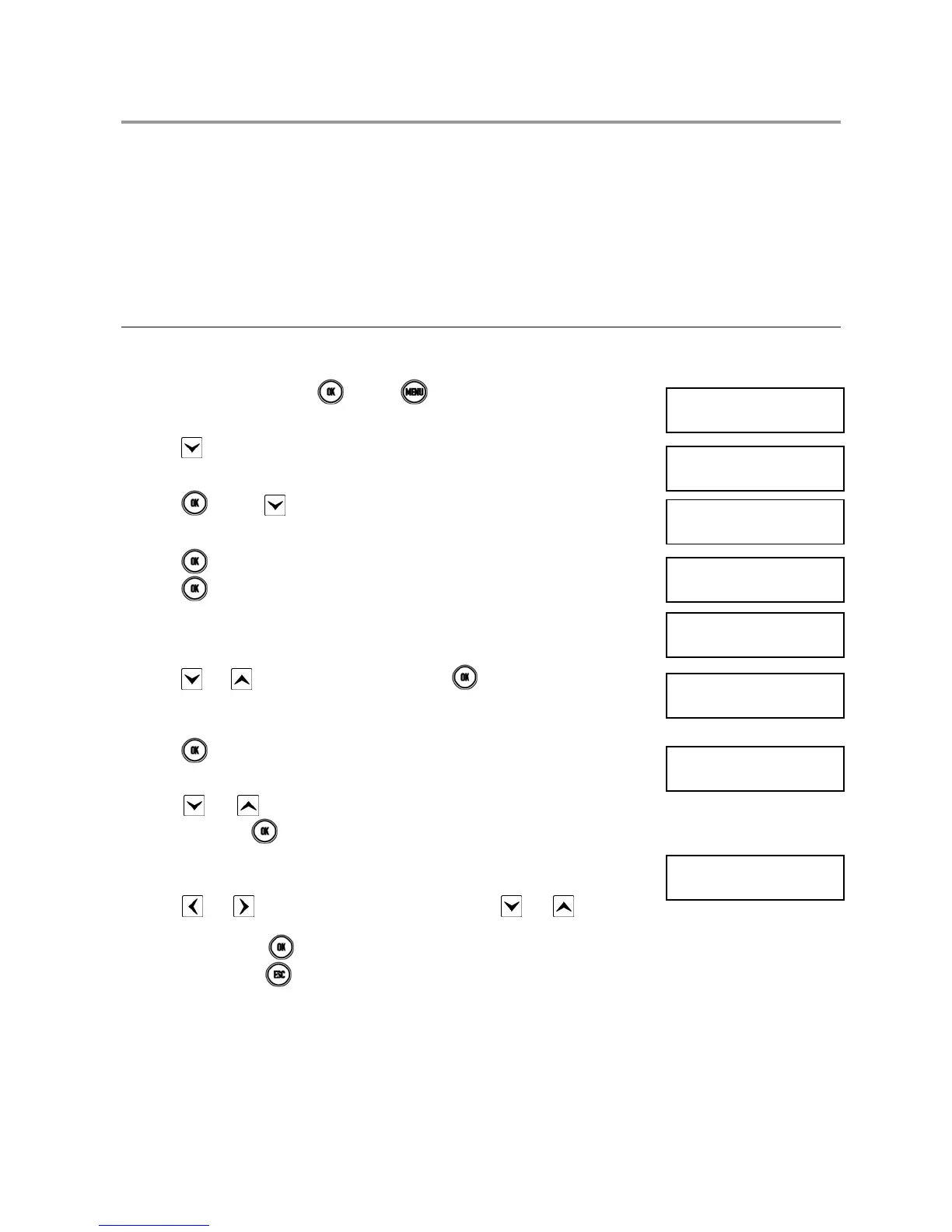
Proceed as follows to assign a user to the system (all zones):
1) Enter < Master code >, press and then .
2) Press repeatedly until SETTINGS appears.
3) Press
and then several times until USERS appears.
4) Press .
5) Press .
6) Press and to select the required user. Press to confirm.
7) Press
.
8) Press
and to assign the user to the entire system (SYSTEM) or to some
zones only. Press
to confirm.
9) The following will appear if ZONES is selected.
10) Press
and to go from one zone to the other. Press and to select or
deselect the zone (empty square = not assigned, full square = assigned). Press to
confirm the selection
.
11) In both cases, press repeatedly to exit from the menu.
UT01:MASTER
SYSTEM STATUS
UT01:MASTER
SETTINGS
SETTINGS
USERS
USERS
CONFIGURE USER
CONFIGURE USER
UT00: INSTALLER
UT03:…
ASSIGN
ASSIGN
SYSTEM
ZN01:
□□□□□••••••••••


 To Next Page
 Loading...