27. Calling the dealer
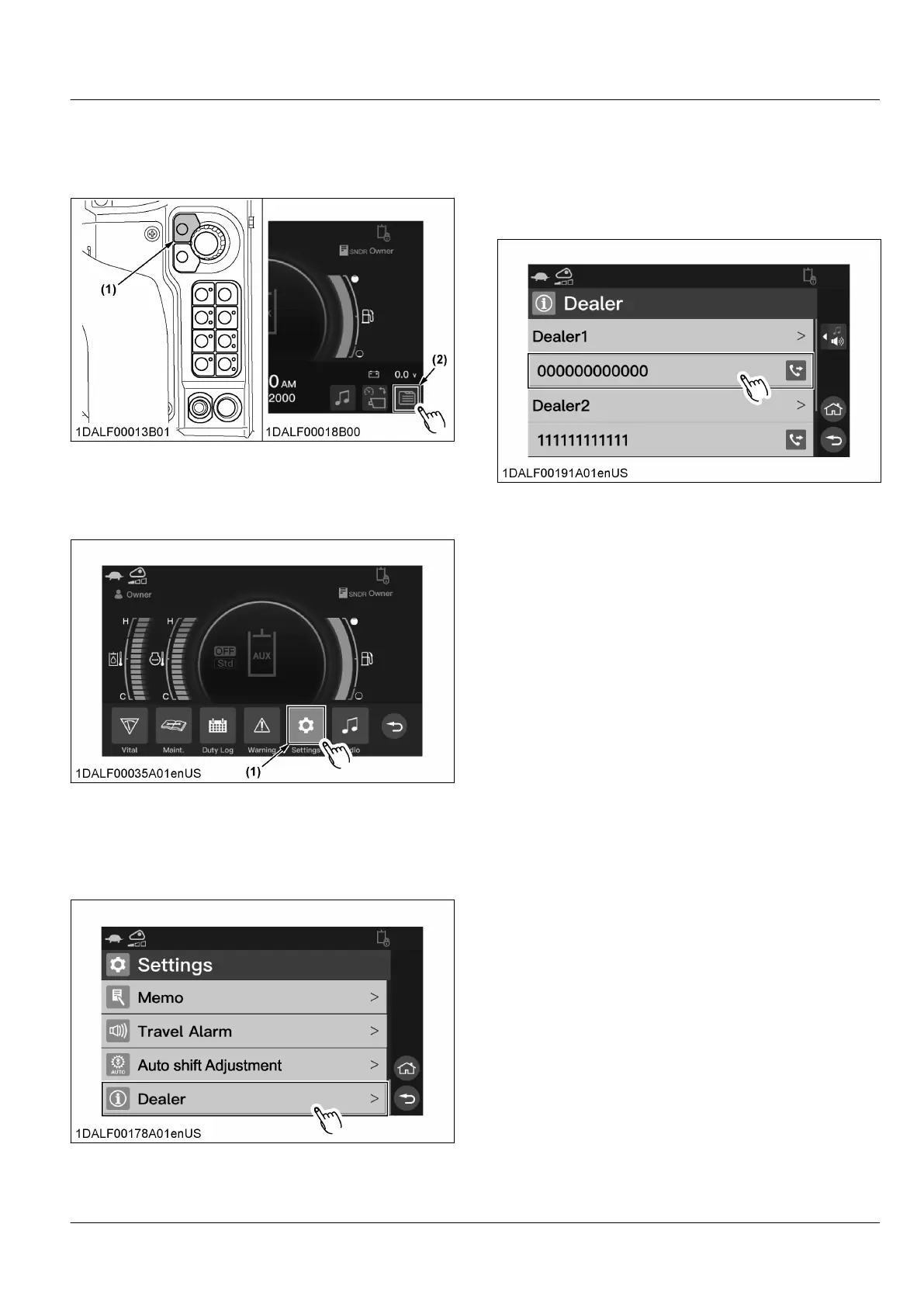
1. Press
the home switch or touch the menu icon to
make the menu bar appear on the display.
(1) Home switch (2) Menu icon
2. Rotate
the jog dial to select the icon [Settings], and
press the jog dial switch.
For touch operation, touch the icon [Settings].
(1) Icon
3. Rotate
the jog dial to select [Dealer], and press the
jog dial switch.
For touch operation, scroll the display, and touch
[Dealer].
4. Rotate
the jog dial to select the phone number you
want to call, and press the jog dial switch.
A pop-up “Calling” will appear
.
For touch operation, touch the phone number you
want to call.
NOTE :
• The dealer name before registration is blank.
MACHINE SETTING INSTRUMENT PANEL AND SWITCH


 To Next Page
 Loading...